27
Bruker Optik GmbH HYPERION User Manual
Overview 3
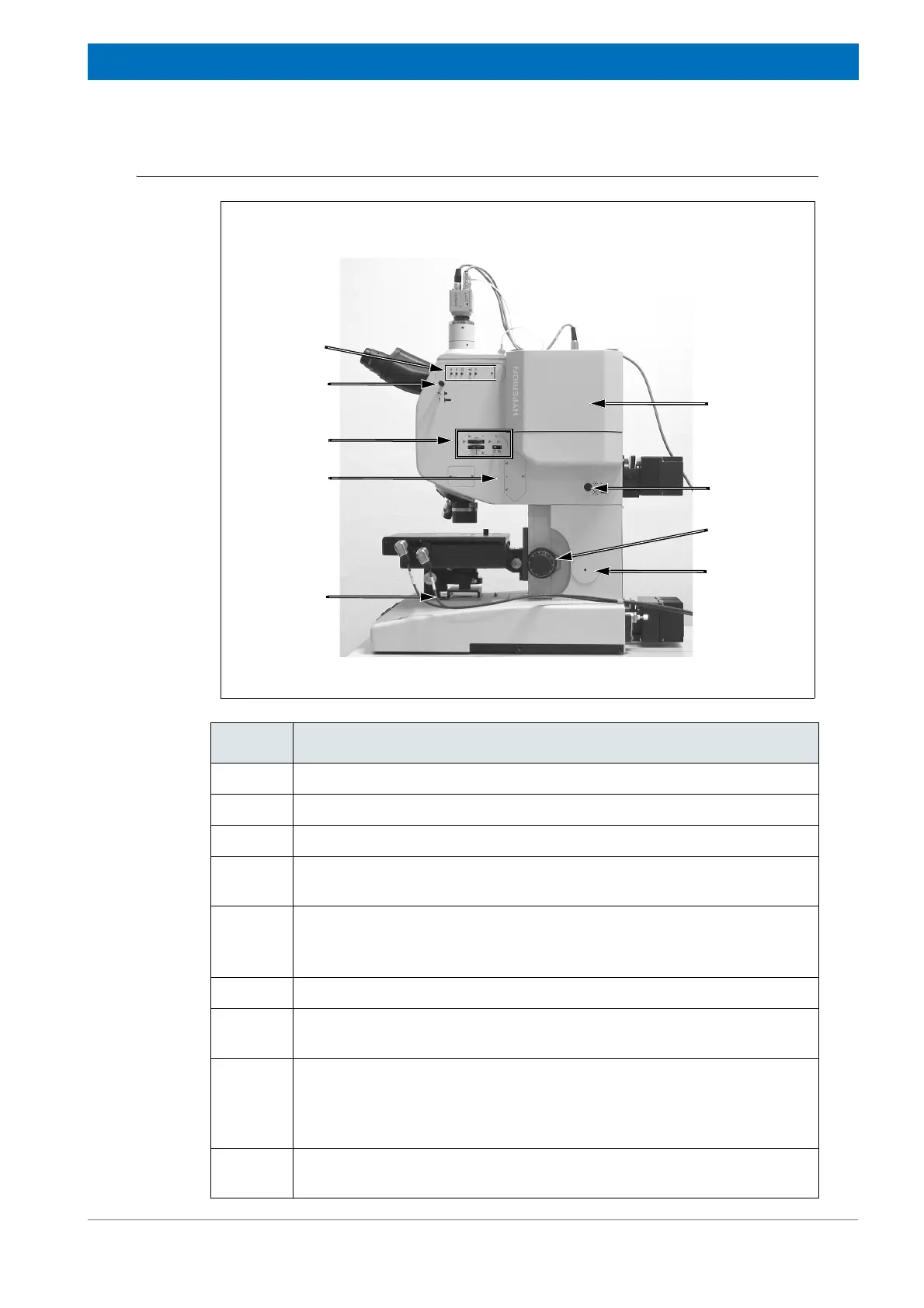
Right side view
Figure 3.2: HYPERION 2000 - Right side view
B
C
E
H
F
G
A
I
D
Fig. 3.2 Component / Control element
A Brightness control
B Installation site of an optional aperture (aperture for confocal microscopy)
C Knife-edge aperture (manually operated type)
D Visible light routing control (i.e. control element for routing the light either
to the video camera or to the binocular)
E Operating elements of the LCD monitor
☞ For detailed information about these operating elements, see
section 3.11.
F Detector comportment housing the optional detector
G Koehler aperture control (for opening and closing the iris aperture to set
the Koehler illumination in the reflection mode
H Rotating knobs for focussing (coarse and fine focus)
Note: In case of a motorized x/y/z-stage, joystick-controlled and computer-
controlled focussing is possible. The third stage motor for a motorized
stage movement in z-direction is an optional feature.
I Opening for coupling the spectrometer or an external accessory on the
right side of the microscope



 To Next Page