9
MicroDock II
Pushbuttons
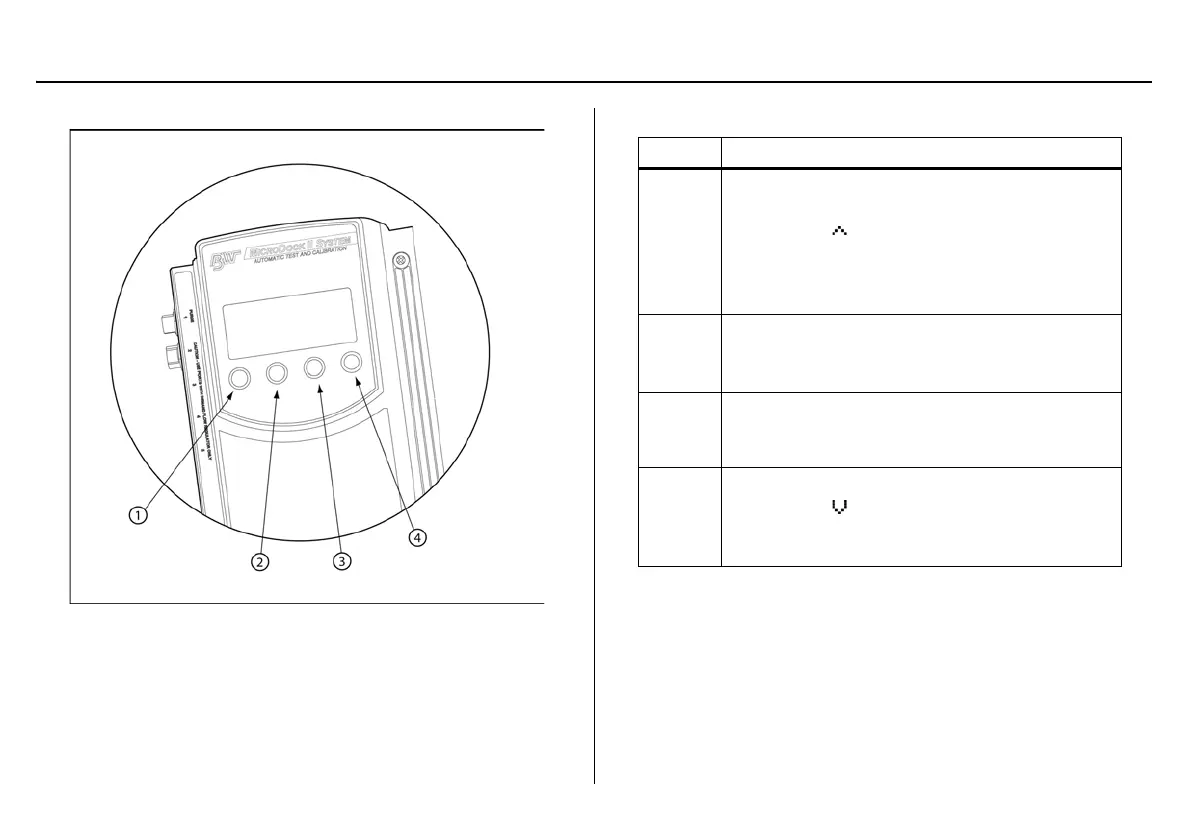
Base Station Pushbuttons
Figure 3. Base Station Pushbuttons
The base station pushbuttons activate, deactivate, scroll, select options,
and perform functions.
Table 5. Base Station Pushbuttons
Item Description
1
• Activate the base station
•Select menu to access the user options
• Select to scroll to different user options or
to other functions/selections within a user
option
•Select OK
2
•Select log to view the results history log
•Select sel to select an option
• Access a modifiable field
3
•Select exit to exit from a modifiable option
•Select exit from the user options menu to
enter normal operation
4
• Deactivate the base station
• Select to scroll to different user options or
to other functions/selections within a user
option



 To Next Page