49
MicroDock II
User Options Menu
2. Press C sel to confirm the selection and access the field
( changes to ).
3. Press
C or C to toggle between the auto and manu
option.
4. When the desired option displays, press
C sel to confirm the
selection and exit the field ( changes back to ).
5. Press
C or C to scroll to another user option.
Or
Press
C exit to return to normal operation.
Pass Code
The Pass Code option prevents unauthorized access to the user options
menu. When the base station is pass code protected, displays during
normal operation.
Note
The pass code is provided separately.
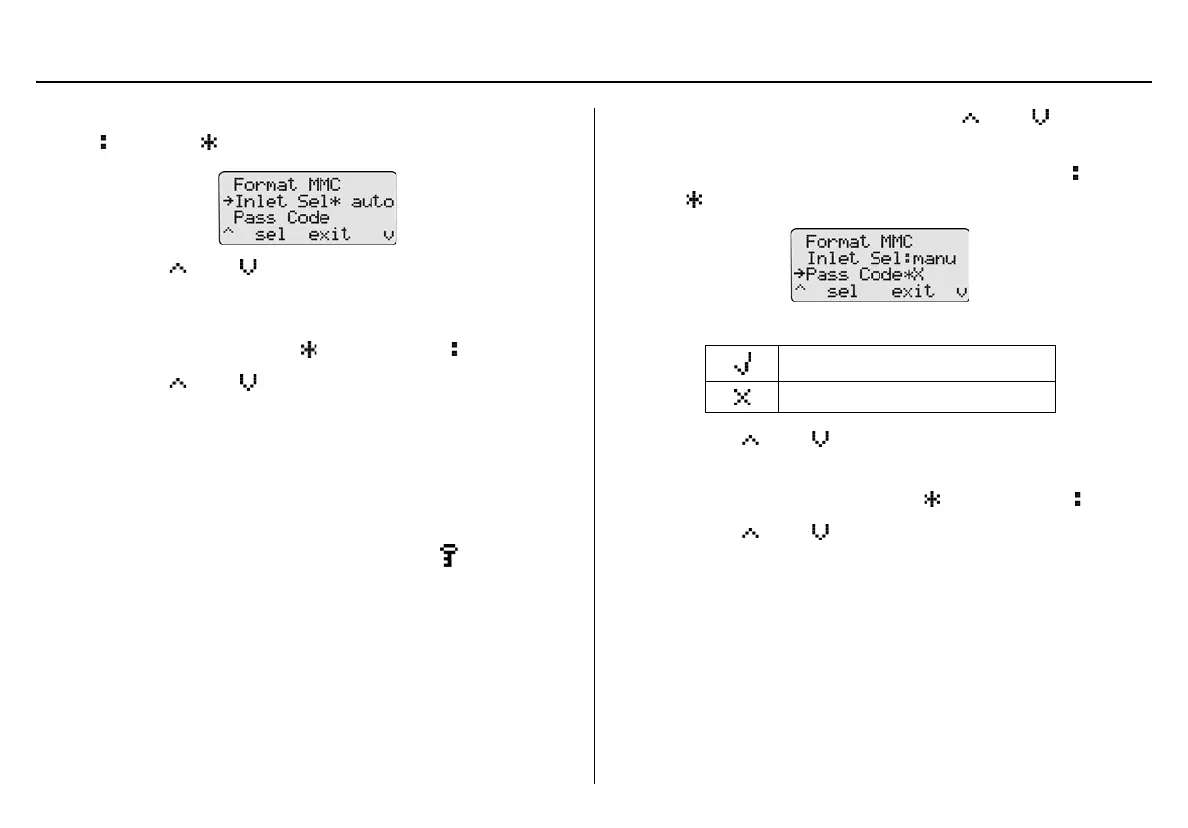
To enable/disable pass code protection, complete the following:
1. From the user options menu, press
C or C to scroll to
the Pass Code option.
2. Press
C sel to select the option and access the field ( changes
to ).
The current mode displays beside the Pass Code option.
3. Press
C or C to toggle between the options.
4. When the desired option displays, press
C sel to confirm the
selection and deactivate the field ( changes back to ).
5. Press
C or C to scroll to another user option.
Or
Press
C exit to return to the normal operation.
Pass code protect enabled
Pass code protect disabled



 To Next Page