51
MicroDock II
Results History
3. Press C or C to scroll to the different language options.
The available options are
• Eng (English),
• Fran (French),
• Deut (German),
• Port (Portuguese), and
• Espa (Spanish).
4. When the desired language displays, press
C sel to confirm the
selection and exit the field ( changes back to ).
The LCD now displays all of the text in the selected language.
5. Press
C or C to scroll to another user option
Or
Press
C exit to return to normal operation.
Note
exit now displays in the selected language.
Results History
The results history displays the results of the last ten bump tests or cali-
brations.
The newest results display first. The following test errors can occur:
•
Unit removed
• MMC error
• IR error
Note
Deactivating the base station erases the results history log.
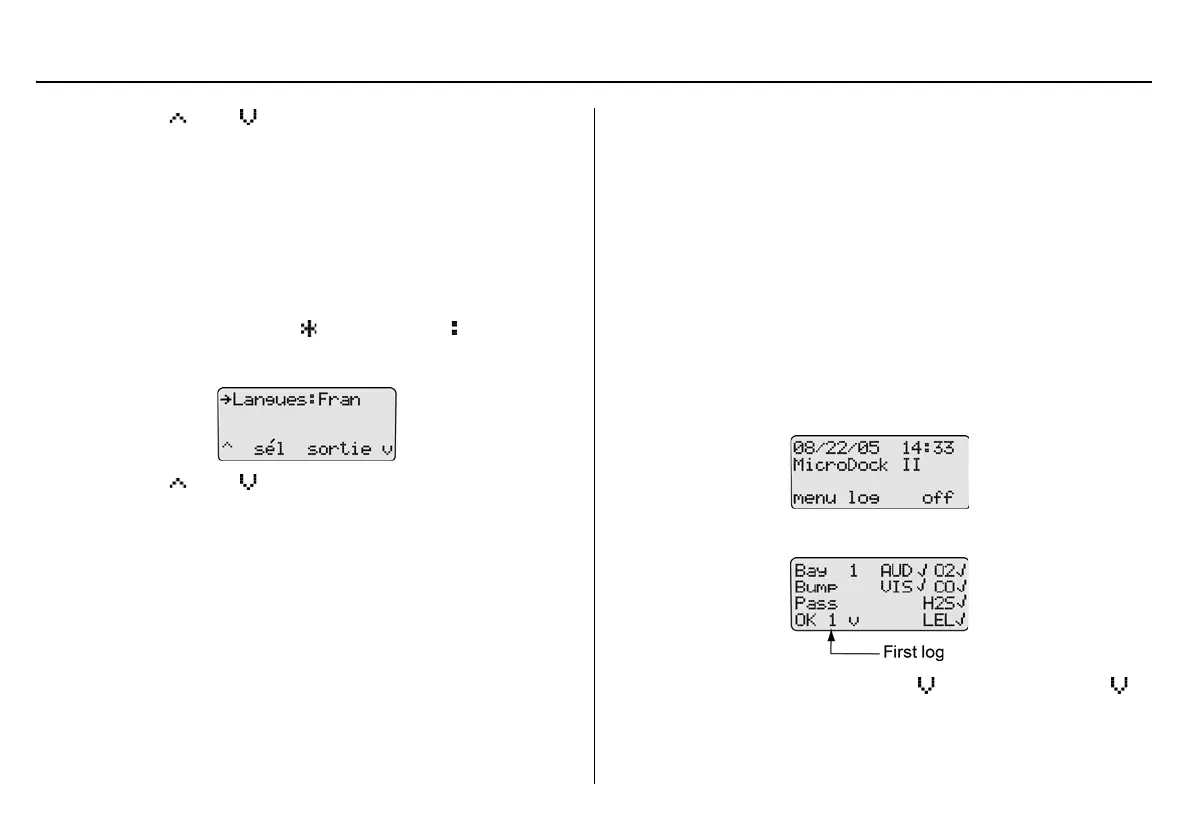
To view the results history log, complete the following:
1. From the normal operating screen, press
C log.
The most recent history log (1) displays.
2. To access the next log, press
C . Continue to press C to
view the remaining logs.
3. Press
C OK to return to normal operation.



 To Next Page