MicroDock II
User Manual
52
Reconfiguring the Detector (not applicable to the
GasAlertClip Extreme)
Fleet Manager II can reconfigure the following detectors with the base
station:
• GasAlert Extreme
•GasAlertMicro
• GasAlertMicro 5/PID/IR
• GasAlertMicroClip
• GasAlertMax XT
• GasAlertQuattro
The detector can be reconfigured prior to performing a bump test or cali-
bration.
To reconfigure a detector, complete the following:
1. Activate the base station. Ensure it is in normal operation.
2. Ensure that a correctly formatted MMC/SD card is inserted in the
base station. Refer to Inserting/Replacing a MMC/SD Card
.
3. Connect the USB cable to the computer and to the USB port on
the base station.
4. From the computer, open Fleet Manager II.
5. Login to the Administration functions.
6. Under the Devices tab, click Configure Devices.
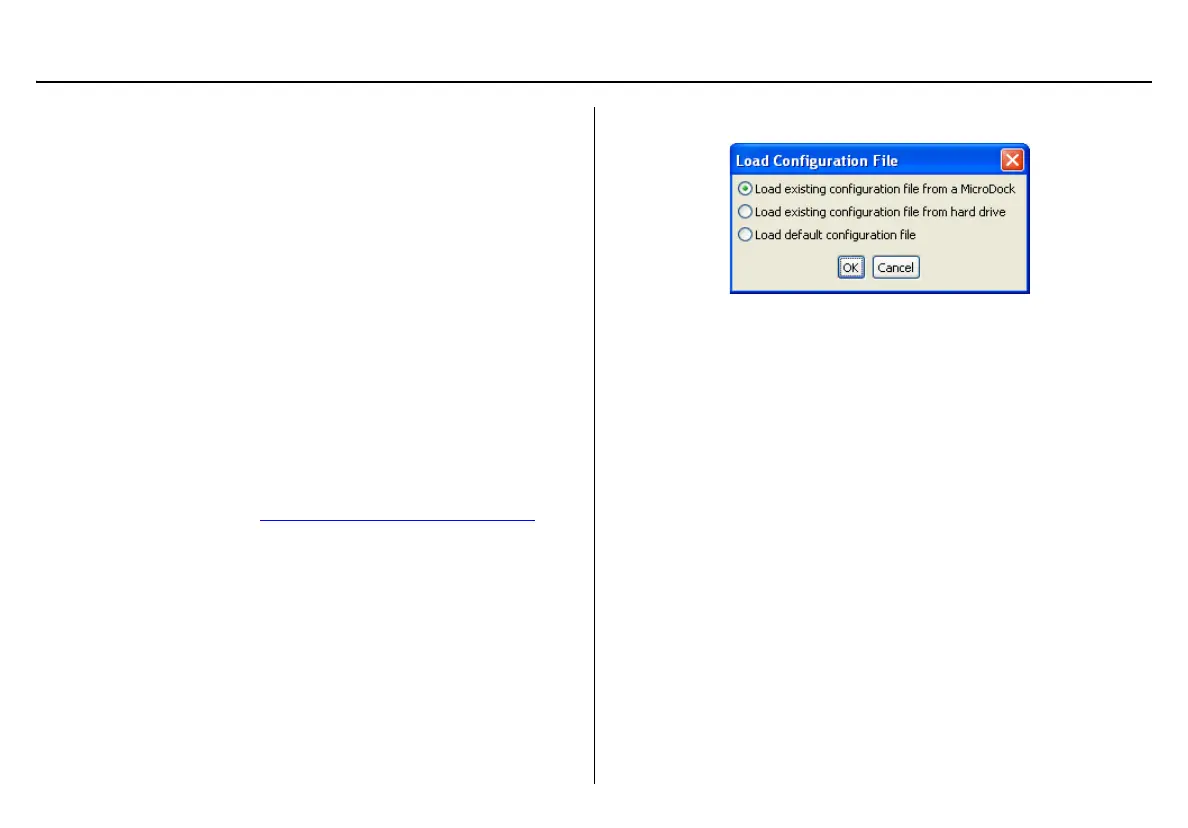
7. The Load Configuration File dialog box displays.
Select one of the following options:
• Load existing configuration file from a MicroDock
• Load existing configuration file from hard drive
• Load default configuration file
8. The Device Configuration dialog box displays.
9. Select which device to configure by clicking its tab.
10. Configure the device.
Ensure the Updatable checkbox is checked.
11. Select a program option to reprogram the detector. Each detec-
tor has different reprogram options. Refer to Configuring Detec-
tors in the Fleet Manager II Operator’s Manual.



 To Next Page