53
MicroDock II
Reconfiguring the Detector (not applicable to the GasAlertClip Extreme)
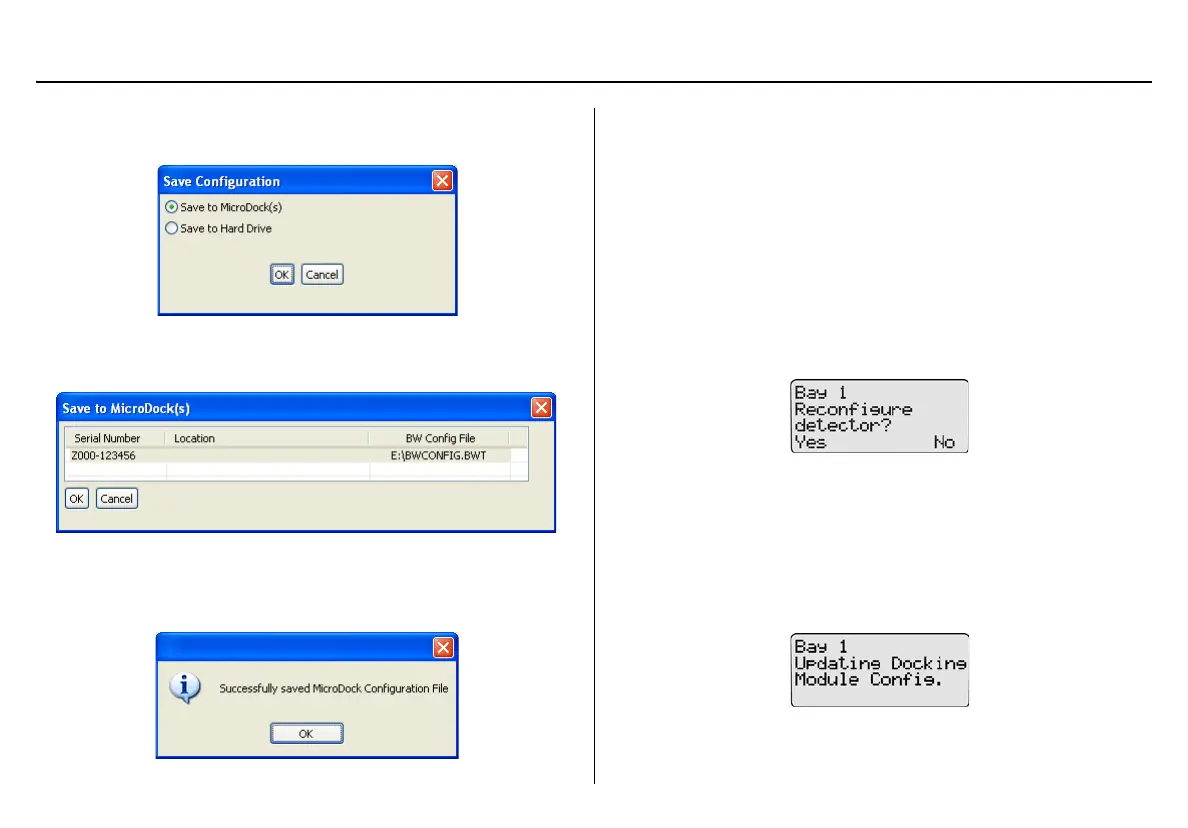
12. When the configuration is complete, click Save. The Save Con-
figuration dialog box displays.
13. Select Save to MicroDock(s)
The Save to MicroDock(s) dialog box displays.
14. Select a MicroDock II to save to and click OK.
15. A dialog box displays the message Successfully saved
MicroDock Configuration File. Click OK.
The detector configuration will be updated when the detector is
inserted into the docking module, and a bump test or calibration
is initiated.
16. Activate the detector and wait until it is in normal operation.
17. Insert the detector into the detector bay.
18. To reconfigure the detector, from the base station press
C
BUMP CHECK or
C CALIBRATION.
If Reprogram with user’s consent was selected under Program
options, Reconfigure detector? displays on the base station
LCD.
Press
C Yes to reconfigure the detector and proceed to the
bump test or calibration.
Press
C No to bypass reconfiguration and proceed to the bump
test or calibration.
19. When the base station is reconfiguring the detector, the following
screen displays on the base station LCD.



 To Next Page