37
MicroDock II
Using the Base Station
Using the Base Station
a Warning
To prevent possible injury and/or property damage, only use the
base station in a safe area that is free of hazardous gas, in an
atmosphere of 20.9% oxygen.
Ensure that the base station is attached to a venting system or
used in a well ventilated area.
The base station pushbuttons are not labelled. The base station is oper-
ated by pressing the
C pushbutton that is located directly below the text
that displays on the LCD.
Confirming Inlet Setup
a Warning
Failed tests can result if the inlets are not setup correctly.
Before activating the base station for the first time, ensure that the gas
cylinders are connected to the inlets correctly. Refer to Installation
. To
confirm that the inlets are setup correctly, refer to Inlet Setup
in the User
Options Menu section.
Activating the Base Station
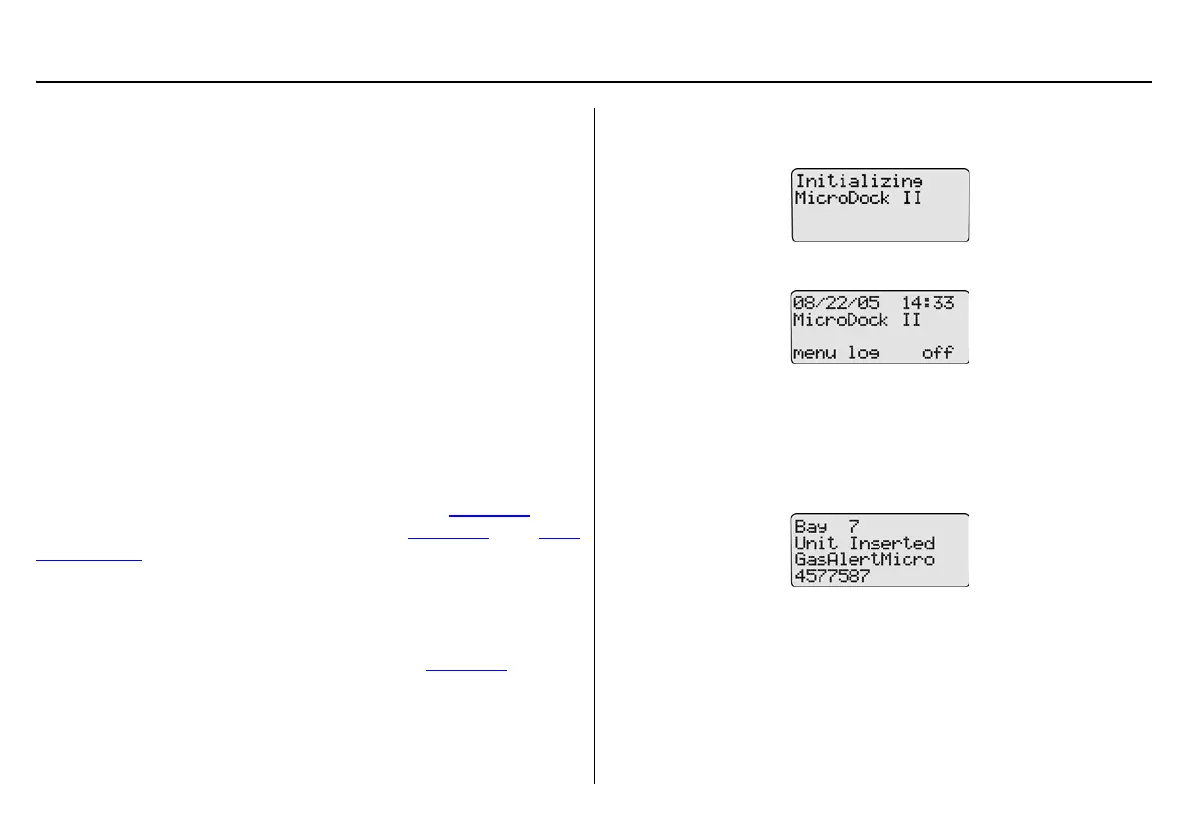
To activate the base station, complete the following:
1. Connect power to the base station. Refer to Installation
.
2. Press and hold
C (the left most button) until the initializing
screen displays.
The base station enters normal operation.
Self-Test
The base station automatically performs a self-test during startup.
Docking Module/Detector: The base station checks for connected
docking modules and inserted detectors.
The LCD displays information about the docking modules, the detector
type, and the detector serial number.



 To Next Page