55
MicroDock II
Gas Conflicts
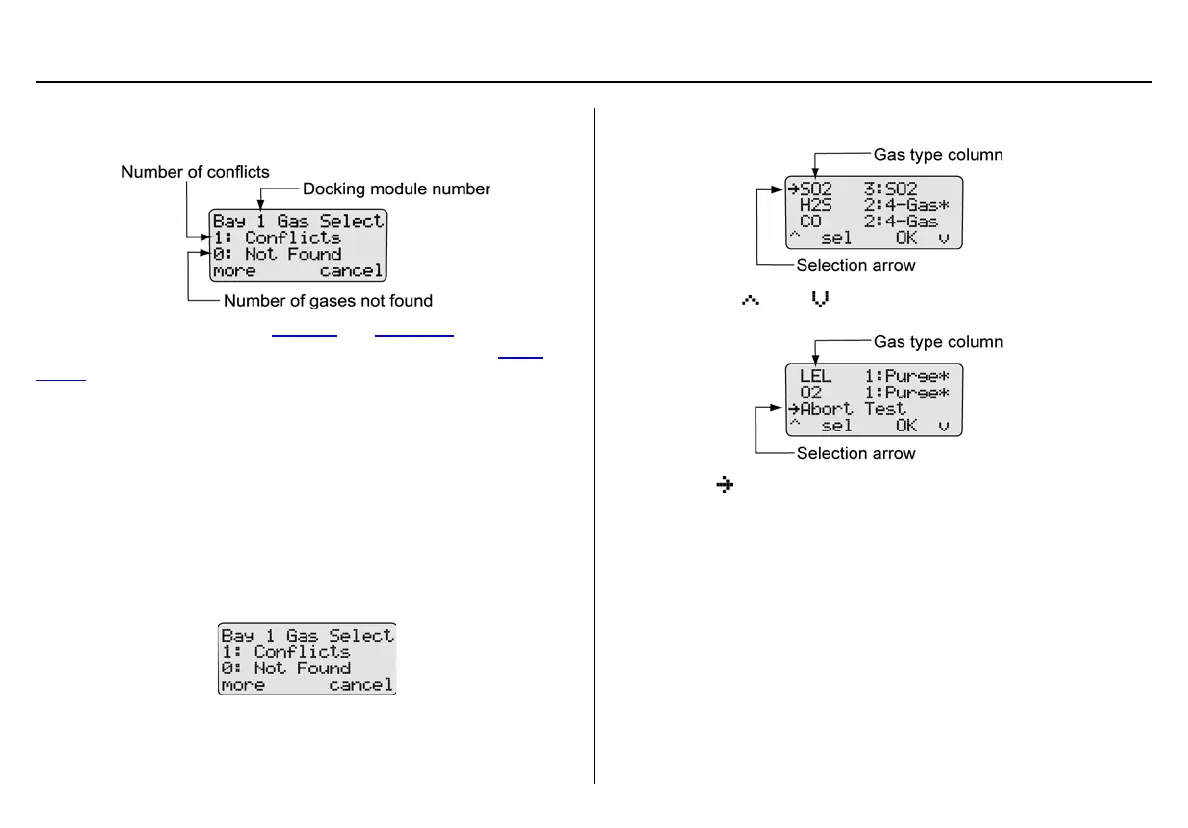
If a gas conflict is detected by the base station, the gas conflicts screen
automatically displays.
Refer to the following sections, Conflicts
and Not Found. Before pro-
ceeding to resolve gas conflicts, refer to the following section Abort
Option.
Abort Option
The Abort option is located in the gas conflicts screen. Selecting Abort
exits the gas conflict function and the base station returns to normal
operation. A bump test or calibration will not be performed.
Proceed to the user options menu and select the Inlet Setup option.
To abort a gas conflict, complete the following:
1. From the gas conflicts screen, press
C more.
2. The conflicts/not found screen displays.
3. Press
C or C to scroll to the Abort Test option.
4. When displays beside Abort Test, press
C sel or press C
OK. The base station automatically exits the gas conflict and
returns to the normal operation.
Conflicts
If a conflict occurs, it must be resolved to continue the bump test or cali-
bration. The user may select the gas inlet or accept the gas inlet sug-
gested by the base station.
Press
C cancel to exit the gas conflict screen and return to normal
operation. A bump test or calibration will not be performed.



 To Next Page