MicroDock II
User Manual
40
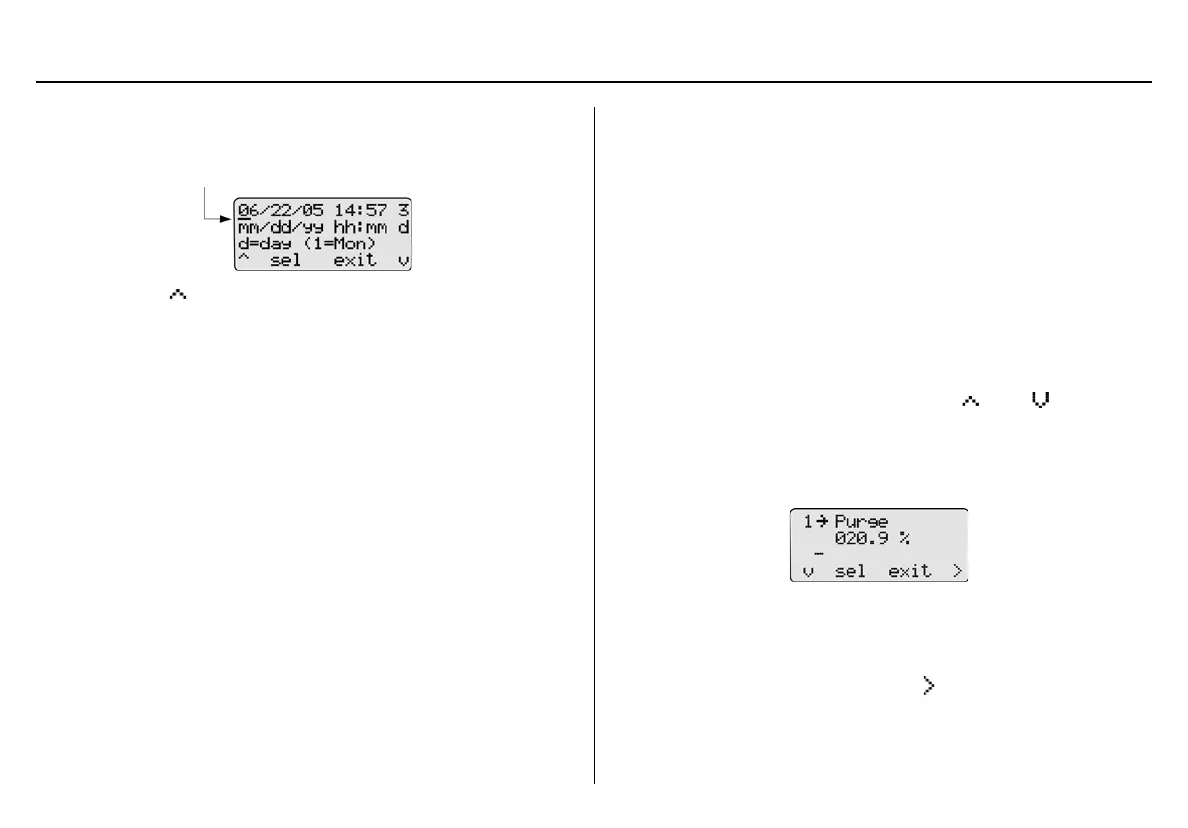
The cursor automatically displays below the first value of the
month. Each value is selected, changed, and bypassed individu-
ally.
2. Press
C to toggle between 0 or 1. When the correct value
displays, press
C sel to confirm the change. The cursor then
automatically moves to the second value of the month.
Or
Press
C sel to bypass the first value. The base station automat-
ically retains the current value and proceeds to the second value
of the month.
3. Repeat step #2 for the remaining time and date values.
4. Press
C exit to return to the user options menu.
5. Press
C exit again to return to normal operation.
Inlet Setup
Inlet Setup defines the
• the gas type(s)
• the corresponding gas concentrations level(s), and
• the gas cylinder lot # of each selected gas.
a Warning
Failed tests can result if the inlets are not setup correctly.
For initial base station activation, ensure the inlets are installed correctly
as follows:
• Inlet 1 is the default connection for ambient air.
• Inlet 2 is the default connection for four-gas mix, unless other-
wise specified at purchase.
• Inlets 3-5 are designed connections for additional gases. How-
ever, unless specified at the time of purchase, inlets 3-5 are con-
figured for ambient air.
To confirm that the inlets are setup correctly, complete the following:
1. From the user options menu, press
C or C to scroll to
the Inlet Setup option.
2. Press
C sel to confirm the selection and access the inlet 1
(ambient air) screen.
Note
Inlet 1 is designated for ambient air only and cannot be
changed.
3. From the inlet 1 screen, press
C to access the inlet 2 screen.



 To Next Page