39
MicroDock II
User Options Menu
User Options Menu
The user options menu provides access to ten options. The following
user options are listed in the order they are displayed on the base station
LCD.
Note
Bump tests or calibrations cannot be performed while access-
ing the user options menu. However, if a test is initiated before
or while accessing the user options menu, the test automati-
cally begins after exiting the user options menu.
To access the user options menu, complete the following:
1. Press and hold
C menu to access the first screen.
If the base station is pass code protected, refer to Entering User
Options When Pass Code Protected.
2. Press
C or C to scroll to different options. When dis-
plays beside the desired option, press
C sel to select.
3. To exit the options menu and return to the normal operation,
press
C exit.
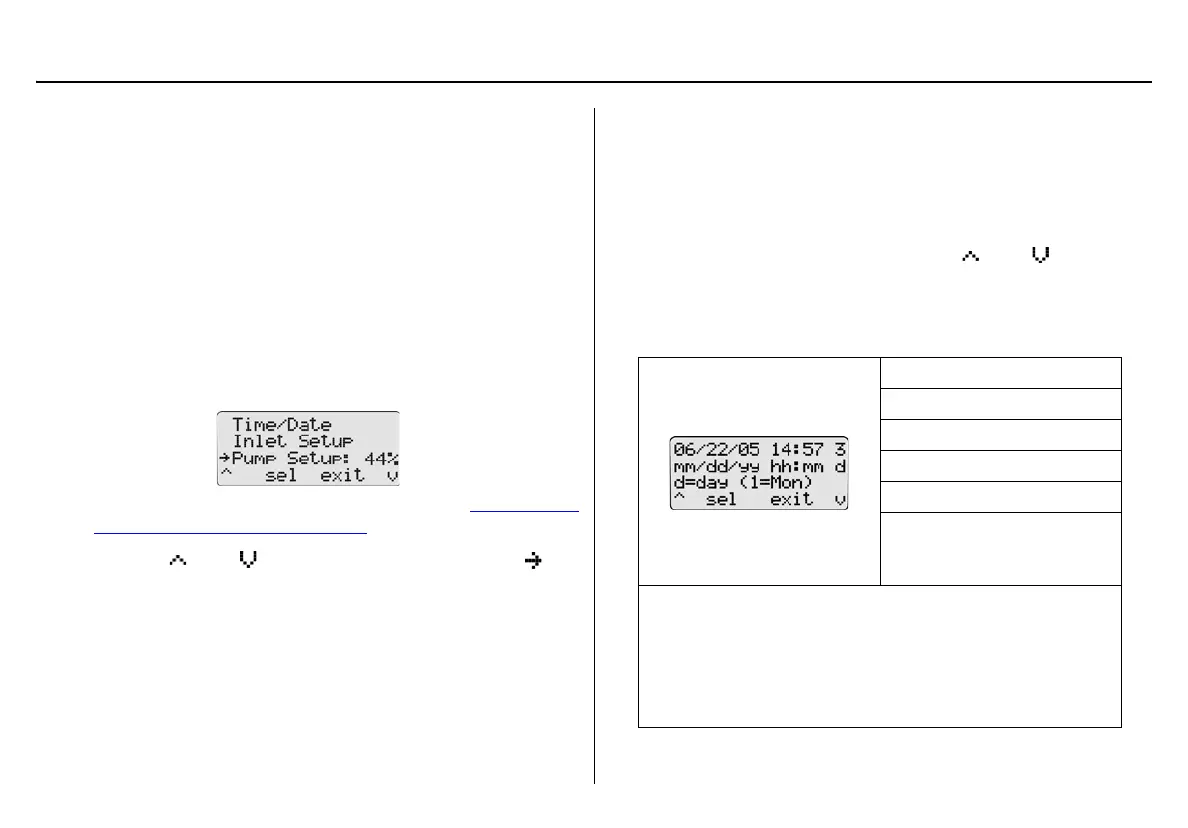
Time/Date
Time/Date adjusts the time (hour/minute), the date (month/day/year)
and the day of the week (1-7) of the base station.
To change the date, time, and/or day of the week, complete the follow-
ing:
1. From the user options menu, press
C or C to scroll to
the Time/Date option.
Press
C sel to confirm the selection and access the time/date
screen.
mm: month
dd: day
yy: year
hh: hour
mm: minute
d: day of the week
Monday = 1, Tuesday = 2,
Wednesday = 3, etc.
Note
The time and date values can only be changed in the
order they are presented in this table. To bypass any
time/date setting, press C sel. The base station auto-
matically retains the current value and proceeds to the
next date/time value.



 To Next Page