MicroDock II
User Manual
56
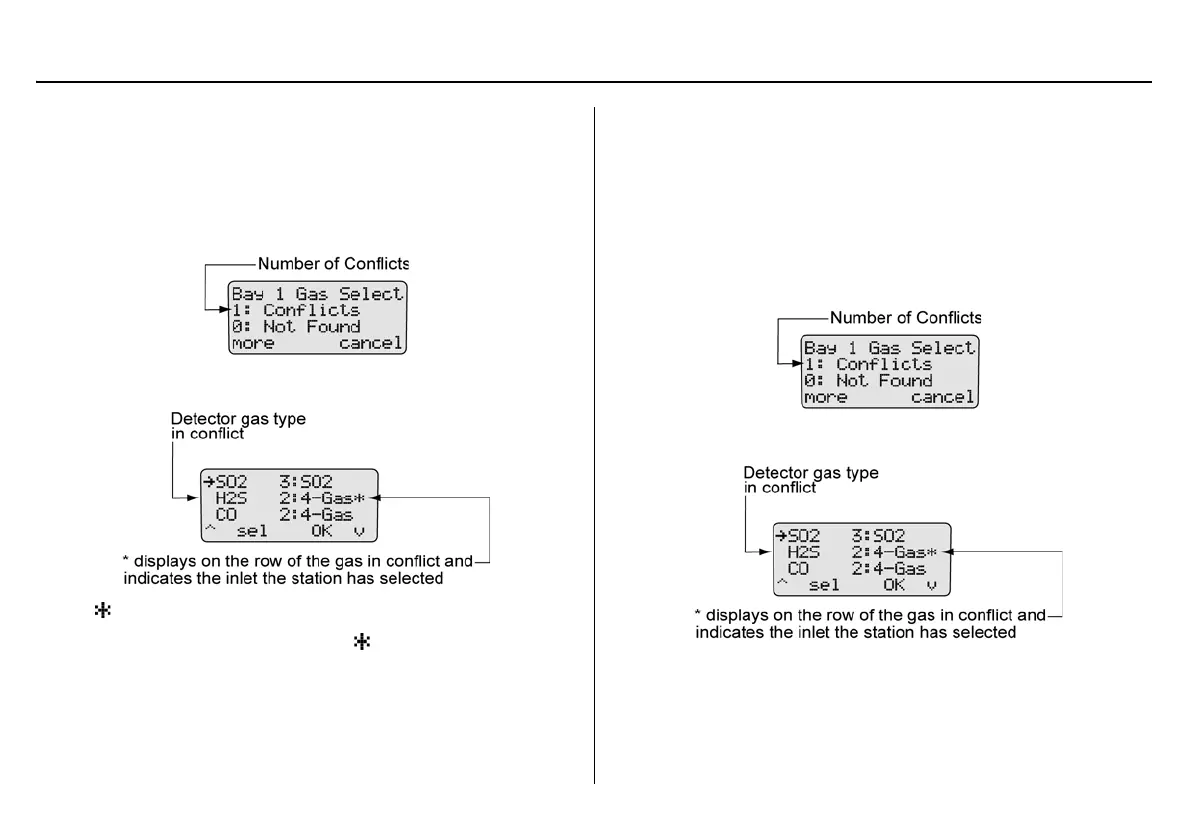
Base Station Selects the Gas Inlet
To resolve a conflict automatically, complete the following steps.
1. Press
C more in the gas conflicts screen to access the gas
type/inlet screen to view which gas is configured for more than
one inlet.
The gases display.
displays on the far right side on the row of the gas that is
setup for more than one inlet. The also indicates the inlet that
the base station has selected as the optimum inlet.
2. Press
C OK to accept the inlet that is selected and automati-
cally resume the bump test or calibration.
Note
If
C sel is not pressed within 30 seconds, the base station
automatically defaults to the inlet it has selected.
User Selects Gas Inlet
1. Press C more in the gas conflicts screen to access the gas
type/inlet screen to view which gas is configured for more than
one inlet.
The gases display.



 To Next Page