MicroDock II
User Manual
50
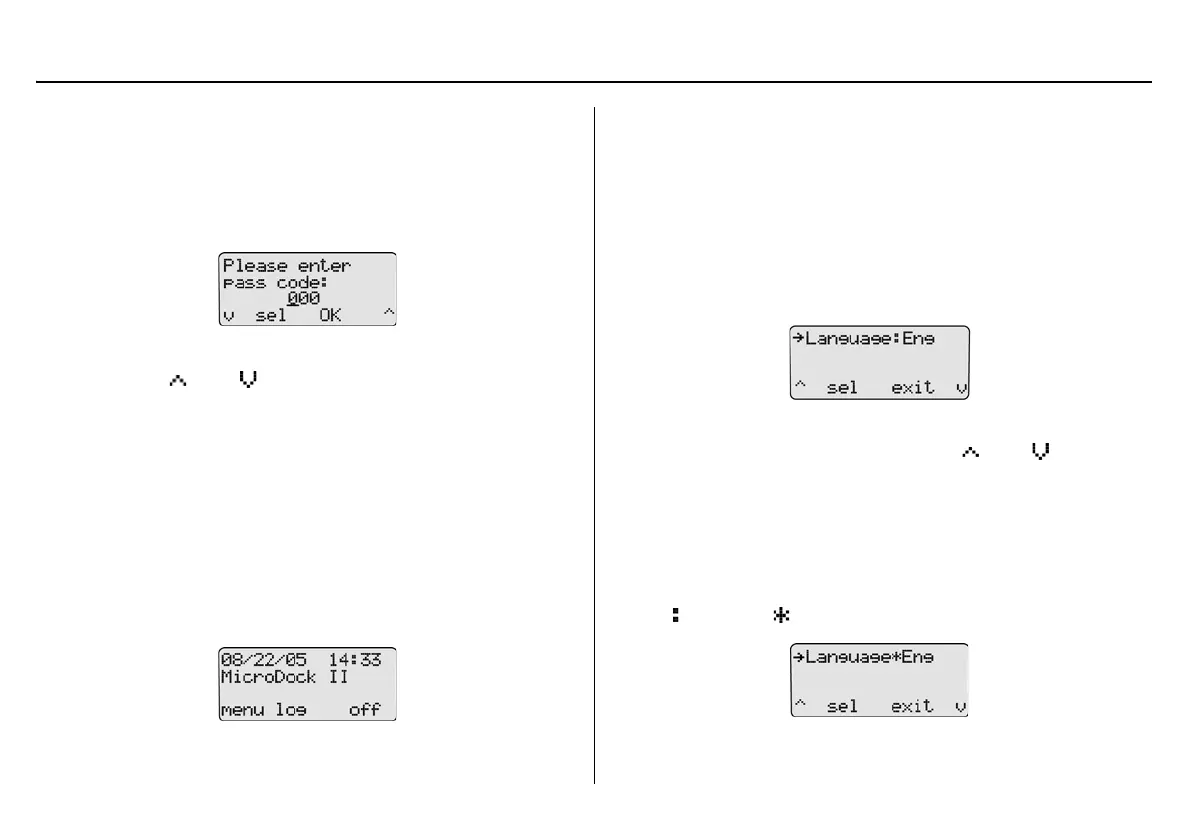
Entering User Options When Pass Code Protected
To access the user options menu when the base station is pass code
protected, complete the following:
1. From the normal operating screen, press
C menu to access the
user options. The enter pass code screen displays.
The cursor displays below the first value.
2. Press
C or C to scroll to the first number of the pass
code.
When the correct value displays, press
C sel to enter the first
value. The cursor automatically moves to the next value.
3. Repeat step #2 for the remaining values.
4. Press
C OK. If the correct pass code is entered, the user
options menu displays.
Incorrect Pass Code Entered: If an incorrect pass code is
entered, the base station automatically returns to normal opera-
tion.
Repeat steps #1-4 to access the user options menu to try again.
Language
The base station provides five language options and can display all text
on the LCD in the following languages:
• English
•French
•German
• Portuguese
• Spanish
To select a different language, complete the following:
1. From the user options menu, press
C or C to scroll to
the Language option.
Note
The base station is shipped with language defined as English
(Eng).
2. Press
C sel to confirm the selection and activate the field
( changes to ).



 To Next Page