Configuring 60 GHz cnWave™ 172
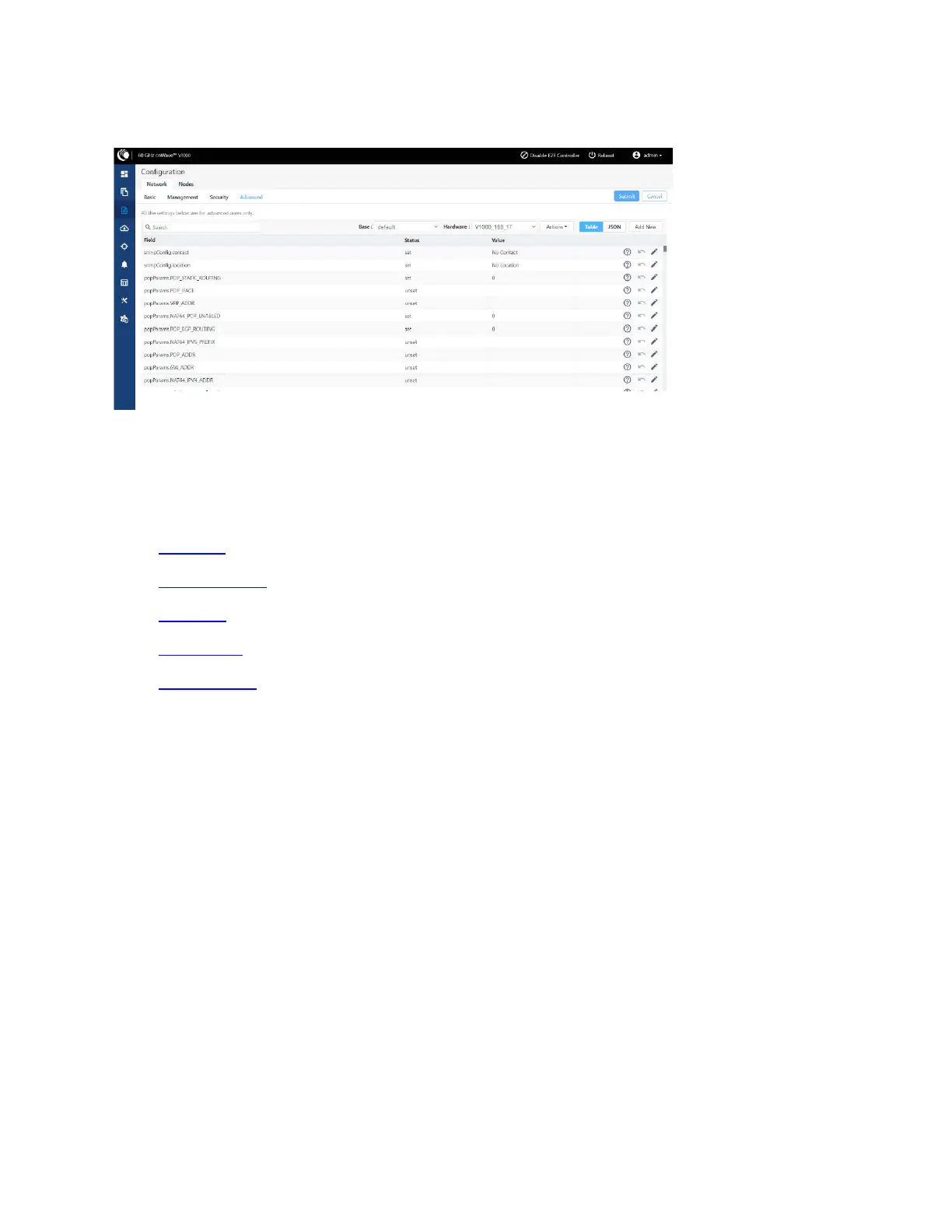
Figure 178:
The Advanced page
Node configuration
Node configuration is used to configure the nodes via E2E Controller. E2E Controller can modify the node
settings. Select the node(Radio) on the left pane to modify the settings. Node configuration contains the
following tabs:
l Radio tab
l Networking tab
l VLAN tab
l Security tab
l Advanced tab
Radio tab
These settings apply to individual nodes selected in the left side panel. Select the required options for
Transmit Power, Adaptive Modulation, Sector 1, Sector 2 from the drop-down. Enable Force GPS Disable
to establish the link between indoor nodes.




 To Next Page