Configuring 60 GHz cnWave™ 183
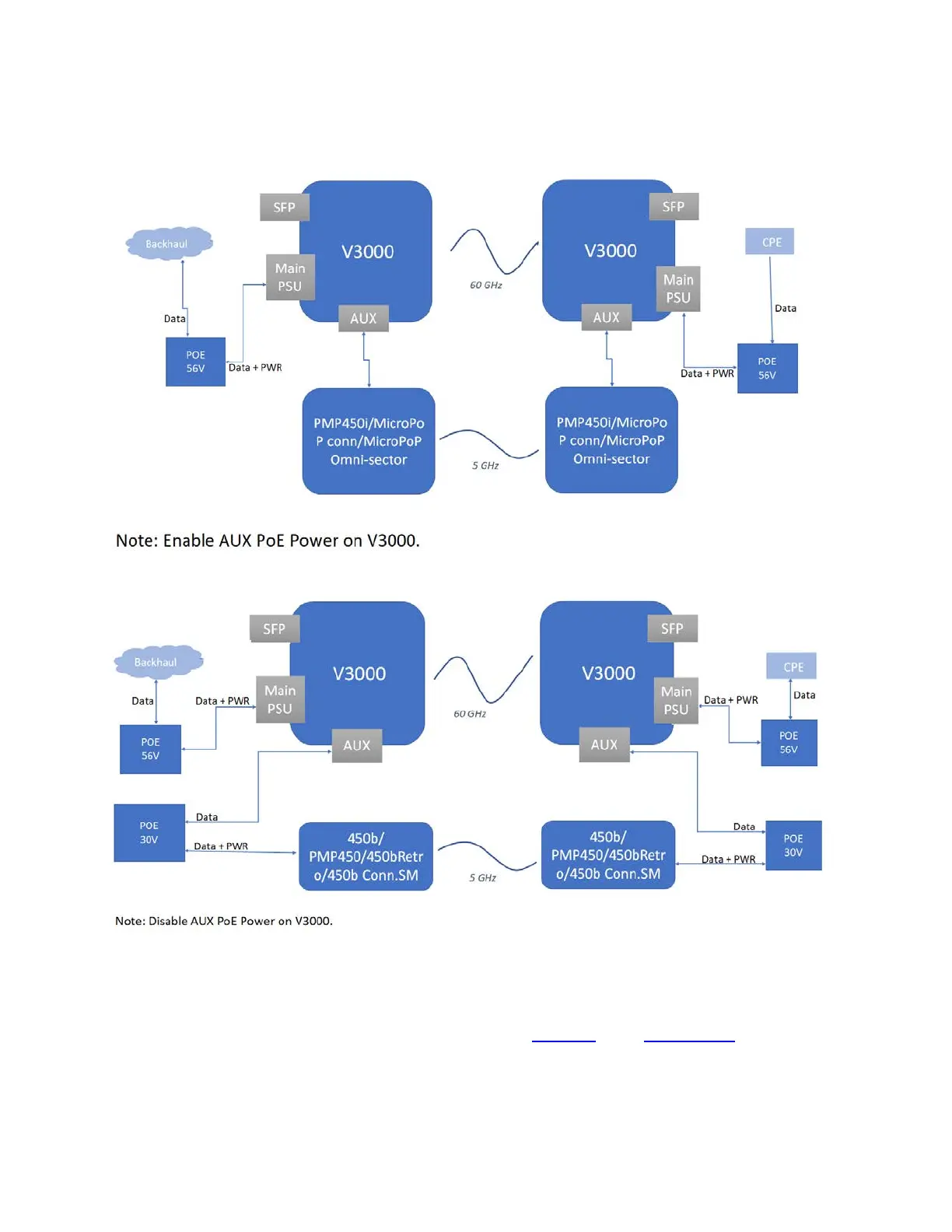
Figure 189:
Backing up the 60 GHz cnWave PTP link
Scenario 1:
Scenario 2:
Whenever a 60 GHz link is up or active, traffic flows through the 60 GHz cnWave link. When the 60 GHz
link is down, traffic fails over (shifts) to the 5 GHz link (PTP450). When the 60 GHz link is back (up), the
traffic shifts instantly over to the 60 GHz cnWave link.
You can configure the external failover link feature using the device UI or the cnMaestro UI.
Using the device UI:
To enable and configure the external failover link feature using the device UI, perform the following steps:




 To Next Page