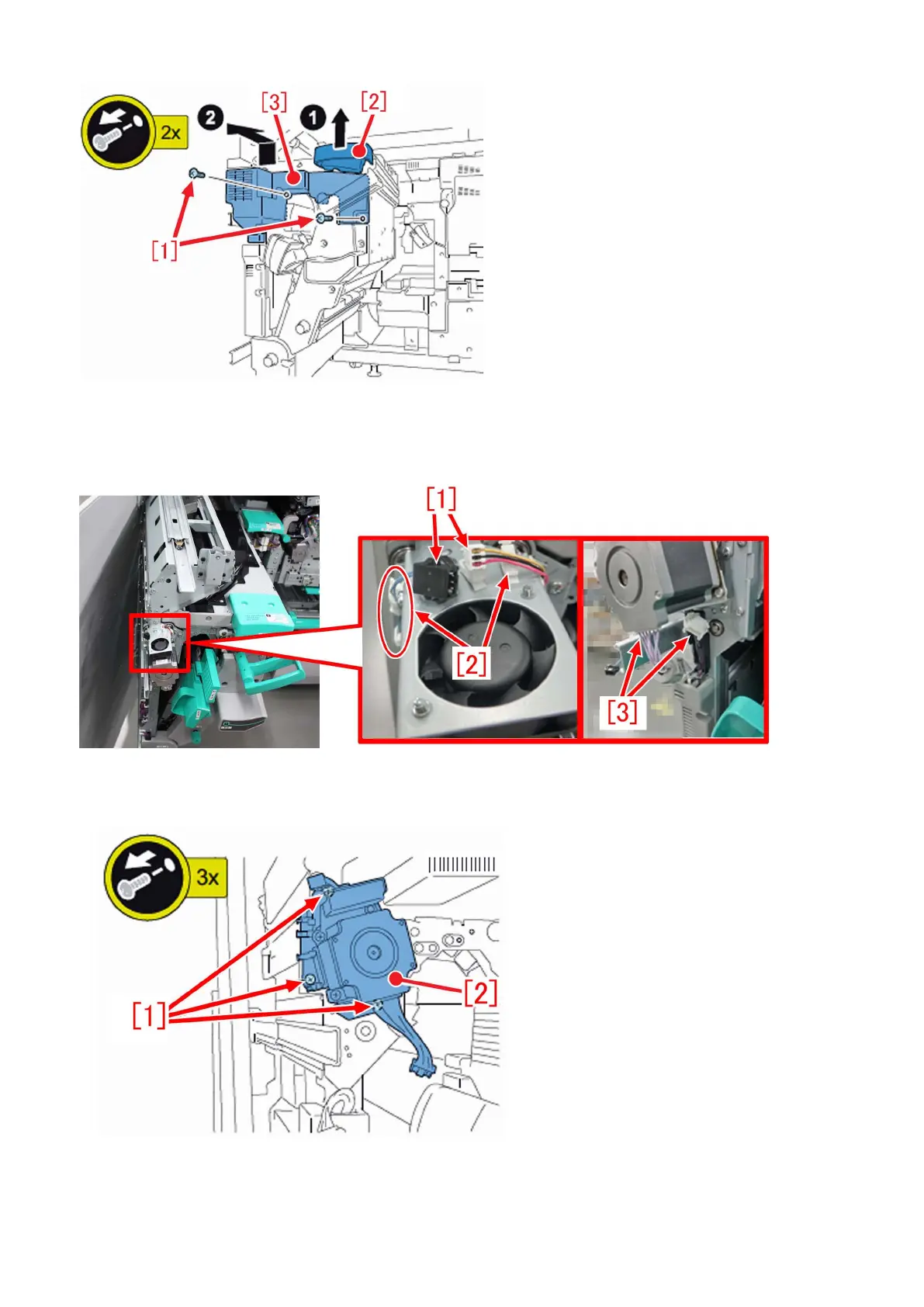
b-4) Remove the fan connector on the front side of the reverse/delivery unit from the relay connector [1], and remove the cables
from the respective wire saddles [2]. After that, remove the 2 motor connectors [3] on the lower side of the motor.
b-5) Remove the 3 screws [1] and remove the motor unit [2].
b-6) Disassemble the motor unit, into the gear, the decurler drive shaft 1 [1], 2 pins and the ball bearing, and then replace it with
the new-type decurler drive shaft 1 (FC6-8472-010) [1] and the 2 new ball bearings (XG9-0520-000).
142











 To Next Page