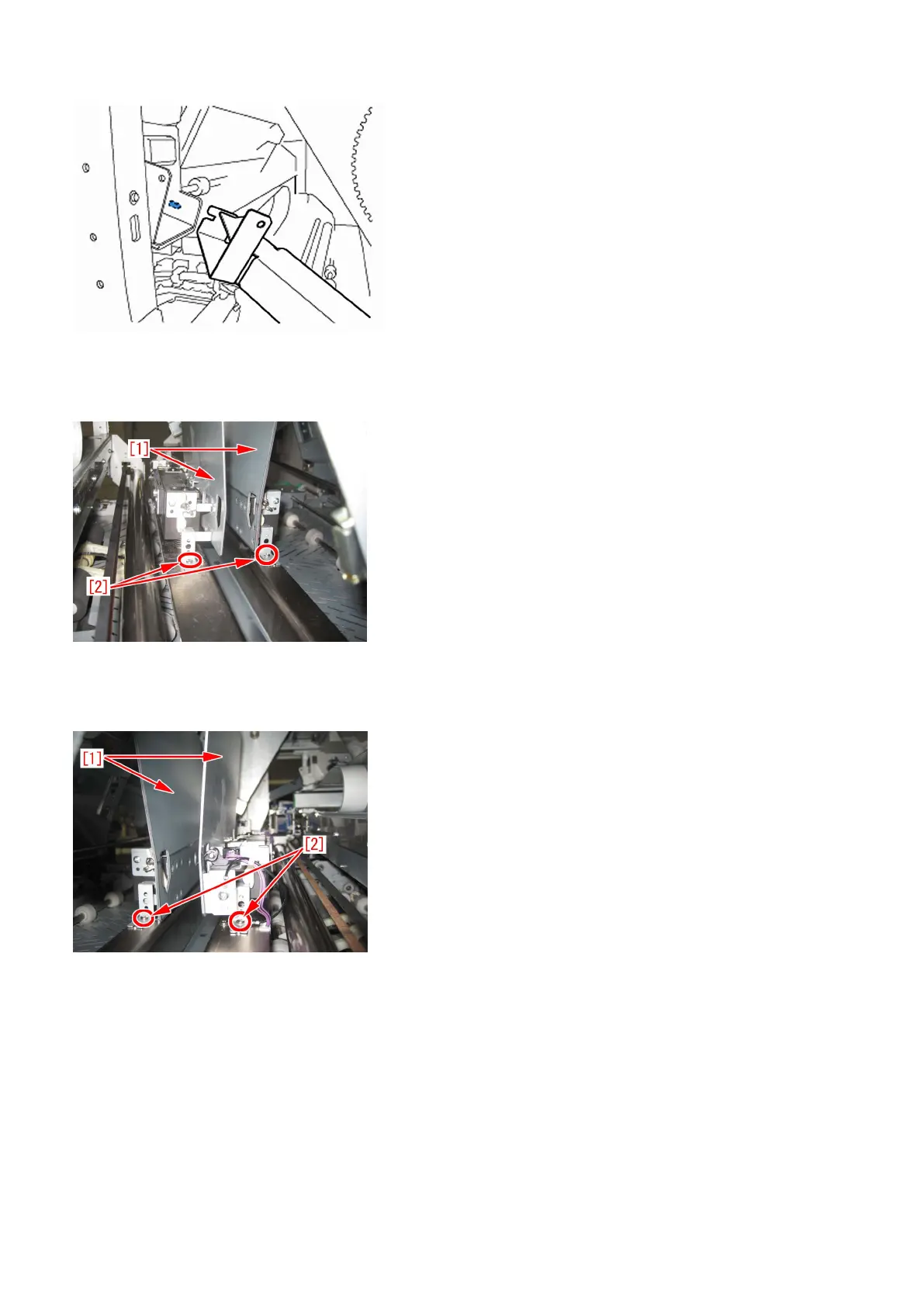
[CAUTION] When attaching the glue transport stay, hang the cut part of the stay to the projection of the glue supply entrance.
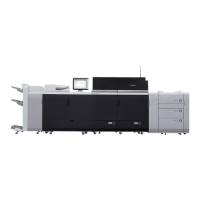
15) Stand behind the machine to face the back side and then remove screws [2] fixing the mini grippers [1].
• 2 screw
[Attention] Be careful not to drop the screws into the machine during the operation.
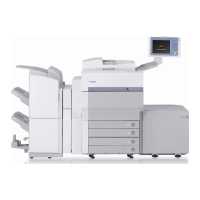
16) Stand in front of the machine to face the front side and then remove screws [2] fixing the mini gripper [1].
• 2 screw
[Attention] Be careful not to drop the screws into the machine during the operation.
17) Remove the screw [2] being the left side of mini gripper [1] on your left and then disconnect the fixed ground wire [3].
• 1 screw
61




 To Next Page