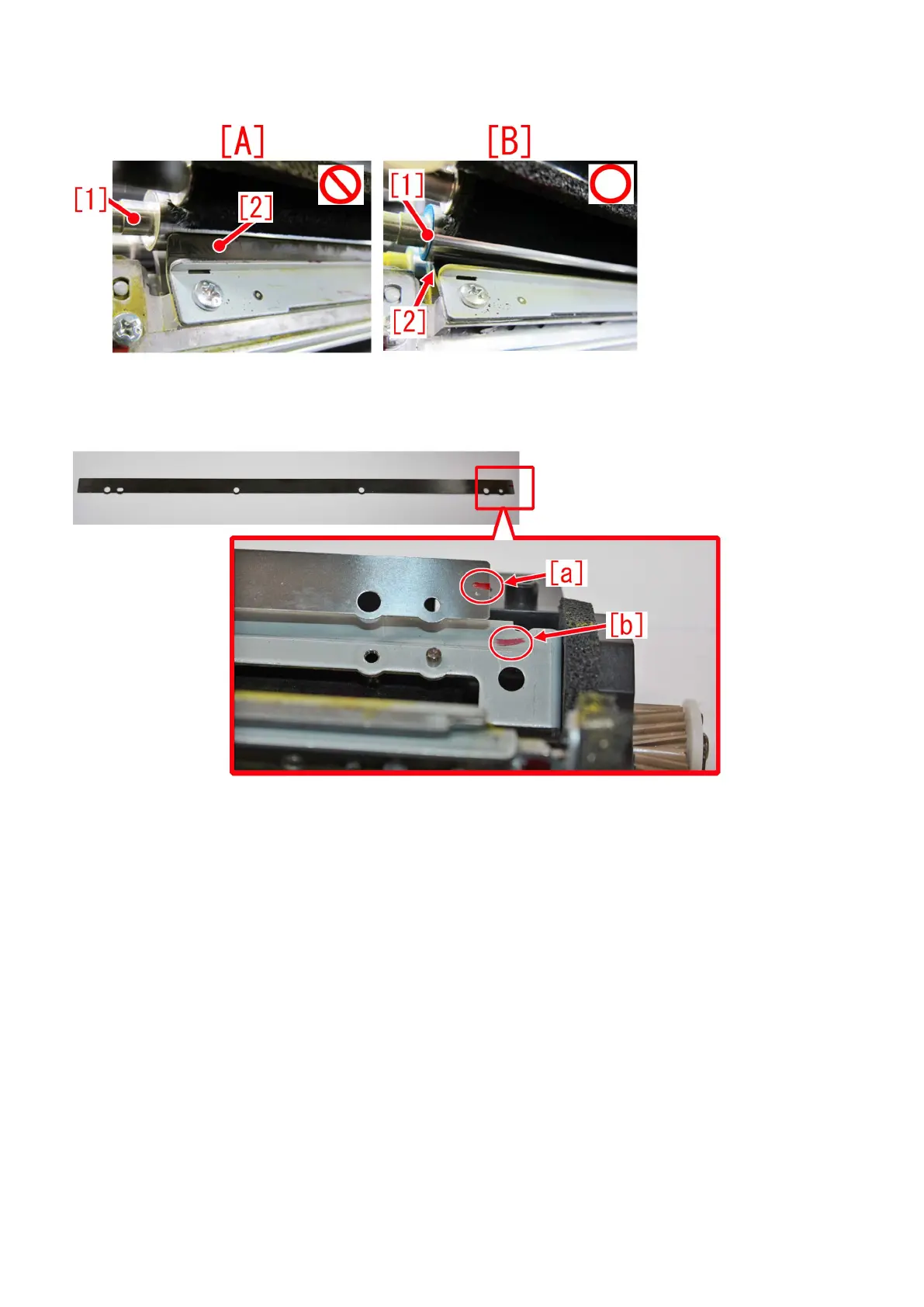
- After the installation of bias roller/bias roller 2 [1] in step7), check and confirm that the scraper sheet [2] is not turned up. [A] is
showing turned up state of a scraper sheet [2], and [B] is a correct state of a bias roller, with the scraper sheet properly set.
- When installing a left blade and a blade adjuster plate in step 3), make sure that a red marked line on the blade adjuster plate
[a] align to the red marked line on the left blade [b]. Check and confirm the left/right sides of the blade adjuster plates are correct
and fit them on.
12) After all the parts are set to their positions, turn ON the main power SW/
13) Execute Exe Sec Trns Cln Brsh Roll ini inst mode in service mode: Service Mode > COPIER > FUNCTION >
INSTALL >INS-2TCL
14) Conduct blank printing in duplex mode for about 10pcs.
15) Check and confirm that the output media is clean.
15-a) If the media is clean, all works are done.
15-b) If any stain is seen, prepare the following parts and proceed to step 16) as needed.
- FC7-9749-000:blade adjuster plate(2) (0.1mm)
- FC7-9750-000:blade adjuster plate(3) (0.3mm)
[Reference] Figure of the blade adjuster plate (2)/(3) are the same, so be sure not to get confused with them and install them
correctly. How to distinguish the plates is shown below. When holding a plate, the 0.1mm blade adjuster plate (2) shall droop
down [A], whereas the 0.3mm blade adjuster plate (3) does not [B].
81











 To Next Page