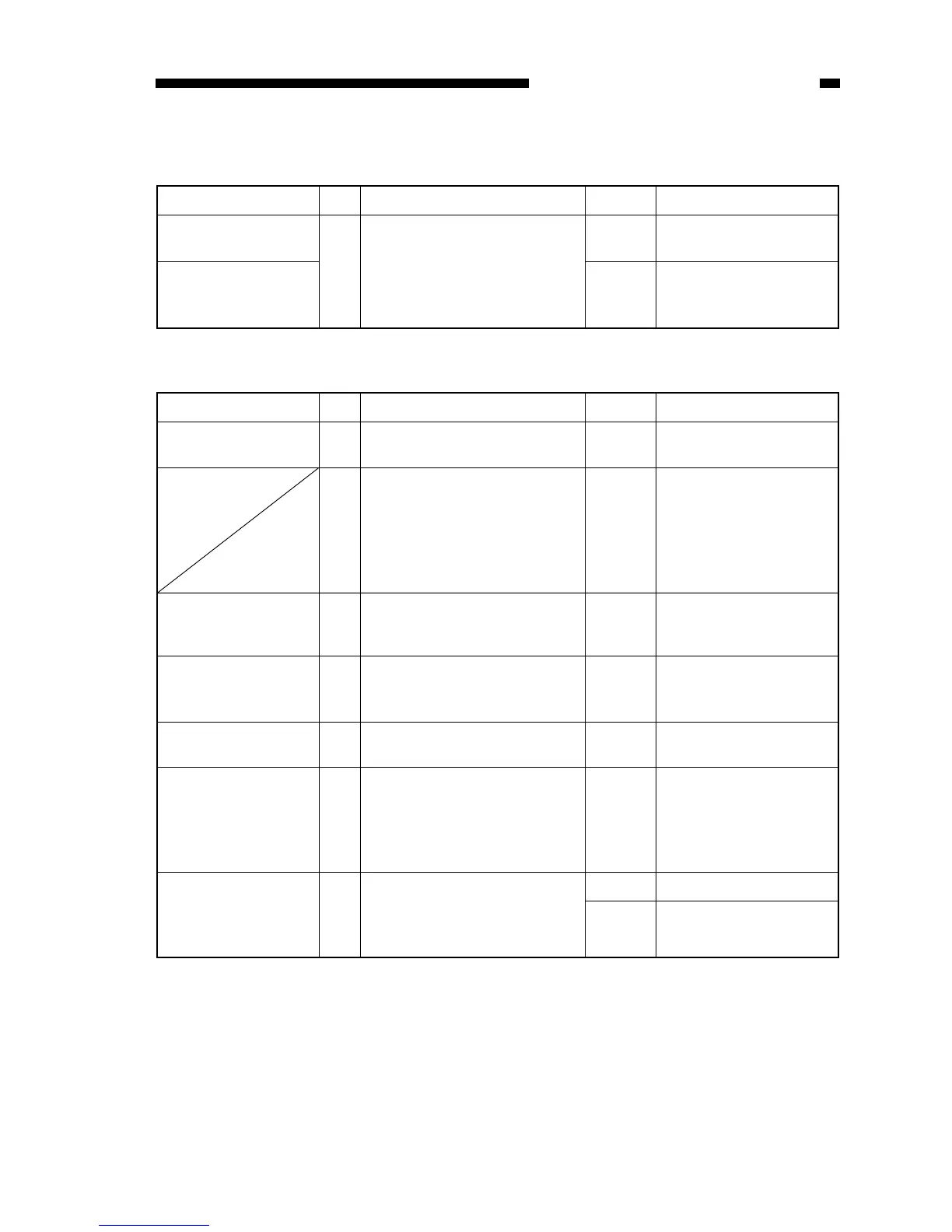
Cause Step Checks YES/NO Remedies
DC controller/
DC power supply PCB
1 Replace the DC controller/DC
power supply PCB.
Is the problem corrected?
YES End.
Power supply NO Advise the user that the
frequency of the power
supply is faulty.
Cause Step Checks YES/NO Remedies
Power plug 1 Is the power plug connected to
the copier and the power outlet?
NO Connect the power plug.
2 Is ‘E’ code (PC420/430/FC220)
or ‘JAM’ (PC400/FC200)
indicated for about 0.5 sec after
the power switch is turned ON
and does the power turn OFF
thereafter?
YES See ‘E0’.
Top cover,
Delivery assembly
cover
3 Are the top cover and delivery
assembly cover closed properly?
NO Close the top cover and
delivery assembly cover.
Power supply voltage 4 Is the rated voltage present at
the power outlet?
NO Advise the user that the
problem is not of the
copier.
Door switch 5 Is the door switch (SW1,SW2)
normal?
Replace the door switch.NO
DC controller/
DC power supply PCB
6 Is the rated power supply voltage
present between J103 and J104
on the DC controller/DC power
supply PCB? (Set the meter to
the 300V AC range).
Replace the DC controller/
DC power supply PCB.
YES
Fixing assembly 7 Replace the fixing assembly.
Is the problem corrected?
(fixing heater error temperature
detection circuit ON)
End.YES
Replace the DC controller/
DC power supply PCB.
NO



 To Next Page