3-CONTROLSANDINSTRUMENTS
InstrumentclusterSETUPmenu
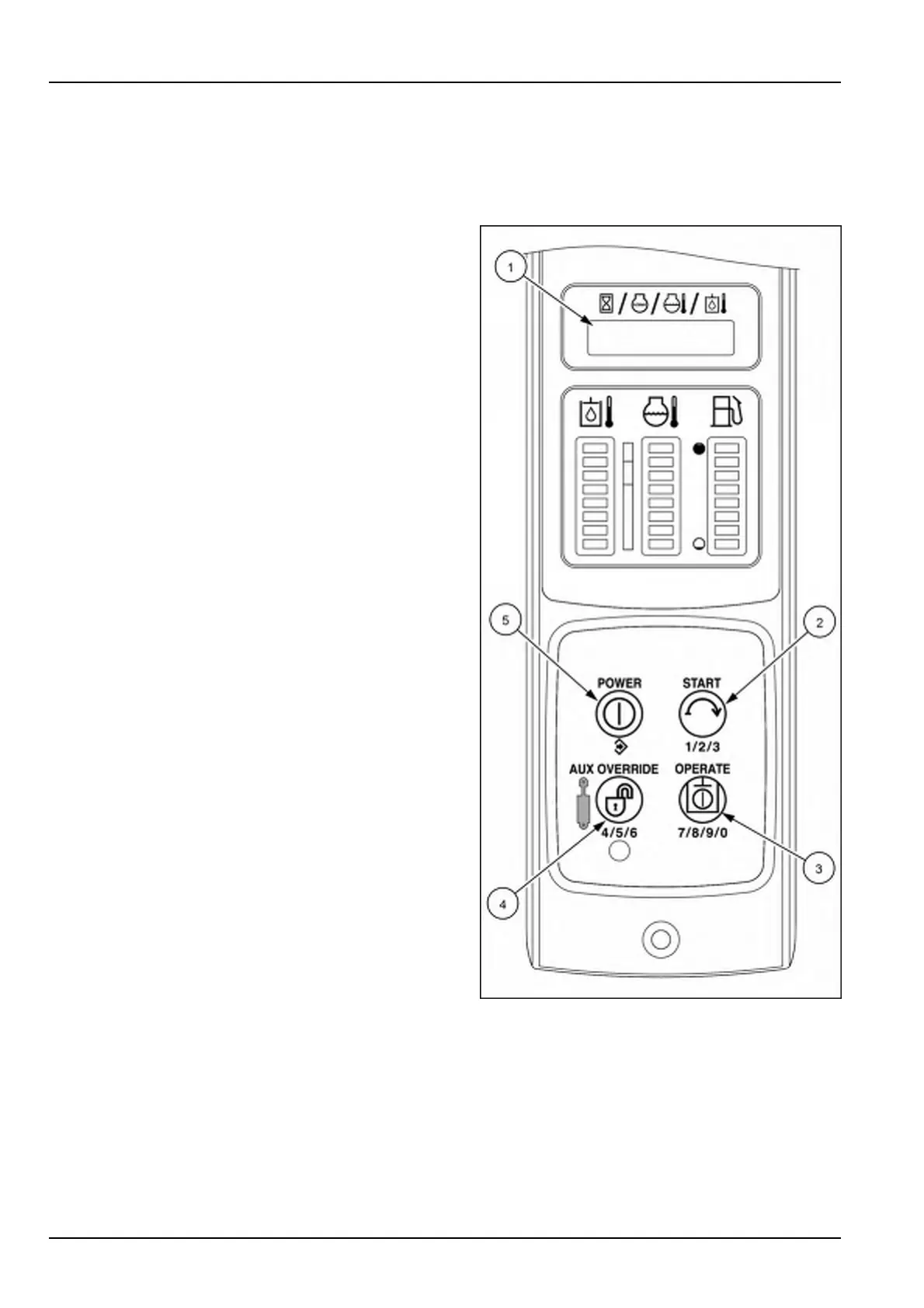
NOTE:TheAdvancedInstrumentCluster(AIC)imagesareshowninthissectionforthefourswitchbuttons(2),(3),
(4),and(5)usedtonavigatethroughtheinstrumentcluster.ThetoptwoswitchbuttonsontheElectronicInstrument
Cluster(EIC)arefunctionbuttonsandfunctionthesameasthePOWER(5)andSTART(2)switchbuttonsonthe
AICinstrumentpanelforthesetupmenufunctions.
Enteringthesetupmode:(“Setup”)
1.Placethemachineonrm,levelgroundwiththeloader
armandbucketdown.
NOTE:FormachineswiththeElectronicInstrument
Cluster(EIC);youwillneedthekeyfortheseproce-
dures.
2.Beforesittingintheseat,pushandholdtheOPERATE
button(3)andtheAUXOVERRIDEbutton(4)forve
secondsuntilthedisplay(1)showsthewordSETUP.
3.Youmaynowsitdownandnavigatethroughthe
“Setup”menu.Familiarizeyourselfwiththeuseof
theswitchbuttonsinordertohelppreventerroneous
settings.
RAIL15SSL0143CA1
3-50


 To Next Page