3-CONTROLSANDINSTRUMENTS
Temperaturedisplayselection
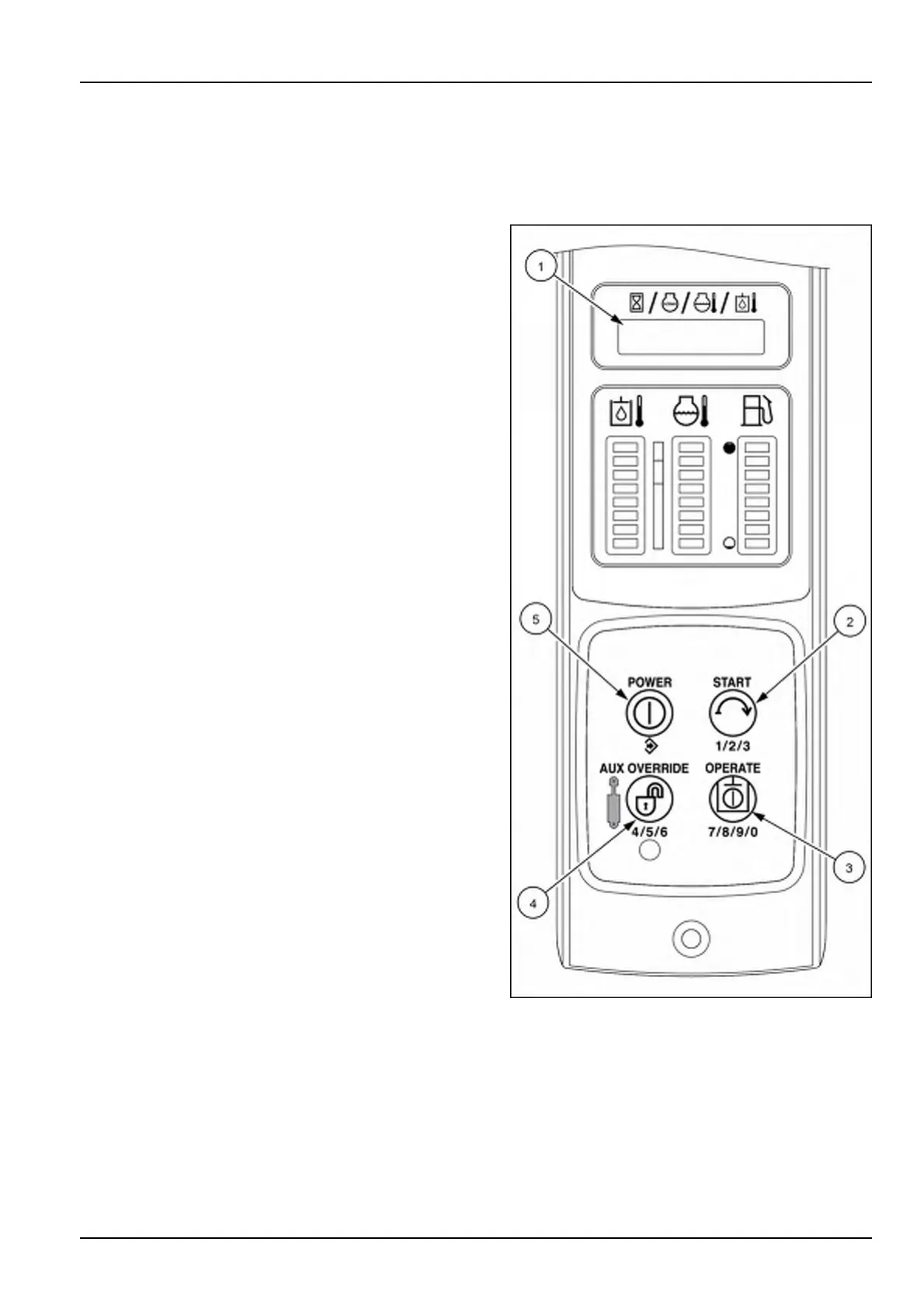
NOTE:TheAdvancedInstrumentCluster(AIC)imagesareshowninthissectionforthefourswitchbuttons(2),(3),
(4),and(5)usedtonavigatethroughtheinstrumentcluster.ThetoptwoswitchbuttonsontheElectronicInstrument
Cluster(EIC)arefunctionbuttonsandfunctionthesameasthePOWER(5)andSTART(2)switchbuttonsonthe
AICinstrumentpanelforthesetupmenufunctions.
TheoperatormaychoosetodisplayeitherCelsius(°C)or
Fahrenheit(°F)temperaturescales.
Onceinthe“Setup”menu,presstheSTARTbuttonuntil
UNITSappearsonthescreen.
1.PushthePOWERbutton(5)todropdownintothe
sub-menu.FahrenheitorCelsiuswillappearinthe
display.
2.PushtheSTARTbutton(2)toselectthetemperature
scaledesired.
3.Oncetheselectedscaleappearsonthedisplay(1),
pushthePOWERbutton(5).Thedisplay(1)willblink
OFFthenONandshowtheselectedtemperature
scale.
4.Toexit,pressSTARTbutton(2)untilthedisplay(1)
showsthewordEXIT.
5.WithEXITinthedisplay(1)pressthePOWERbutton
(5)toreturntonormaloperation.
RAIL15SSL0143CA1
3-57


 To Next Page