Cellwatch Frontier System Installation & User Manual
Section III – Configuration Build and Hardware Integration Guide-104
Auto Calibrate Scheduled Time sets the time each day for the auto calibration to occur.
The final option on this tab is to Enable Detachment Detection. Enabling this option turns on all
falloff and plate dimming features. Disabling will prevent the system from sending out alarms if
a falloff or post dimming state is detected.
Status
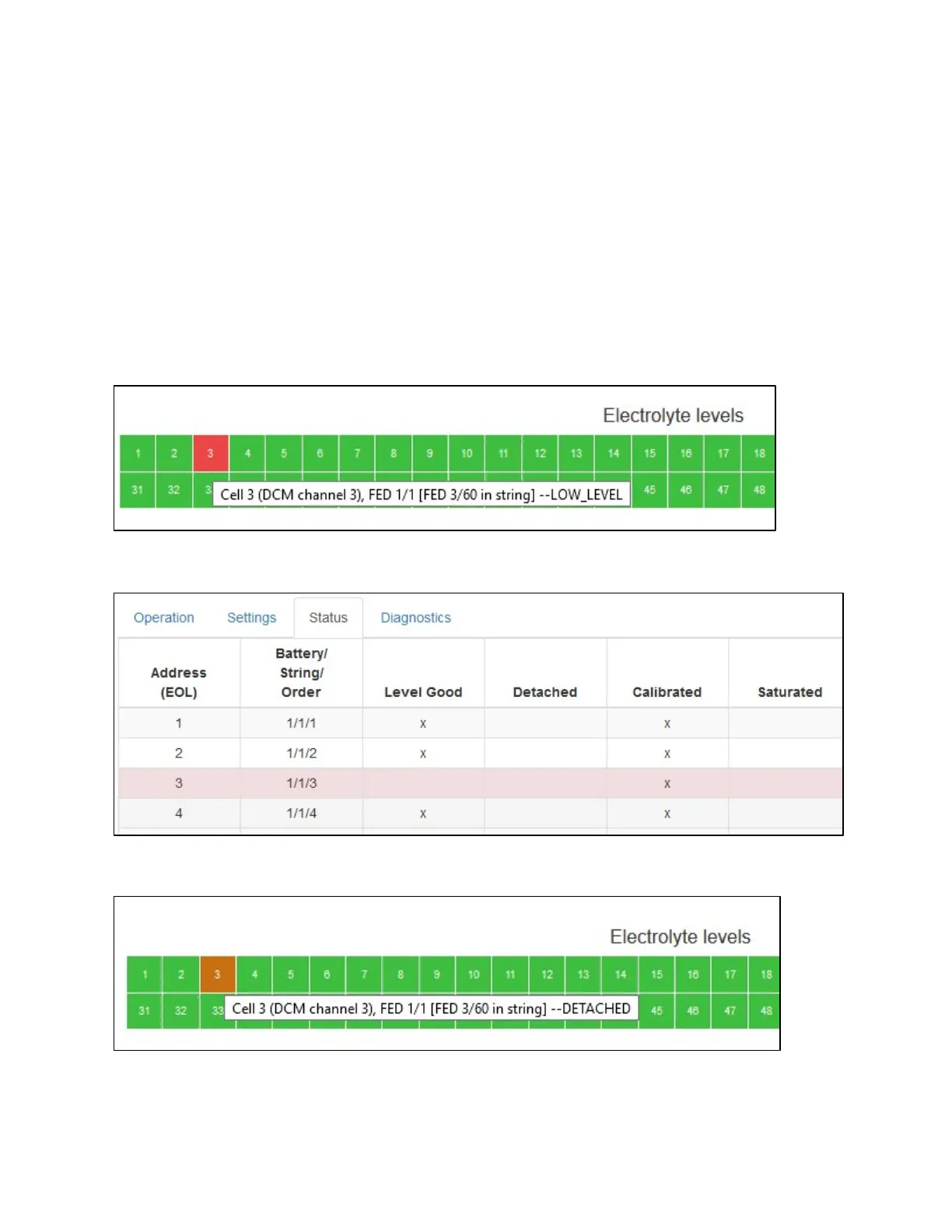
The Status tab allows the user to gain additional insight to the status of each FED unit. Pressing the
Load/Refresh FED Status button will list each FED unit along with their latest level/detached status,
calibration status along with other possible error states. While the LED indicator on the FED will show
there is a problem, this page will give the reason for the alarm or error. For example, if a FED has
detected a low level on a jar, the Home page will show an alarm.
Further investigation on the Status tab shows this FED is in alarm for low level (Level Good not checked).
If a FED has detected a falloff state, the Home page will change the color of that FED indicator to orange.
The Status tab will then show the state as Detached.



 To Next Page