Cellwatch Frontier System Installation & User Manual
Section III – Configuration Build and Hardware Integration Guide-105
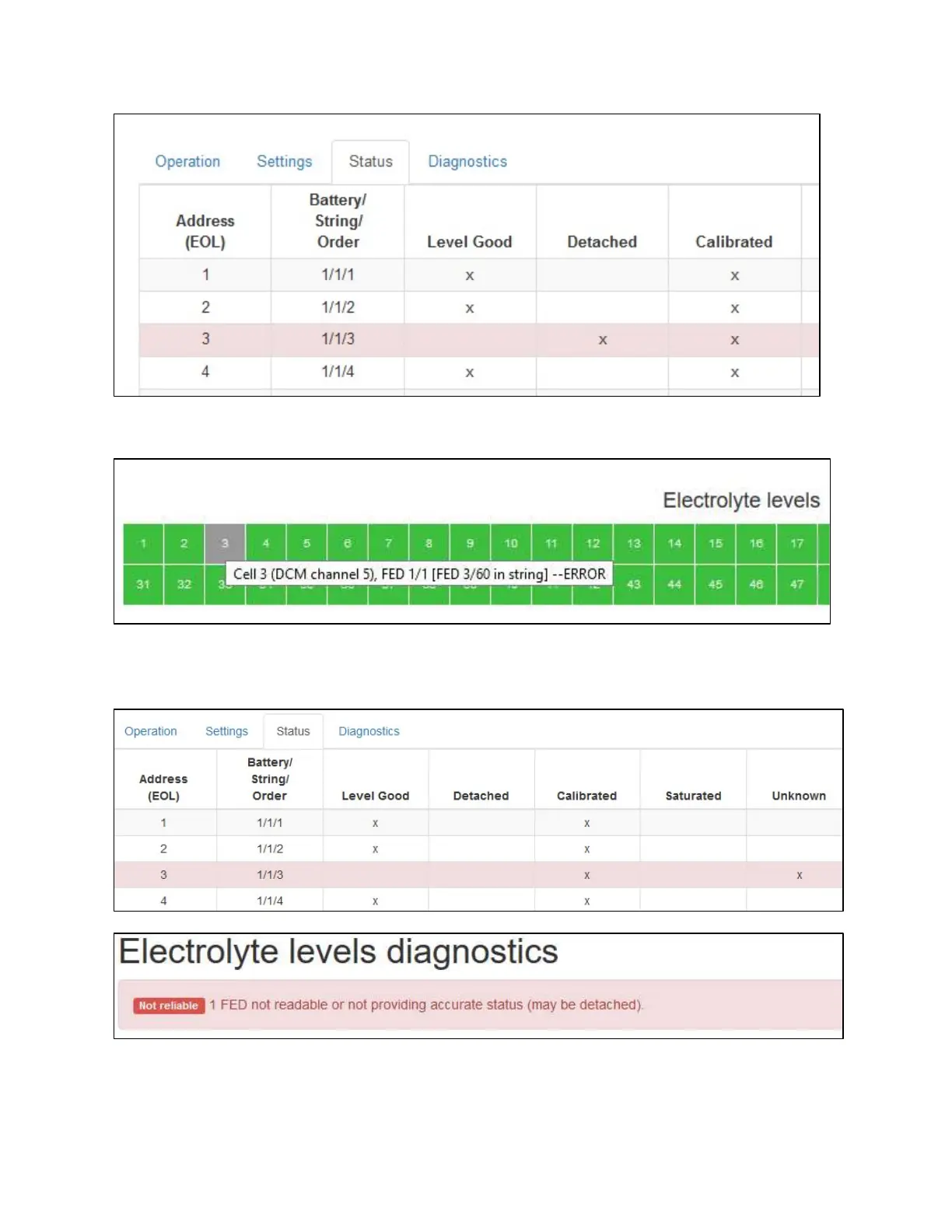
If an error state is reached, the Home page will change the color of that FEDs indicator to gray.
The Status tab will then give some additional information as to the reason for the error. Likewise, a ‘Not
Reliable’ error will display on the Electrolyte Levels Diagnostics page.



 To Next Page