Cellwatch Frontier System Installation & User Manual
Section I – Installation Guide-31
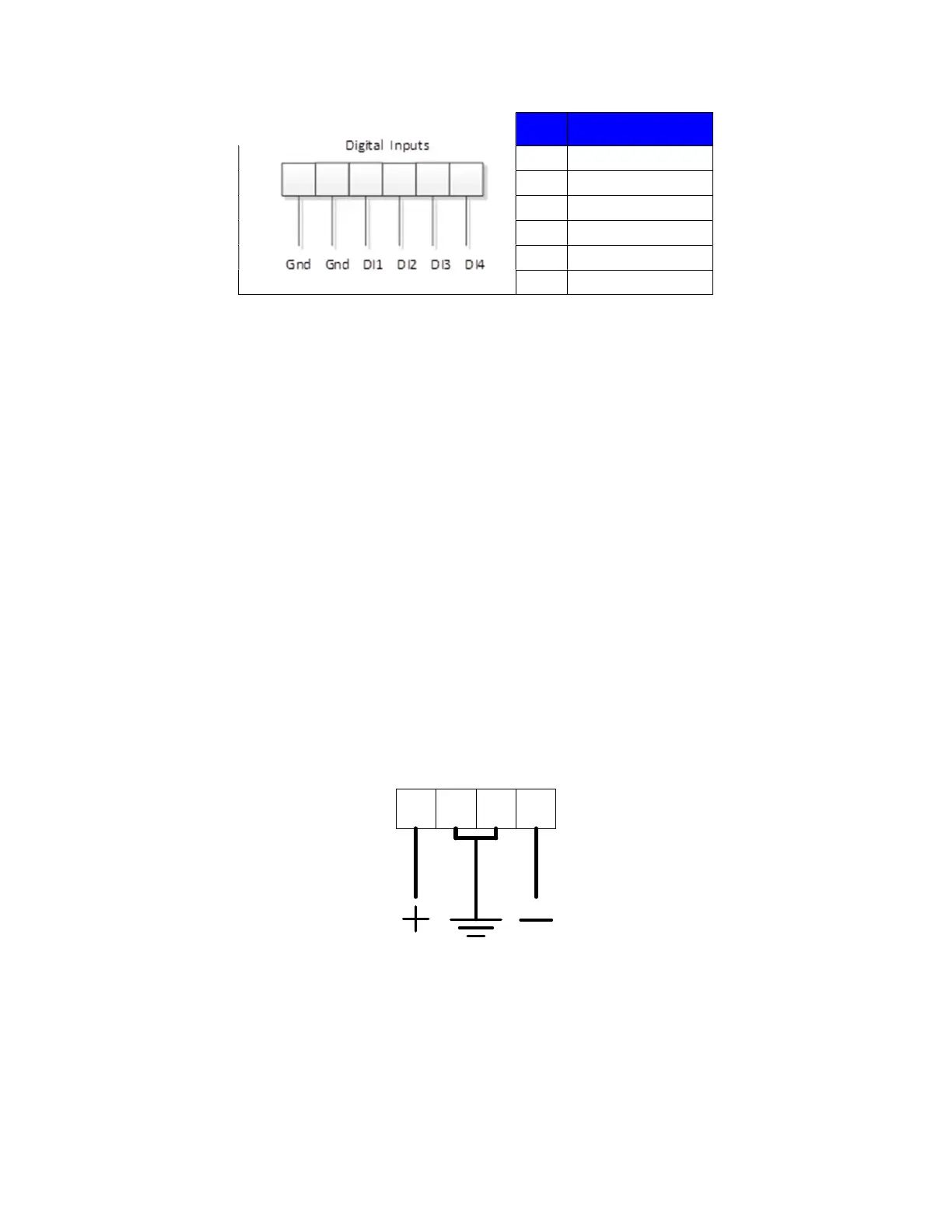
Pin #
Description
1 Ground (common)
2 Ground (common)
3 Digital Input 1
4 Digital Input 2
5 Digital Input 3
6 Digital Input 4
Power (AC)
Frontier is powered from the AC mains at 100-240 VAC.
When using AC power, use the supplied power adaptor cable to connect to an acceptable AC outlet. It is
recommended to power the Frontier from a UPS to ensure the Frontier module can properly detect and
capture discharge events. If AC mains is used without a UPS, then the Frontier unit will power off in the
event of power loss and will remain off until AC power is restored.
Use only the AC power cable that was supplied with the Frontier system. Contact NDSL if a replacement
cable is needed.
Power (DC)
Frontier has two DC power options that allow it to be powered directly from the battery.
Option 1. 20-70 VDC allows connection to a 24V or 48V battery.
Option 2. 70-150 VDC allows connection to higher voltage batteries (e.g. 120V)
Internally, the Frontier uses an isolated DC-DC converter to prevent its ground from grounding the
battery that powers it. For safety, please ensure that you connect the power input ground to a suitable
ground point. It is recommended that you use 16-gauge 300V wire to connect DC power to the Frontier.
1 2 3 4
DC power connection. Pin 2 or 3 can be used for ground.
Fuse
Frontier uses a 1A, 250VAC, slow-blow fuse. The fuse is replaced by first removing power from the
Frontier unit. The fuse cap is then turned counterclockwise and removed. The fuse is captured in the
cap. The blown fuse is pulled out of the cap and the fuse is discarded. A replacement fuse of the



 To Next Page