Cellwatch Frontier System Installation & User Manual
Section I – Installation Guide-30
Temperature Probe (TP)
At least one temperature probe, per Frontier unit, should be used as an ambient temperature sensor.
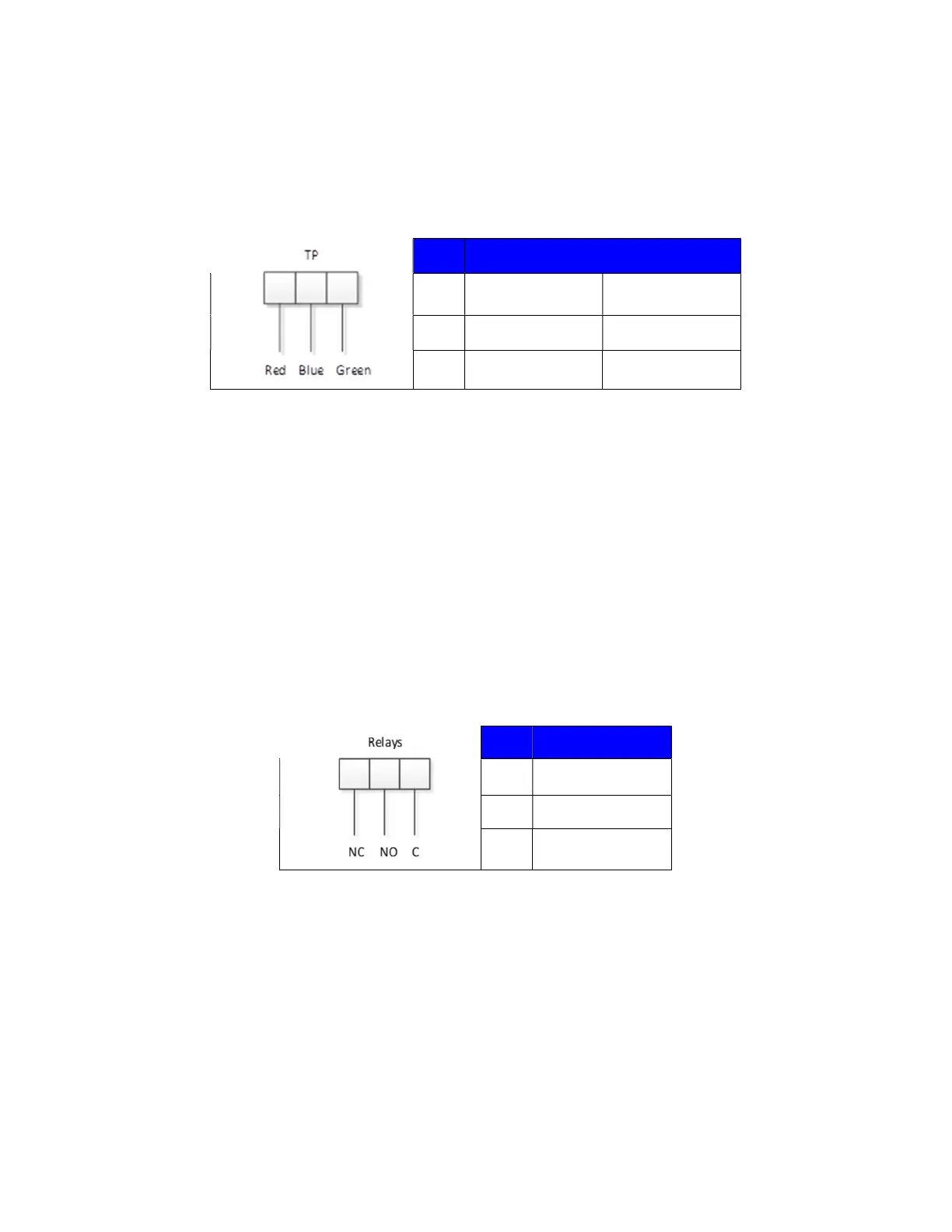
The wiring for temperature probes can be found below.
Beginning from left to right:
Pin #
Color
1 Red Red
2 Blue White
3 Green + Screen Black + Screen
Relays
There are four relays provided by the Frontier unit. Below are their predefined functions and
connections:
System Alive: Relay will indicate if the Frontier system has stopped functioning.
Battery Alarm: Relay is programmable by the user for any combination of alarm events,
including voltage, Ohmic value, temperature, discharge current, low electrolyte, or hardware
failures.
String 1 and 2 Disconnect: Available if Thermal Runaway monitoring is enabled. The relay will
disconnect the string from operation by going active for 15 seconds if all thermal runaway
conditions are met. See the Thermal Runaway section of the manual for more details.
Pin #
Description
1 Normally Closed
2
Normally Open
3 Common
Digital Inputs
Four digital inputs are provided. Each input shares a common ground that is optically isolated from the
Frontier device and the power supply. Digital inputs can be used to incorporate third party systems and
notifications into the Frontier module. This may include devices such as ground fault monitors,
electrolyte level detectors, hydrogen sensors, liquid/electrolyte leak detection systems. Connect the
digital input to a volt-free, form C dry contact and return the signal to pins 1 or 2, ground.



 To Next Page