Chapter 3 – Illuminator Description
Section 3.7 – Illuminator Settings
3-22
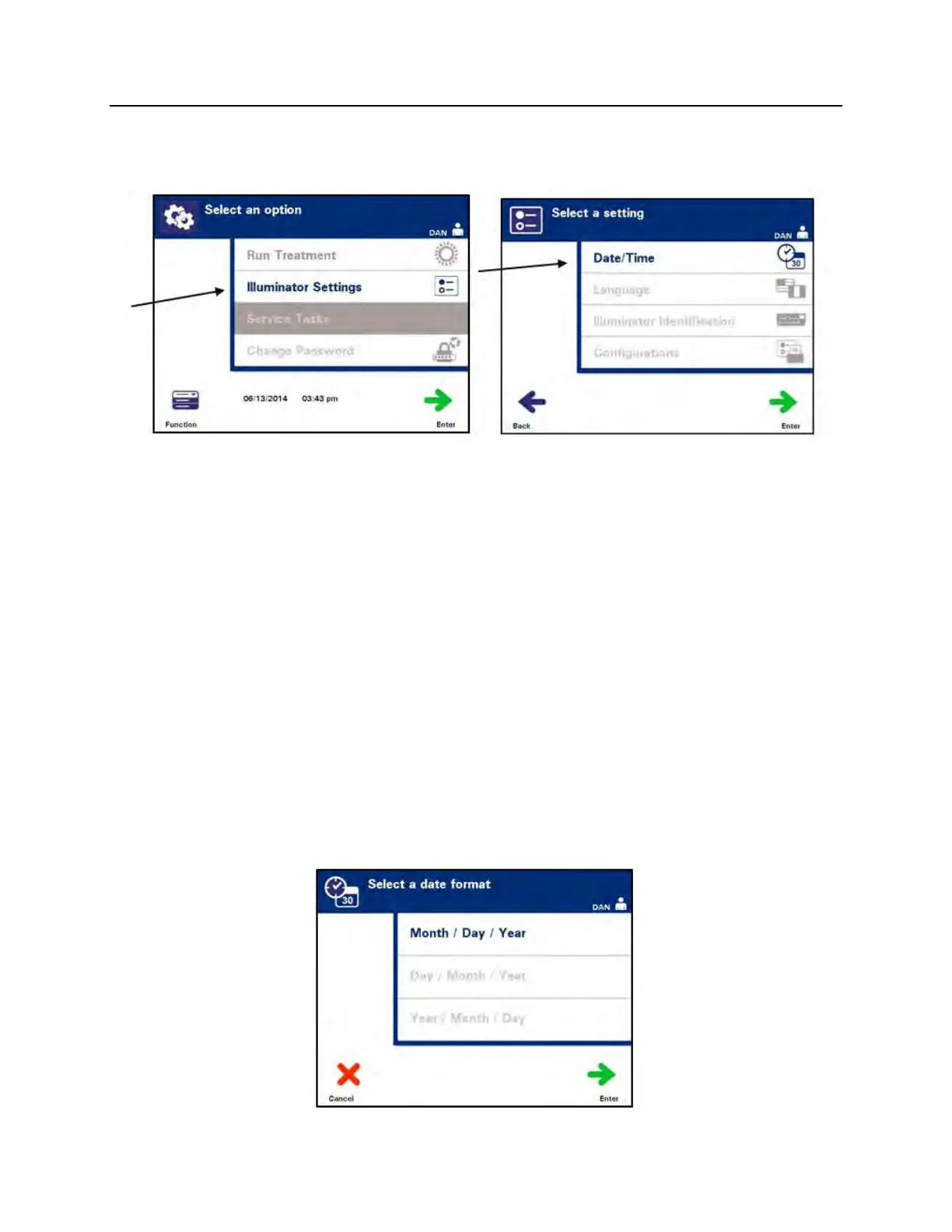
• The ‘Select an option’ screen will appear. Select the
‘Illuminator Settings’ option and press the ‘Enter’ button. The
‘Select a setting’ screen will appear.
Use the following steps to access the desired illuminator settings
option or press the ‘Back’ button to get back to the previous
screen.
Date and
Time
The date/time setting allows you to change the date and time as well as
the format of each.
CAUTION
Do not change date or time while units are in the illuminator.
NOTE:
The illuminator does not automatically update for daylight savings
time.
To change the date and time, perform the following steps:
• While in the ‘Select a setting’ screen, use the arrow buttons at
the right of the screen to choose ‘Date/Time’.
• Press the ‘Enter’ button to select the option. The ‘Select a
date format’ screen will appear.



 To Next Page