Chapter 4 – How to Use the Illuminator
Section 4.4 – Scan Barcodes
4-11
Section 4.4 Scan Barcodes
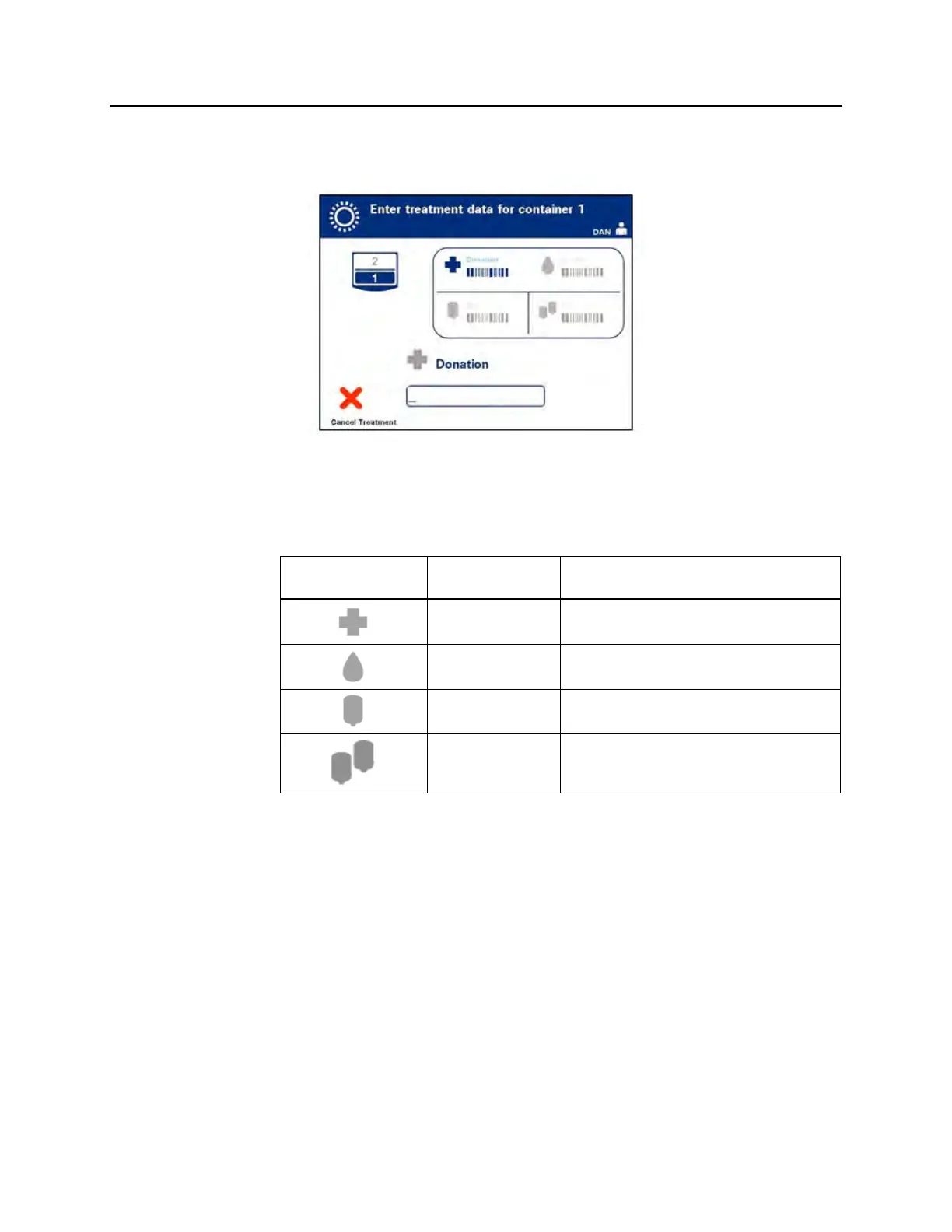
The ‘Enter treatment data for container 1’ screen will appear.
1. Scan the barcodes from the final storage container in the
following order:
Symbol Description
Barcode 1
Donation number
(applied by your facility)
Barcode 2
Blood product code
(applied by your facility)
Barcode 3
INTERCEPT set code
(product)
Barcode 4
INTERCEPT manufacturing lot number
The barcode symbol on the screen is dark before the barcode has
been entered. After the barcode has been entered the symbol will
change to gray with a check mark across it.
NOTE:
Data entry methods (barcode scanned or manually entered) for
management system.
NOTE:
The maximum number of characters in a barcode that may be
entered is 17.
NOTE:
At any time, when entering information into the illuminator, you
may press the ‘Cancel Treatment’ button. This will remove any
information that you may have entered and you will go back to the
‘Select a function’ screen.



 To Next Page