Chapter 3 – Illuminator Description
Section 3.7 – Illuminator Settings
3-31
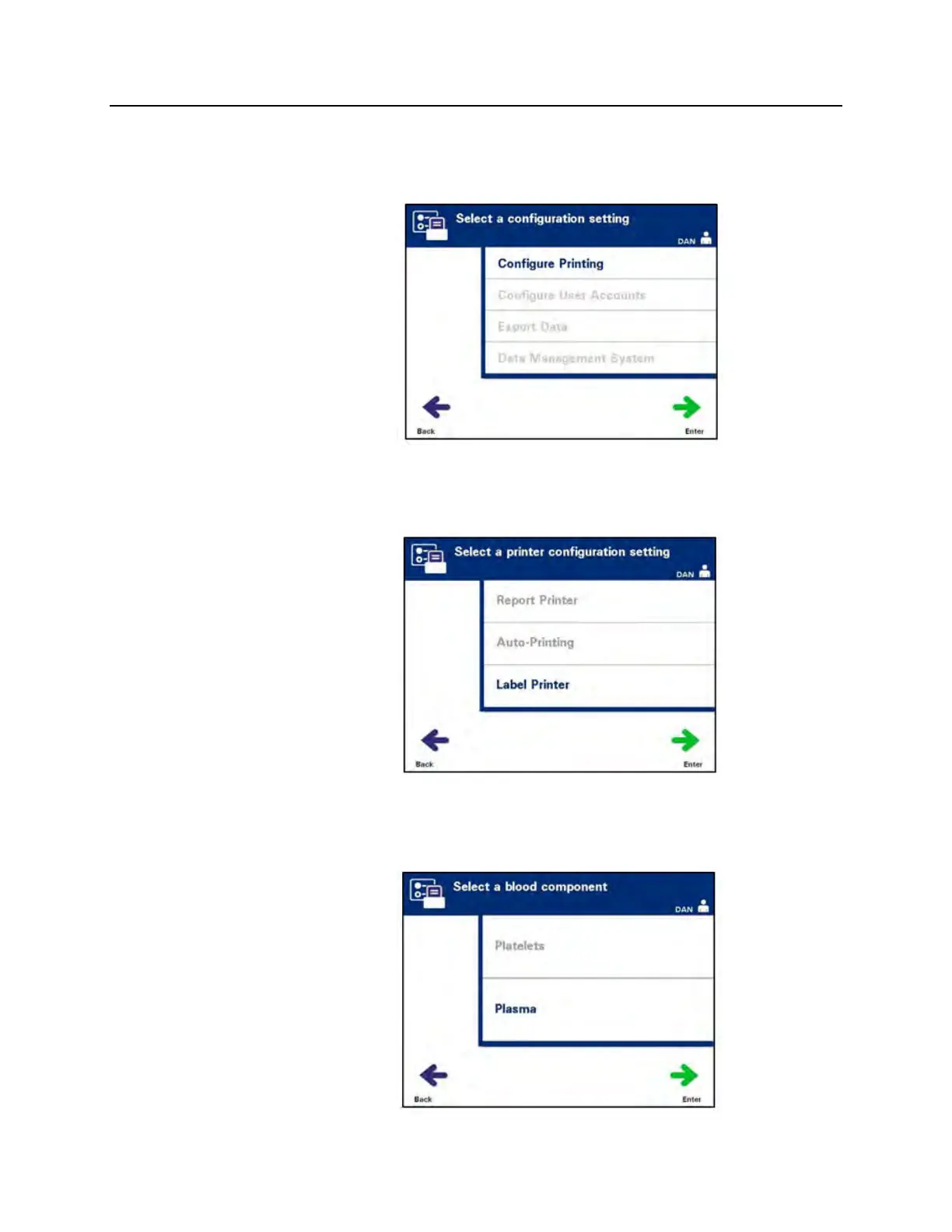
To configure the number of labels to print, perform the following:
• From the ‘Select a configuration setting’ screen, use the arrow
buttons to choose the ‘Configure Printing’ option.
• Press the ‘Enter’ button to select the ‘Configure Printing’
option. The ‘Select a printer configuration setting’ screen will
appear.
• Use the arrow buttons to choose the ‘Label Printer’ option.
• Press the ‘Enter’ button to select the ‘Label Printer’ option. The
‘Select a blood component’ screen will appear.



 To Next Page