Chapter 3 – Illuminator Description
Section 3.7 – Illuminator Settings
3-26
• If the number is correct, press the ‘OK’ button to confirm the
number. The ‘Select a setting’ screen will appear.
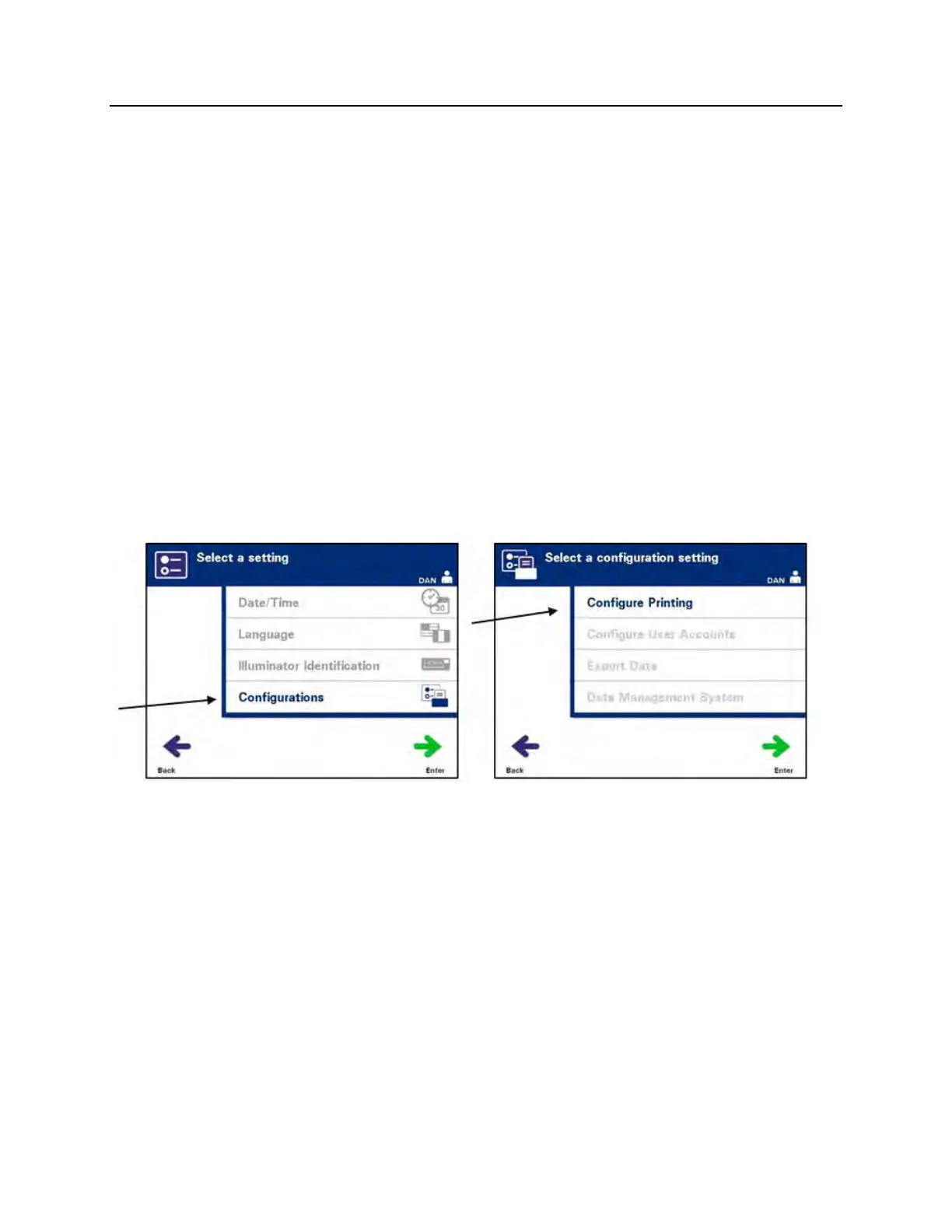
Configurations
The Configurations setting allows you to:
• Set printing options: report printing, auto-printing, and label
printing
• Configure user accounts: add accounts, disable accounts,
reset passwords, and set password expiration interval
• Export data: export all treatments, treatments in a date
range, all service data, and service data in a date range
• Enable a data management system: send information to a
data management system
To set these various options, perform the following:
Report Printer
• From the ‘Select a setting’ screen, use the arrow buttons to
choose the ‘Configurations’ option.
• Press the ‘Enter’ button to select the ‘Configurations’ option.
The ‘Select a configuration setting’ screen will appear.
• Use the arrow buttons to choose the ‘Configure Printing’
option.
• Press the ‘Enter’ button to select the ‘Configure Printing’
option.



 To Next Page