Chapter 4 – How to Use the Illuminator
Section 4.12 – Questions and Answers
4-30
Section 4.12 Questions and Answers
Q & A What will happen if the self-tests are not successful?
• If the self-tests are not successful, an error message will
appear on the screen with additional instructions. However, if
these additional instructions are not helpful, turn the
illuminator off, wait until the screen darkens, then turn it back
on. If this does not resolve the issue, contact your authorized
service representative for assistance.
Q & A
What should you do if your operator badge will not scan into the
illuminator?
• If your operator badge will not scan into the illuminator, use
the keypad to manually enter your operator username into
the illuminator.
Q & A
How will you know if only one of the drawer chambers is working
and can be used?
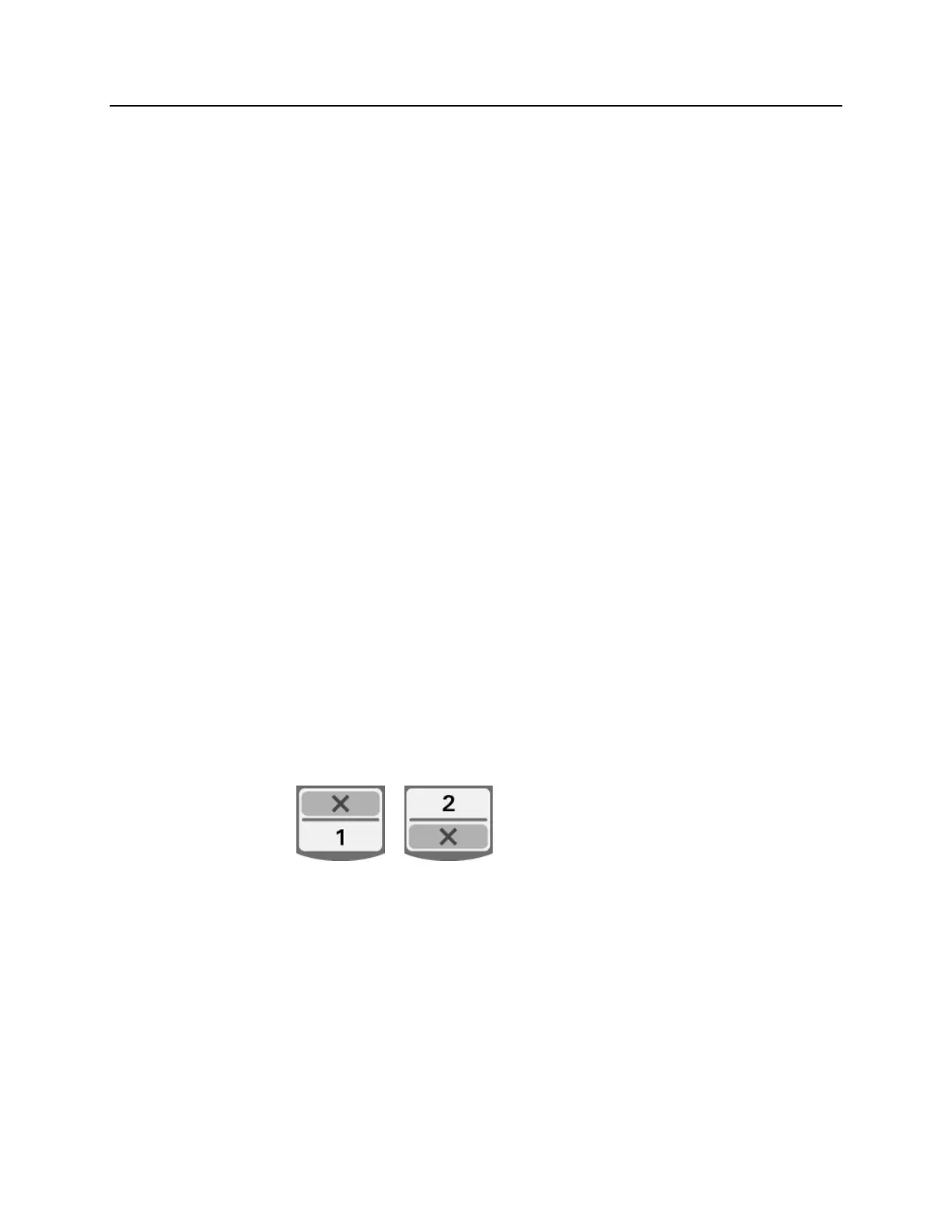
• When only one chamber is working and can be used, the
illuminator will display which chamber is available in the last
option of the menu on the ‘Number of containers’ screen.
There will be a blue ‘X’ on the screen across the chamber
that is not working and cannot be used. This is shown in the
examples below. Therefore, if chamber 1 is not working, you
can use chamber 2 to perform the illumination process. As
you will not be able to select two containers, the arrow
buttons will not work at this stage.



 To Next Page