Chapter 4 – How to Use the Illuminator
Section 4.2 – Turn On the Illuminator and Enter Credentials
4-4
Section 4.2 Turn On the Illuminator and Enter Credentials
CAUTION
Use care not to block the air vents of the illuminator during
operation. Paper set near the air filter may be pulled against the
filter by the fan and block airflow.
1. Press the power switch, under the screen, to turn the illuminator
on.
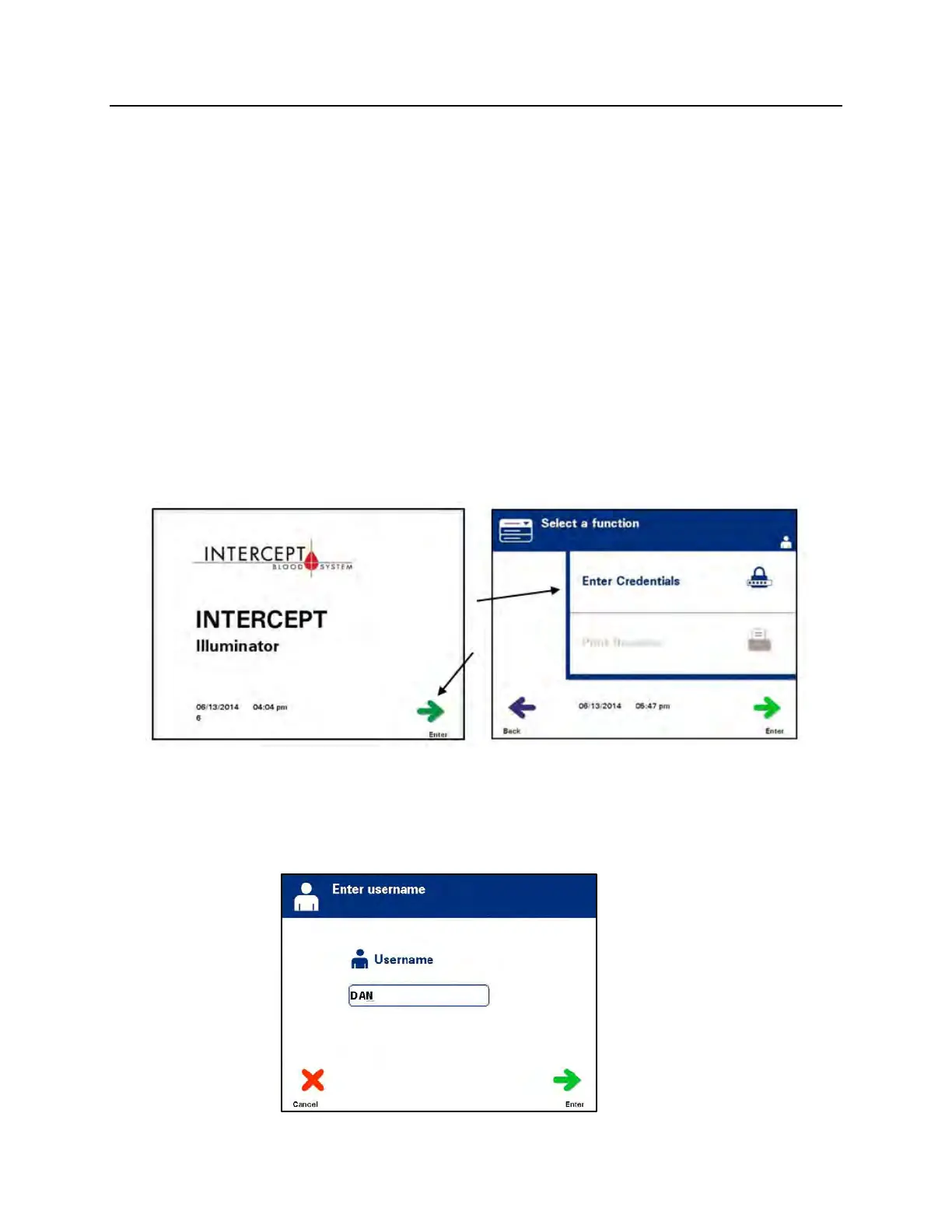
• The illuminator will run several self-tests. When the self-tests are
complete, the ‘Enter’ function button will appear.
NOTE:
Once this step is complete, check to ensure that the date and time
are correct.
2. Press the ‘Enter’ button. The ‘Select a Function’ screen will
appear.
3. While the ‘Select a function’ screen is displayed, use the arrow
buttons to select the ‘Enter Credentials’ option.
4. Press the ‘Enter’ button to choose the ‘Enter Credentials’ option.
The ‘Enter username’ screen will appear.



 To Next Page