Chapter 4 – How to Use the Illuminator
Section 4.2 – Turn On the Illuminator and Enter Credentials
4-5
5. If you have a barcode for username identification, scan it. If a
barcode is not available, enter the identification manually.
To enter your username manually, perform the following steps:
• Use the keypad to enter your username name or number.
• If the username is incorrect, press the backspace () button
on the keypad to delete the wrong username. Then, re-enter
the correct username using the keypad.
• If the identification is correct, press the ‘Enter’ button. A
confirmation screen will appear. Press ‘OK’ to confirm.
NOTE:
The illuminator installation configuration may not require password
entry after operator credential entry.
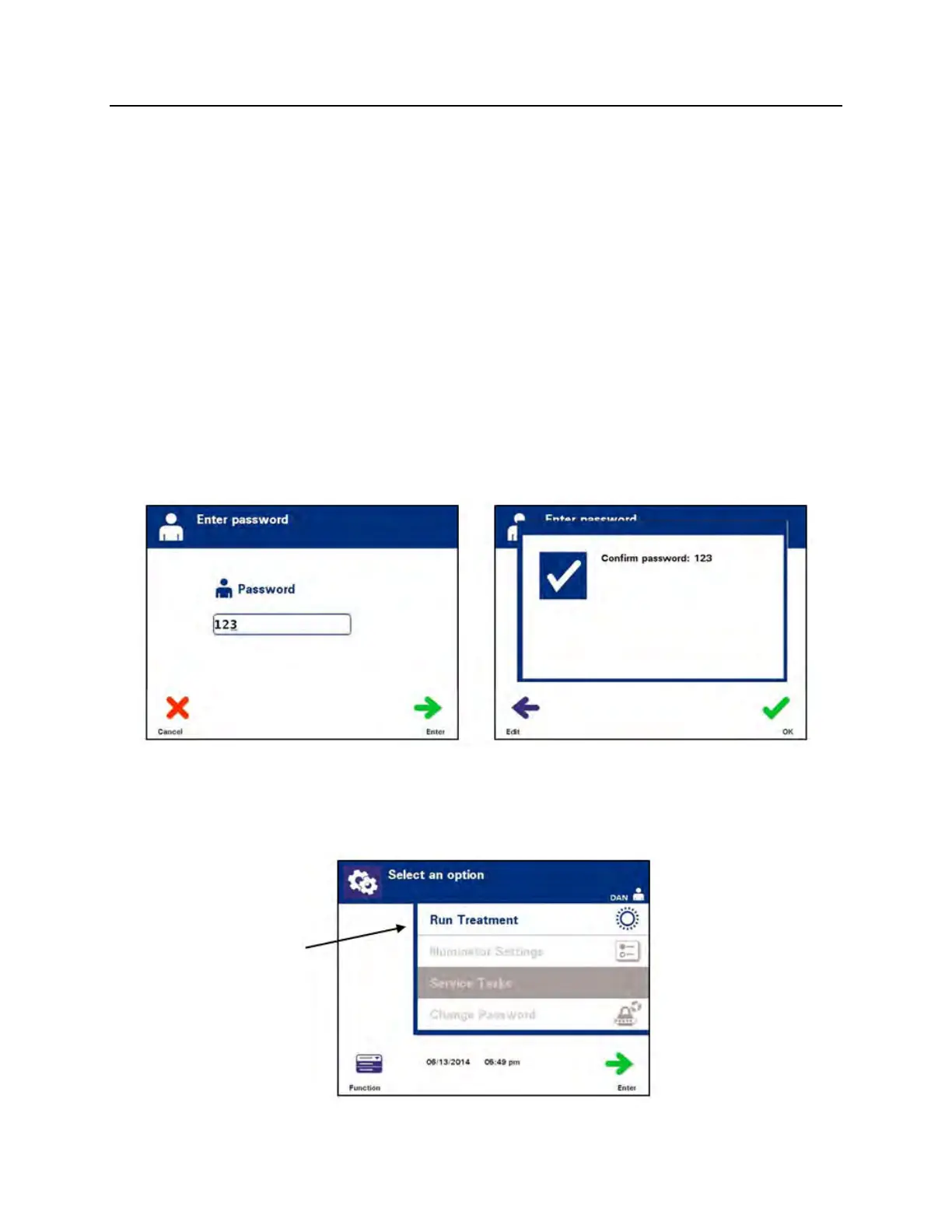
6. If you have a barcode password, scan it. If a barcode is not
available, enter your password manually.
7. If the manually-entered password is correct, press the ‘Enter’
button. A confirmation screen will appear. Press ‘OK’ to confirm.
8. The ‘Select an option’ screen will appear.



 To Next Page