EasyManua.ls Logo

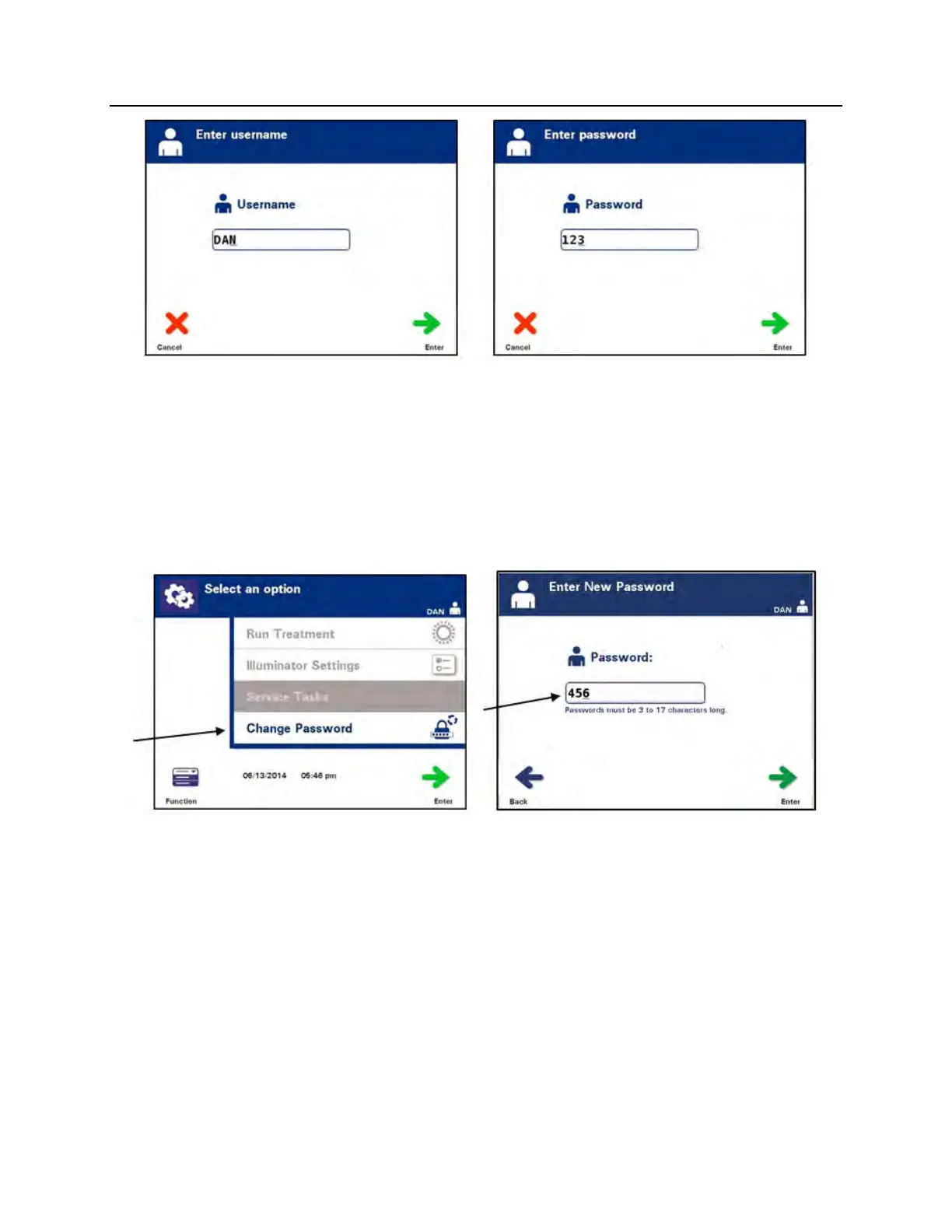
CERUS INTERCEPT INT100 - • The ‘Select an option’ screen will appear. Select the ‘Change Password’option and press the ‘Enter’ button. The ‘Enter New Password’ screen will appear.; • Enter the new password either by scanning a barcode or by entering the password manually with the keypad. (Refer to Section 4.2.) Press the ‘Enter’ button if the password is manually entered.

CERUS INTERCEPT INT100
182 pages
Print Icon
To Next Page IconTo Next Page
To Previous Page IconTo Previous Page
Loading...
Chapter 3 – Illuminator Description
Section 3.8 Change Password
3-50
The Select an option screen will appear. Select the Change
Passwordoption and press the Enter button. The Enter New
Password screen will appear.
Enter the new password either by scanning a barcode or by
entering the password manually with the keypad.
(Refer to Section 4.2.) Press the Enter button if the password
is manually entered.

MAN-EN 00601, v3.0

Table of Contents