Chapter 3 – Illuminator Description
Section 3.7 – Illuminator Settings
3-39
• Upon successful completion, the ‘Select an option’ screen will
appear.
Password
Expiry
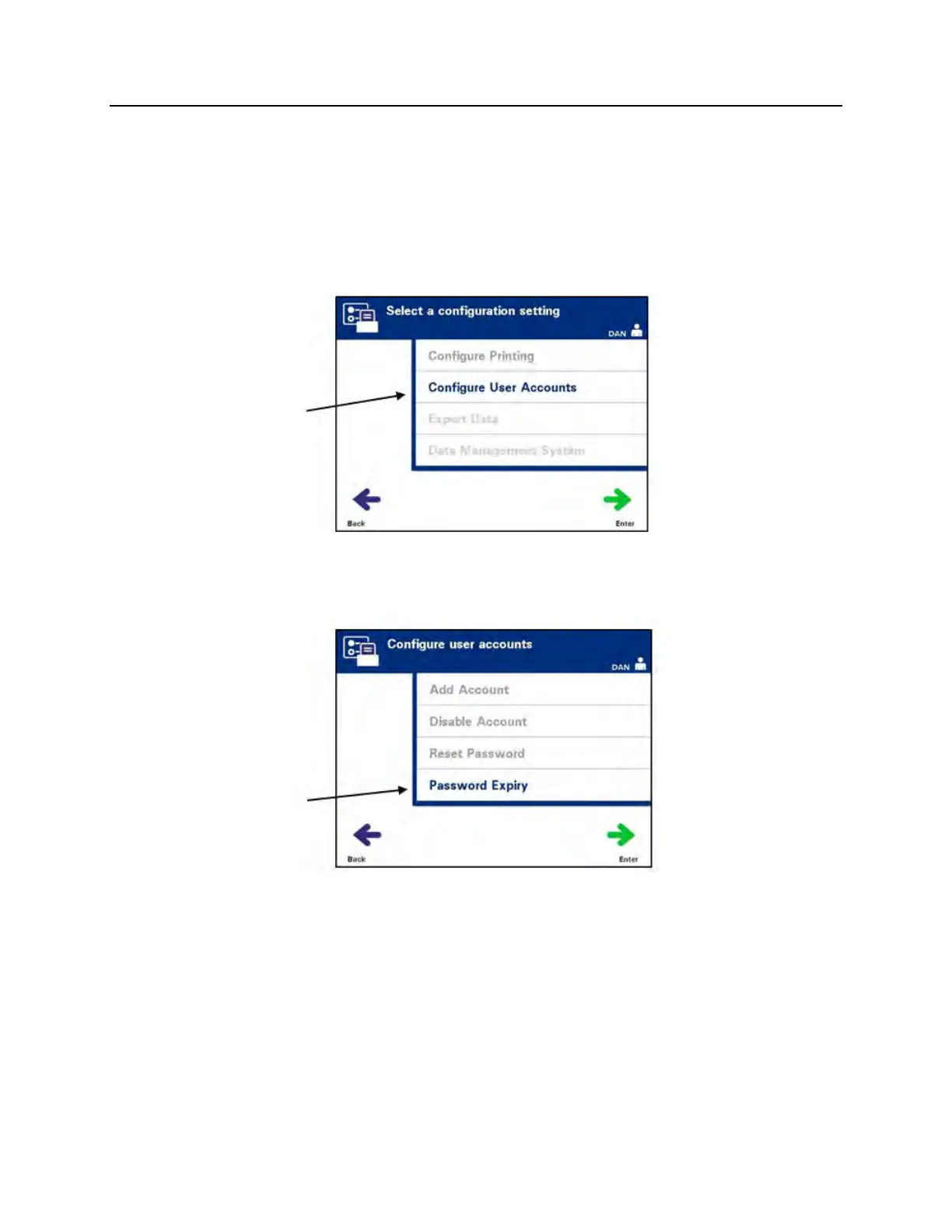
Use to set the number of days that a user’s password is valid.
Options are disabled (no expiration), 30 days, 90 days, or 180 days.
• From the ‘Select a configuration setting’ screen, use the arrow
buttons to choose the ‘Configure User Accounts’ option.
• Press the ‘Enter’ button to select the ‘Configure User
Accounts’ option. The ‘Configure user accounts’ screen will
appear.
• Use the arrow buttons to choose the ‘Password Expiry’ option.
Press the ‘Enter’ button to select the ‘Password Expiry’ option.



 To Next Page