Chapter 3 – Illuminator Description
Section 3.7 – Illuminator Settings
3-36
Disable
Account
Use to disable an account so that it is no longer a valid username.
CAUTION
Once an account has been disabled, it cannot be reactivated.
Furthermore, the username cannot be reused.
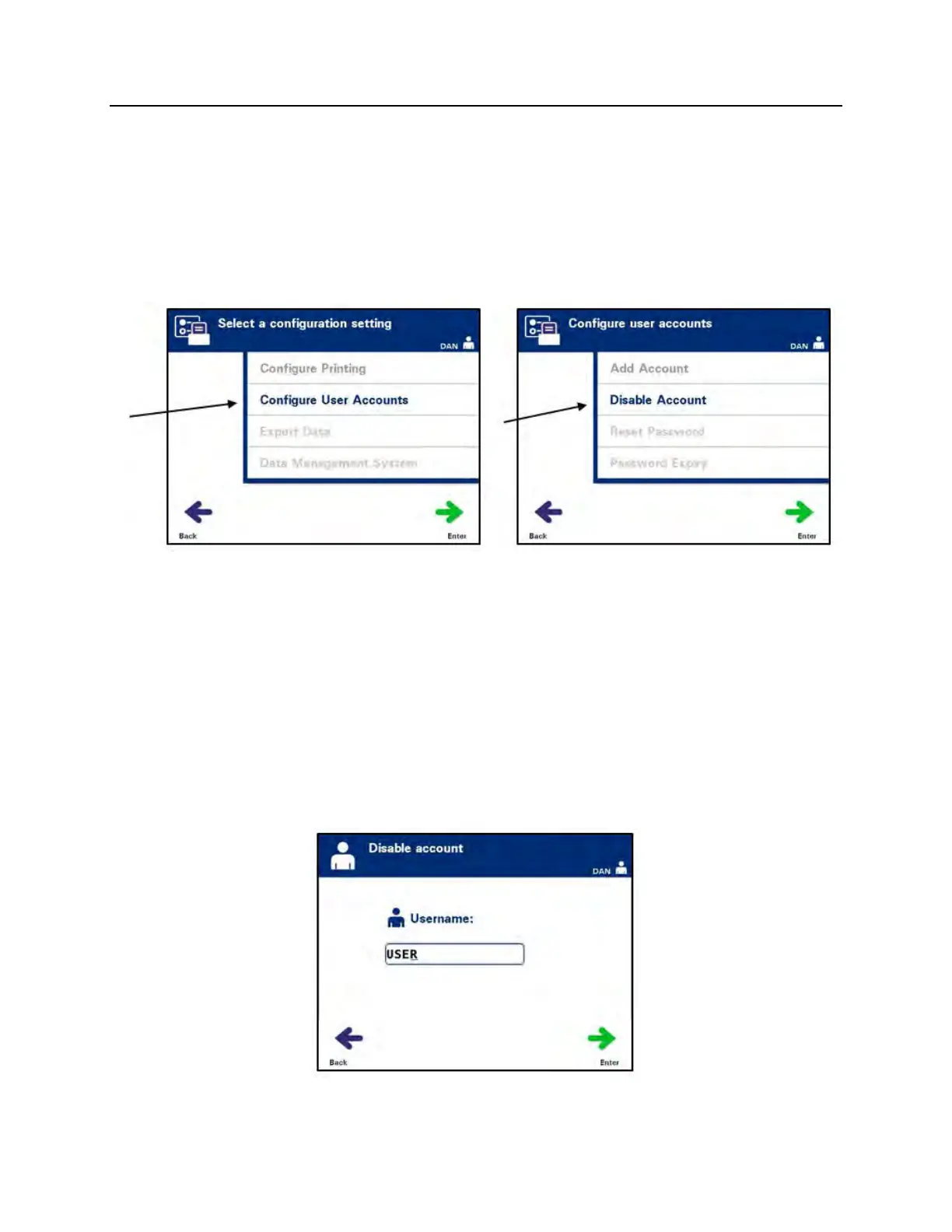
• From the ‘Select a configuration setting’ screen, use the arrow
buttons to choose the ‘Configure User Accounts’ option.
• Press the ‘Enter’ button to select the ‘Configure User
Accounts’ option. The ‘Configure user accounts’ screen will
appear.
• Use the arrow buttons to select the ‘Disable Account’ option.
Press the ‘Enter’ button to choose the ‘Disable Account’
option.
• The ‘Disable account’ screen will appear. Enter the username
of the account to be disabled, either by scanning a barcode
or by entering the username manually with the keypad.
(Refer to Section 4.2.) Press the ‘Enter’ button if the username
is manually entered.



 To Next Page