Chapter 3 – Illuminator Description
Section 3.7 – Illuminator Settings
3-25
• Press the ‘OK’ button to confirm the language choice. The
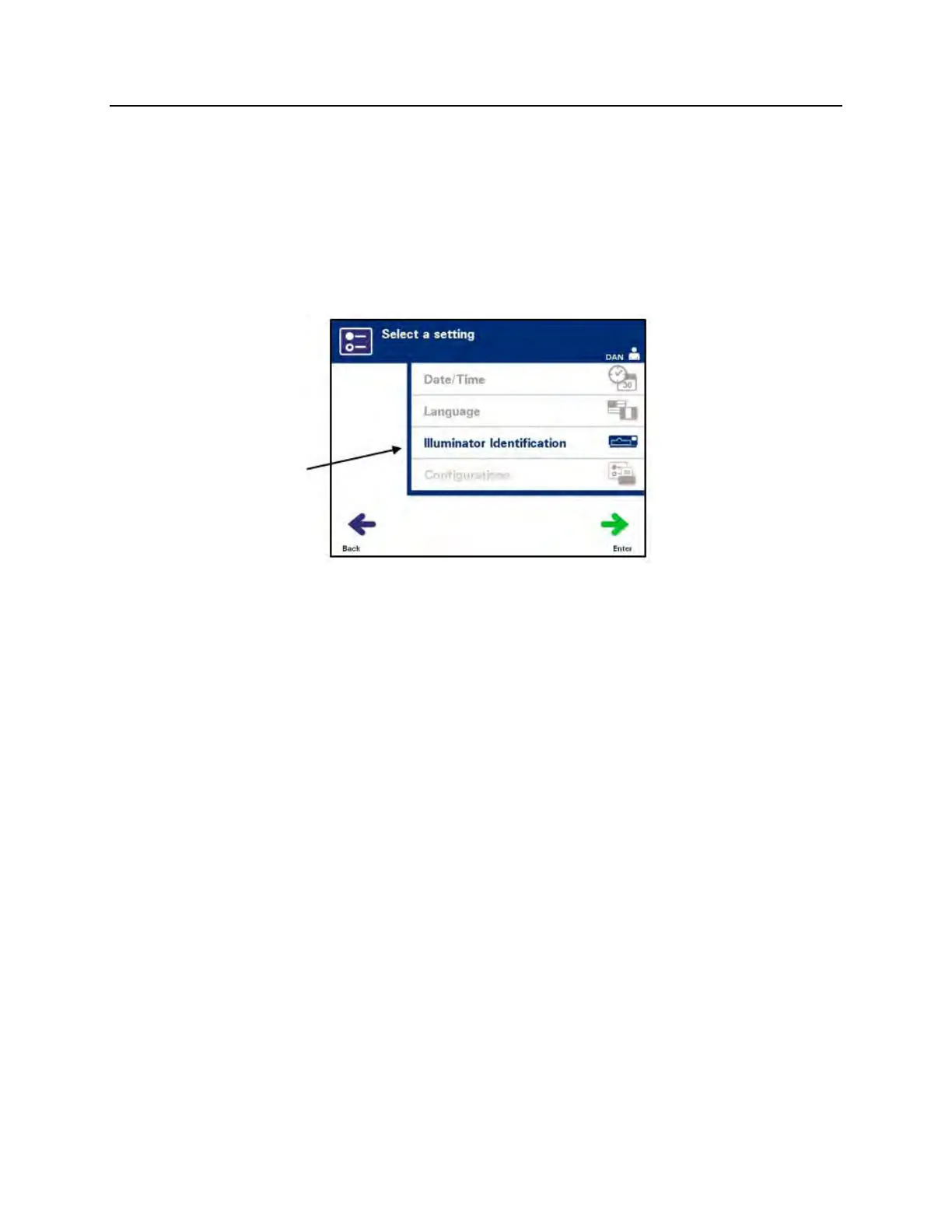
‘Select a setting’ screen will appear.
Illuminator
Identification
The illuminator identification setting allows you to enter an instrument
identification number such as a serial number. To enter the identification
number, perform the following:
• From the ‘Select a setting’ screen, use the arrow buttons to
choose the ‘Illuminator Identification’ option.
• Press the ‘Enter’ button to select the option. The
‘Enter illuminator
identification’ screen will appear.
• Use the keypad to enter the instrument 9-digit serial number
manually. The serial number is located inside the front door of
the illuminator.
NOTE:
If you are using a File Transfer Protocol, use the keypad to enter
both your facility’s site code and the instrument 9-digit serial
number. The format for the illuminator identification should be site
code, serial number. (For example: NORTHBCV02000001.)
• Press the ‘Enter’ button when the number has been entered.
A confirmation screen will appear.
NOTE:
The ‘Enter’ button will only appear if the serial number is in the
correct format.
• If the number is incorrect, press the ‘Edit’ button to return to
the ‘Enter illuminator identification’ screen.
• Using the keypad, press the backspace () button to delete
the numbers. Then, re-enter the correct number using the
keypad.
• Press the ‘Enter’ button when the number has been entered.
A confirmation screen will appear.



 To Next Page