Chapter 4 – How to Use the Illuminator
Section 4.11 – Turn Off the Illuminator
4-29
Section 4.11 Turn Off the Illuminator
If you want to turn off the illuminator:
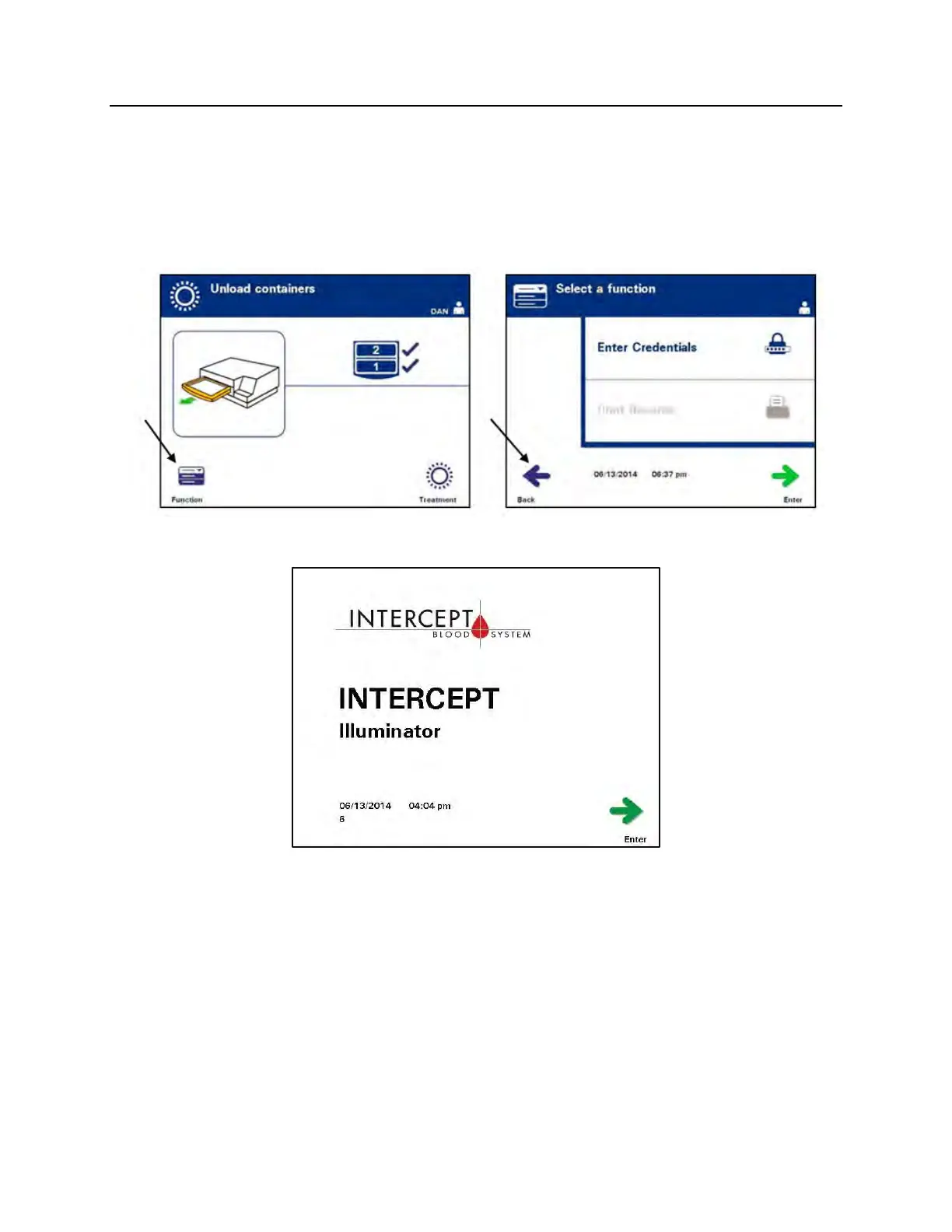
1. Press the ‘Function’ button on the ‘Unload containers’ screen.
The ‘Select a function’ screen will appear.
2. Press the ‘Back’ button. The ‘Power On’ screen will appear.
3. Press the power switch.
4. The illuminator will transition to a battery back-up power supply
to enable software to shut down successfully.
5. Once this has been completed, the illuminator power will turn
off.



 To Next Page