Chapter 4 – How to Use the Illuminator
Section 4.10 – Change Users Before the Next Illumination
4-28
Section 4.10 Change Users Before the Next Illumination
Cycle
If a different operator is performing the treatment process, perform
the following:
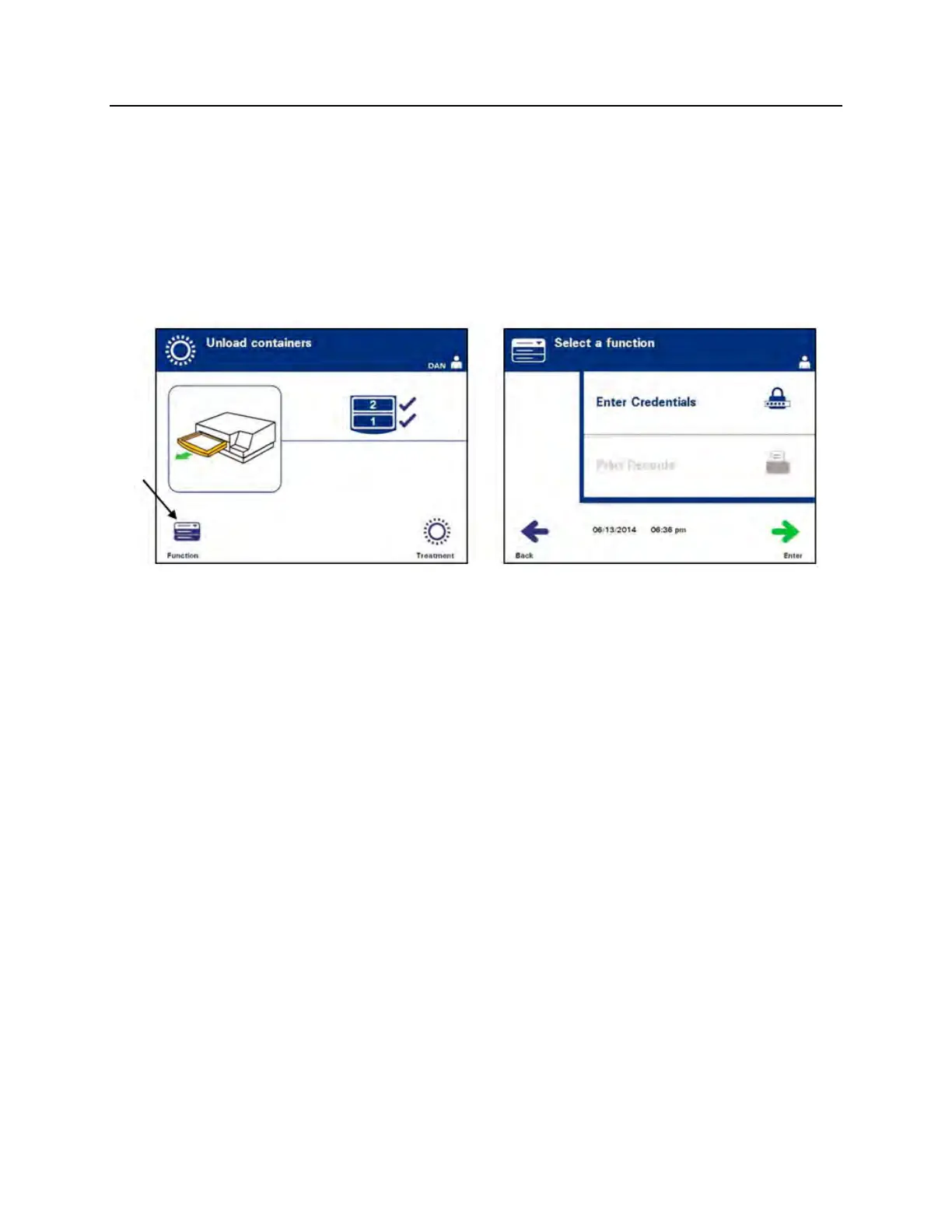
1. Press the ‘Function’ button on the ‘Unload containers’ screen.
The ‘Select a function’ screen will appear.
2. To enter credentials, repeat the steps in Section 4.2 to enter
credentials.
NOTE:
When the ‘Unload containers’ screen is initially displayed, there are
no softkeys. After the door and drawer have been opened, the
Unload containers screen has two softkeys: Function on the left
and Treatment on the right.



 To Next Page