ATA Voice Field Reference
Line page
Cisco Small Business ATA Administration Guide 176
B
Dial Plan
Dial plan script for this line.
The default is (*xx|[3469]11|0|00|[2-9]xxxxxx|1xxx[2-
9]xxxxxxS0|xxxxxxxxxxxx.)
The dial plan syntax is expanded in the SPA3102 to allow
the designation of three parameters to be used with a
specific gateway:
uid the authentication user-id
pwd the authentication password
nat if this parameter is present, use NAT mapping
Each parameter is separated by a semi-colon (;).
Furthermore, it recognizes gw0, gw1, , gw4 as the locally
configured gateways, where gw0 represents the local
PSTN gateway in the same SPA3102.
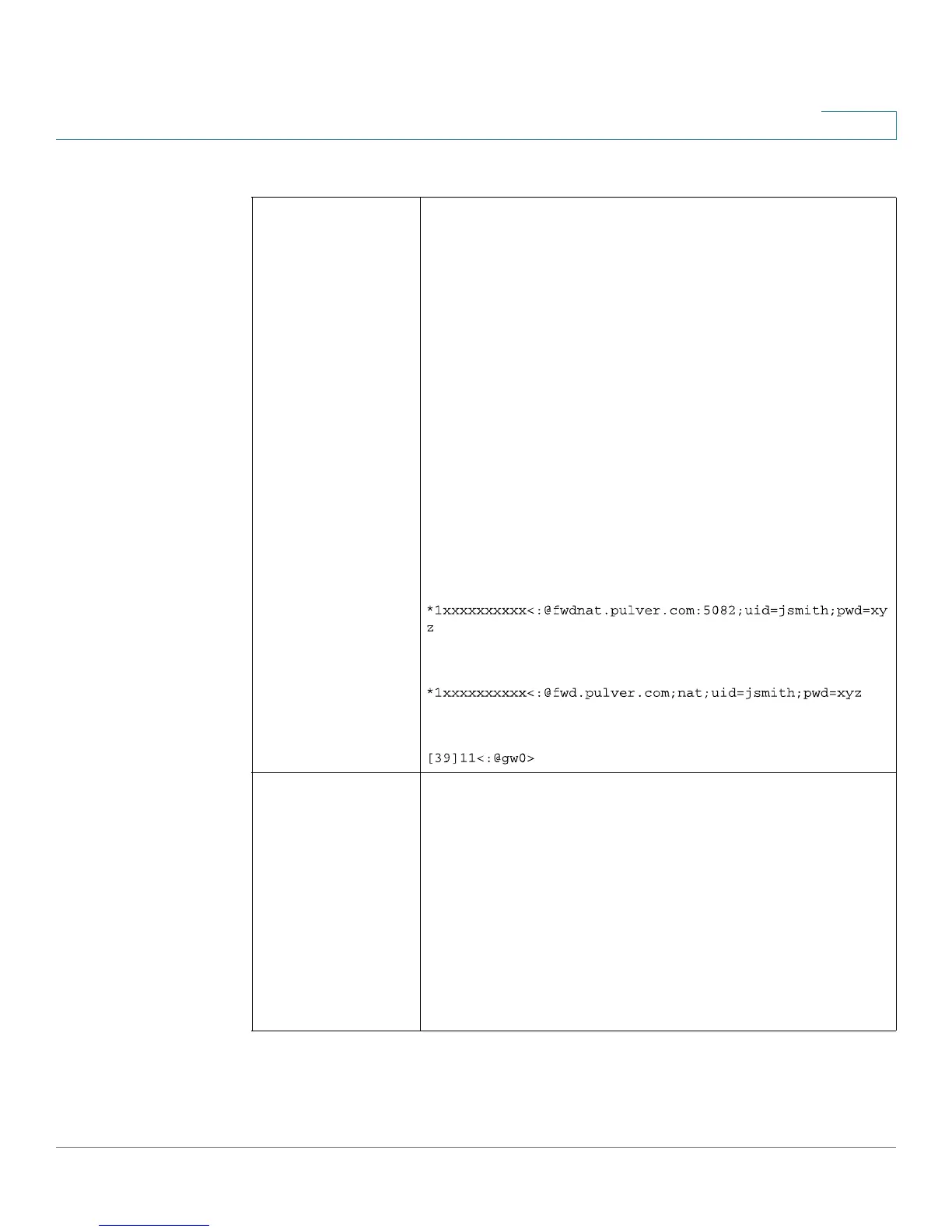
Example 1:
Example 2:
Example 3:
Enable IP Dialing Enable or disable IP dialing.
If IP dialing is enabled, one can dial [user-id@]a.b.c.d[:port],
where @, ., and : are dialed by entering *, user-id must be
numeric (like a phone number) and a, b, c, d must be
between 0 and 255, and port must be larger than 255. If
port is not given, 5060 is used. Port and User-Id are
optional. If the user-id portion matches a pattern in the dial
plan, then it is interpreted as a regular phone number
according to the dial plan. The INVITE message, however, is
still sent to the outbound proxy if it is enabled.
The default is no.



 To Next Page