Configuring Dial Plans
Cisco Small Business ATA Administration Guide 59
4
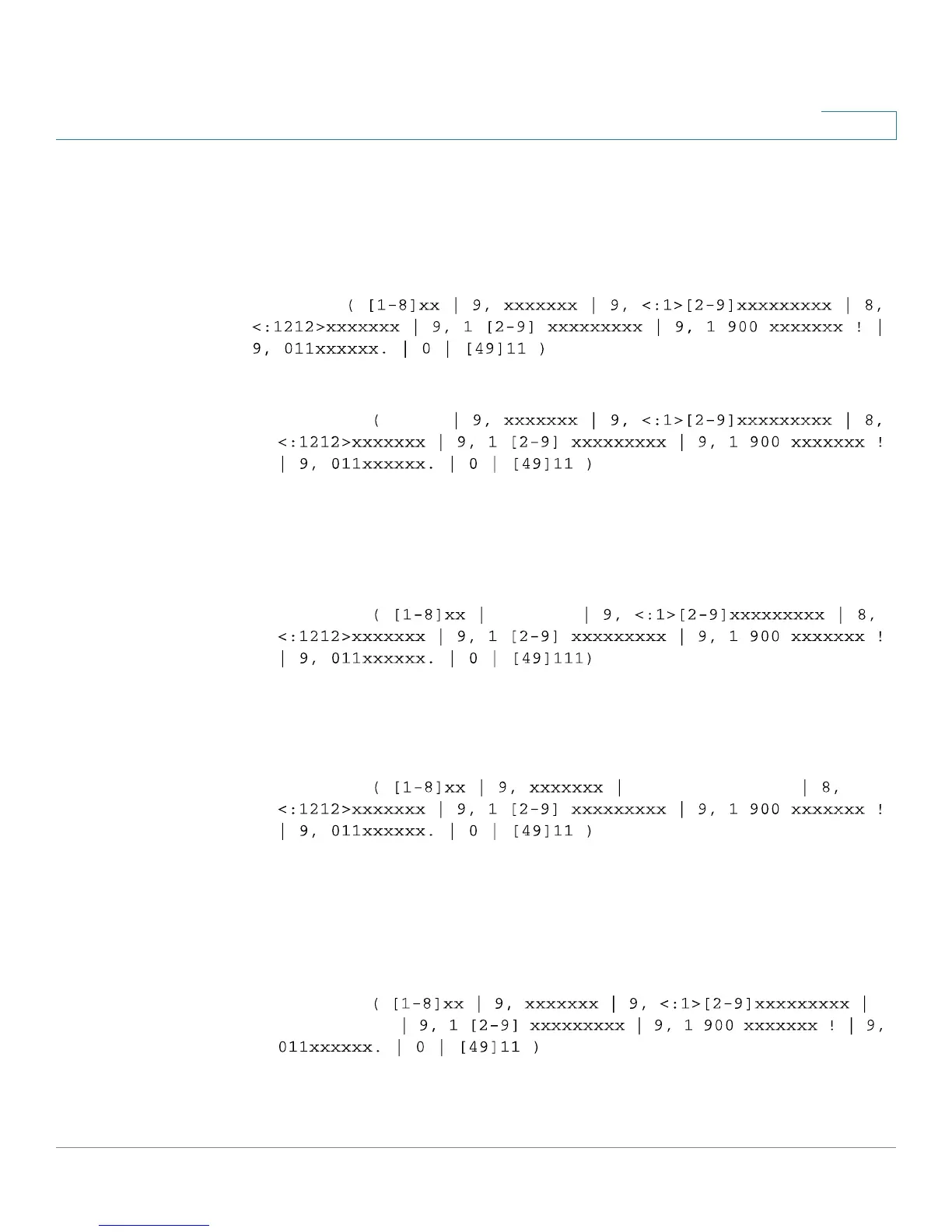
Digit Sequence Examples
The following examples show digit sequences that you can enter in a dial plan.
In a complete dial plan entry, sequences are separated by a pipe character (|), and
the entire set of sequences is enclosed within parentheses.
EXAMPLE:
Extensions on your system
EXAMPLE: [1-8]xx
[1-8]xx Allows a user dial any three-digit number that starts with the digits 1
through 8. If your system uses four-digit extensions, you would instead enter
the following string:
[1-8]xxx
Local dialing with seven-digit number
EXAMPLE: 9, xxxxxxx
9, xxxxxxx After a user presses 9, an external dial tone sounds. The user can
enter any seven-digit number, as in a local call.
Local dialing with 3-digit area code and a 7-digit local number
EXAMPLE: 9, <:1>[2-9]xxxxxxxxx
9, <:1>[2-9]xxxxxxxxx This example is useful where a local area code is required.
After a user presses 9, an external dial tone sounds. The user must enter a 10-
digit number that begins with a digit 2 through 9. The system automatically
inserts the 1 prefix before transmitting the number to the carrier.
Local dialing with an automatically inserted 3-digit area code
EXAMPLE: 8,
<:1212>xxxxxxx



 To Next Page