User Guide | FreeSpeak II™ Base station version
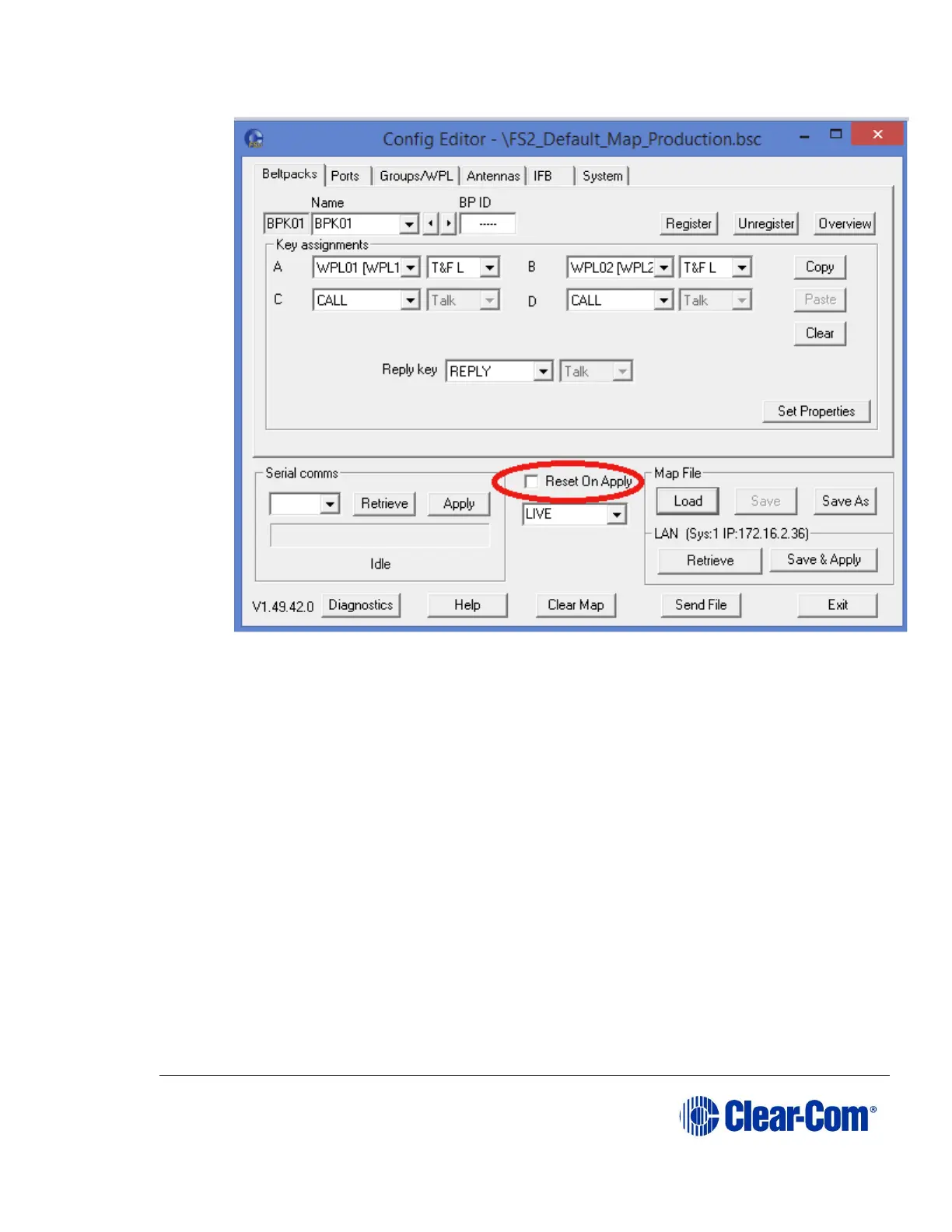
10) In drop-down list below the Reset On Apply check box, select DEFAULT.
11) Select Save.
12) Close the Configuration Editor, and reopen it, then select Send.
13) Enter the IP address of the Base station.
14) In the File name drop down list, select Config Files (*.bsc), select the
default map that you saved in step 4, and select Open.



 To Next Page