User Guide | FreeSpeak II™ Base station version
beltpack operates as SELECT and the C key exits the menu level and
cancels the selection.
Note: On a new system there will be no previous connections at this
point. However, if the beltpack is currently connected to an active
system, a confirmation screen will appear. Select Yes to connect
to a new system or No to remain connected to the current system.
3) Available systems, and previously registered systems, will be visible on
the beltpack menu screen.
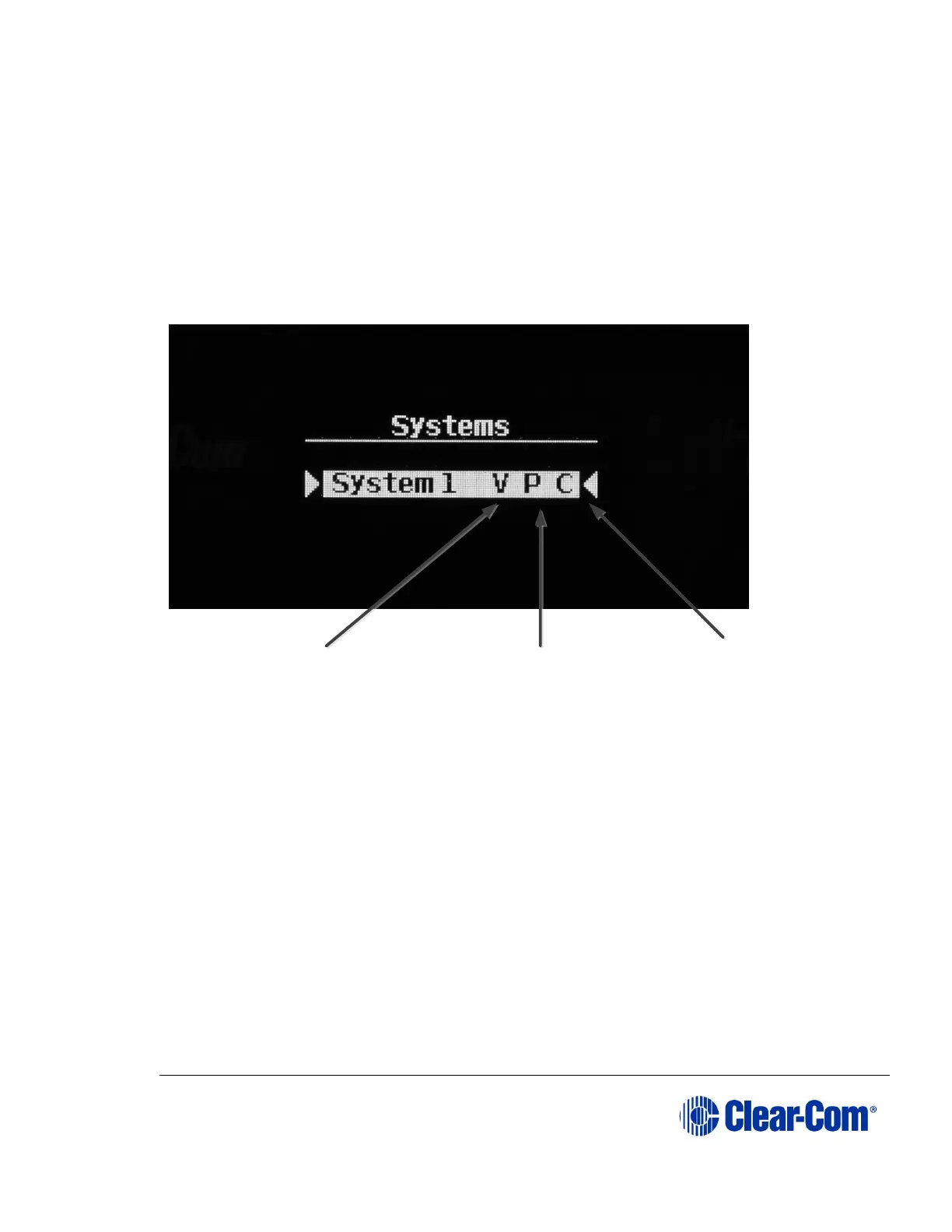
Figure 3-8 Beltpack systems
To connect the beltpack to the system, the system must be visible (V) and
in registration (pairing) mode (P) on the beltpack screen. If the system is
not in registration mode, registration should be re-enabled on the Base
station. (Step 1).
Note: If a beltpack is currently registered to a system ‘C’ will be visible in
this screen. If a beltpack is not currently registered but has been
in the past ‘R’ will be visible. This shows that the beltpack has
been previously registered with the system which might recognize
it.
V – system visible. If blank
the beltpack cannot see the
system
P – Pairing or registration
enabled. If blank, re-
enable registration
C – beltpack
connected to
system. If R the
beltpack has been
previously
registered and is
known. May be
blank,
unconnected and
unregistered



 To Next Page