User Guide | FreeSpeak II™ Base station version
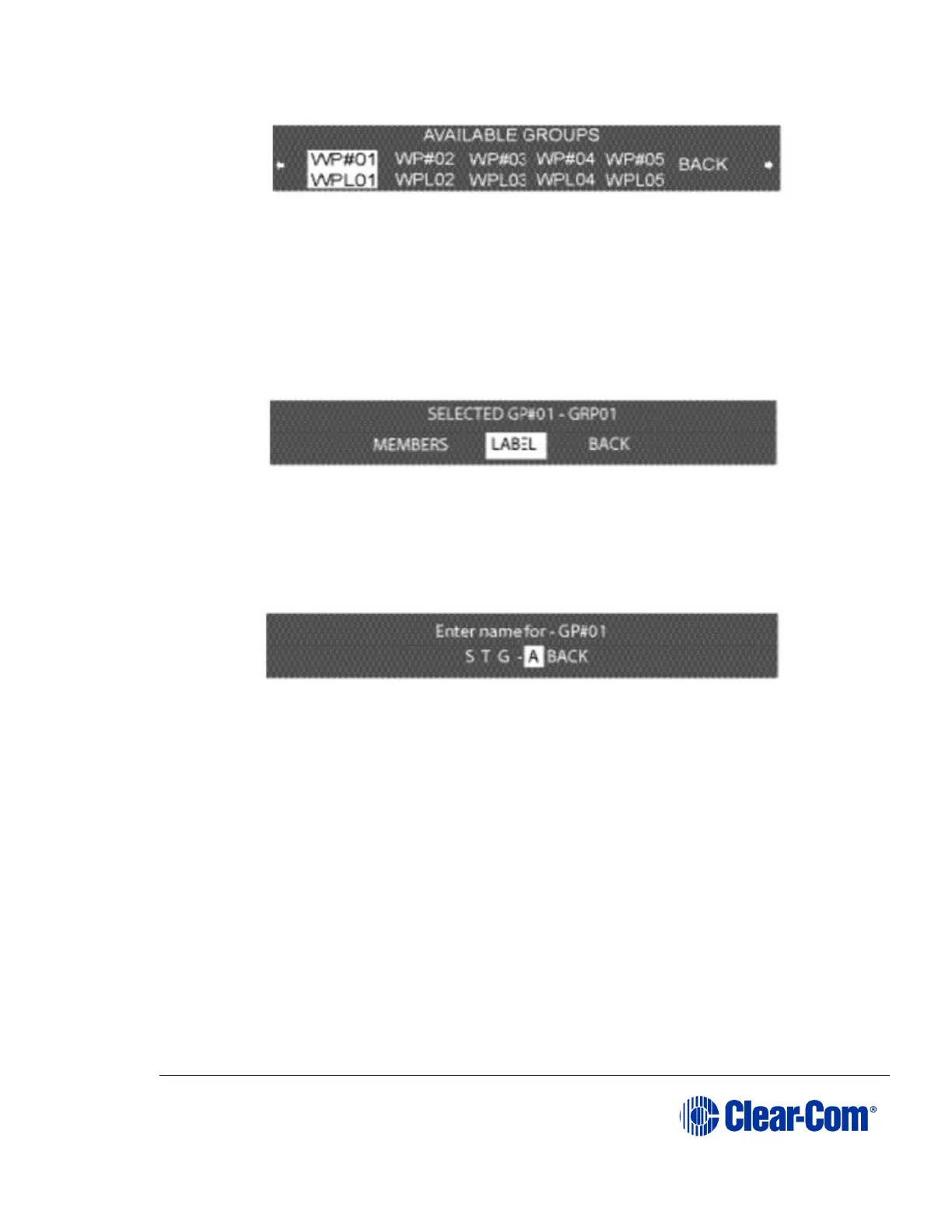
Figure 6-12 Wireless partyline group labels
The generic wireless partyline group labels WP#01 through WP#05 appear on the
top row, and their editable versions appear on the lower row. The default values
are WPL01 through WPL05.
2) From the AVAILABLE GROUPS menu, select a group label. A menu appears
that gives the options for programming the selected group, as in Figure
6-13 Select label from the menu.
Figure 6-13 Select label from the menu
3) Select LABEL from the menu.
A menu to edit that group label appears, as shown in Figure 6-14 Group name
edit menu.
Figure 6-14 Group name edit menu
4) Scroll to and select the alphanumeric character to be changed. A box
appears around the character.
5) Rotate the setup/enter encoder. As the encoder is rotated the entire range
of available characters appears, starting with upper-case characters,
proceeding to lower-case characters, then to digits, and finally to
punctuation characters.
6) When the desired new character appears, press the setup/enter encoder
to select it. The box disappears, and is replaced by the solid highlight.
7) Repeat steps 4 through 6 for all the characters in the label that are to be
changed.



 To Next Page