Desired X position 94
32
off-screen lines
+64
158
Thus,
158
becomes the X value, which will be written into the
data
structure.
Note
that
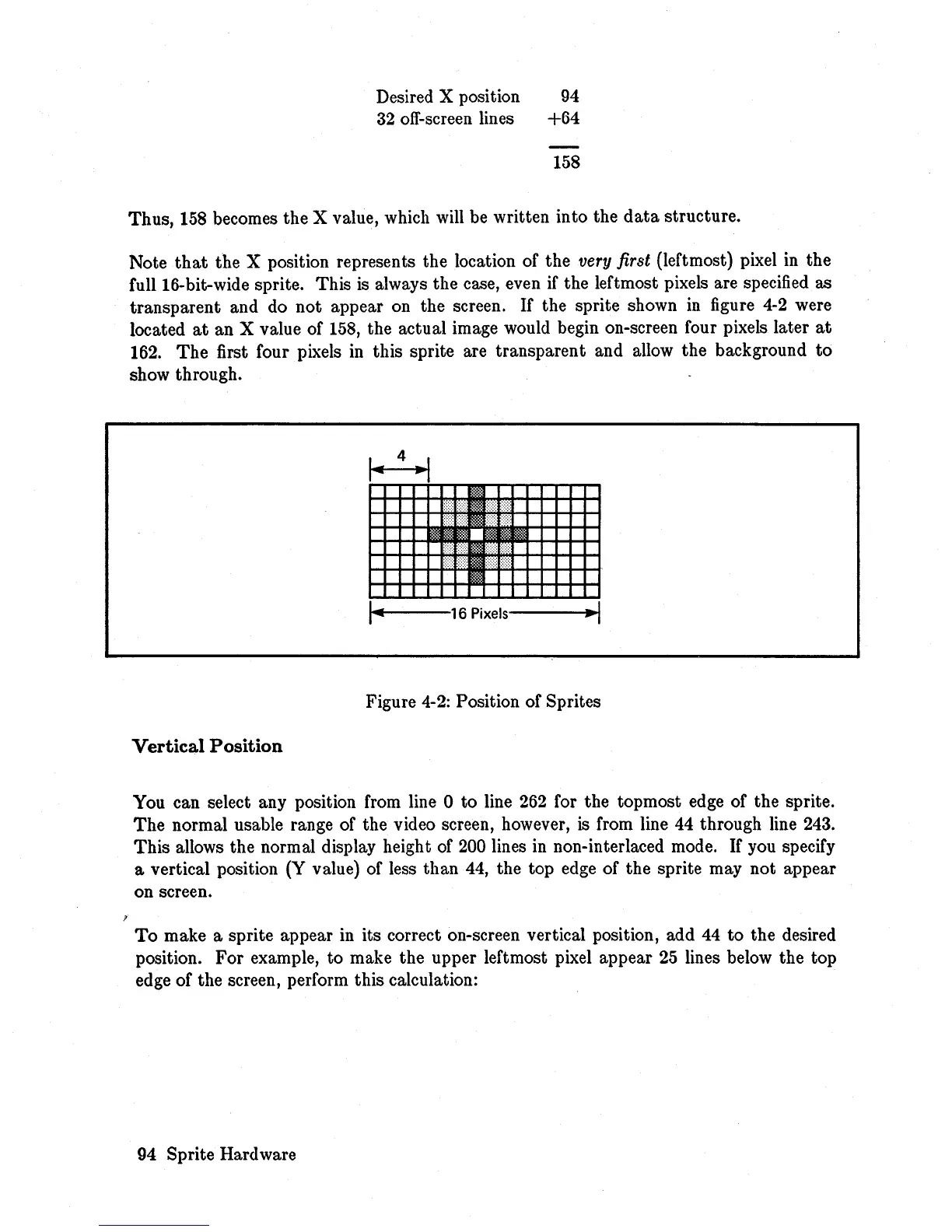
the X position represents the location of the very first (leftmost) pixel in the
full 16-bit-wide sprite. This
is
always the case, even
if
the leftmost pixels are specified as
transparent and do not appear on the screen.
If
the sprite shown
in
figure
4-2
were
located
at
an X value of
158,
the actual image would begin on-screen four pixels later
at
162.
The
first four pixels
in
this sprite are transparent and allow the background
to
show through.
4
Figure
4-2:
Position of Sprites
Vertical
Position
You can select any position from line 0
to
line
262
for the topmost edge of the sprite.
The
normal usable range of the video screen, however,
is
from line 44 through line 243.
This
allows the normal display height of
200
lines in non-interlaced mode.
If
you specify
a vertical position (Y value) of less than 44, the top edge of the sprite may not appear
on screen.
To
make a sprite appear in its correct on-screen vertical position, add 44
to
the desired
position. For example, to make the upper leftmost pixel appear
25
lines below the top
edge of the screen, perform this calculation:
94 Sprite Hard ware














 To Next Page