Data
for
Line
2:
Location:
START+40
Leftmost
Display
Word
START+42
Next
Word
START+44
Next
Word
START+78
Last
Display
Word
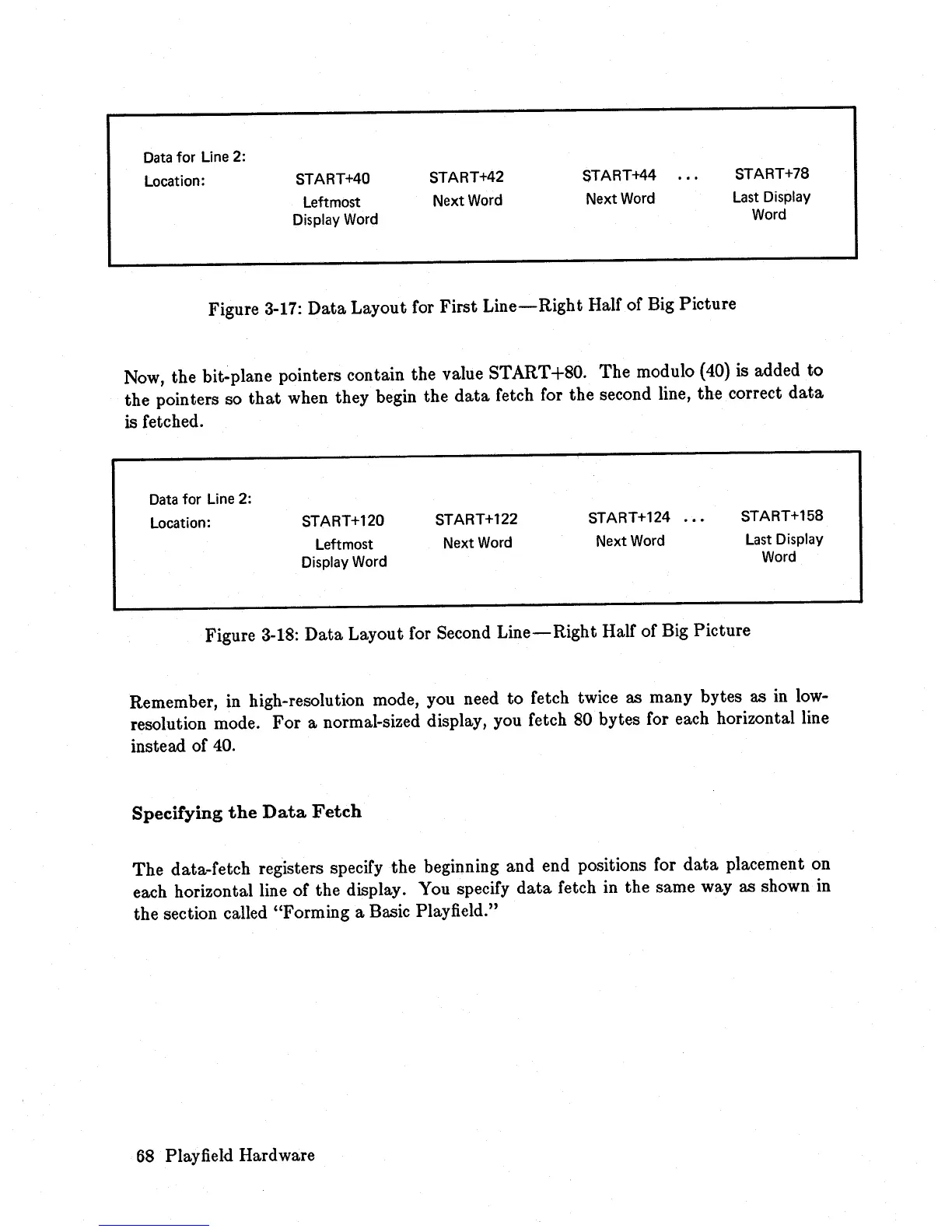
Figure 3-17:
Data
Layout for First
Line-Right
Half of Big Picture
Now, the bit-plane pointers contain the value START+80.
The
modulo (40) is added
to
the pointers so
that
when they begin the
data
Cetch
Cor
the second line, the correct
data
is
fetched.
Data
for
Line
2:
Location: START+120
Leftmost
Display
Word
START+122
Next
Word
START+124
Next
Word
START+158
Last
Display
Word
Figure 3-18:
Data
Layout
Cor
Second
Line-Right
HalC
of Big Picture
Remember, in high-resolution mode, you need to fetch twice as many bytes as
in
low-
resolution mode.
For
a normal-sized display, you
Cetch
80 bytes
Cor
each horizontal line
instead
oC
40.
Specifying
the
Data
Fetch
The
data-fetch registers specify the beginning and end positions for
data
placement on
each horizontal line of the display. You specify
data
fetch in the same way as shown
in
the section called "Forming a Basic Playfield."
68
Playfield Hardware














 To Next Page