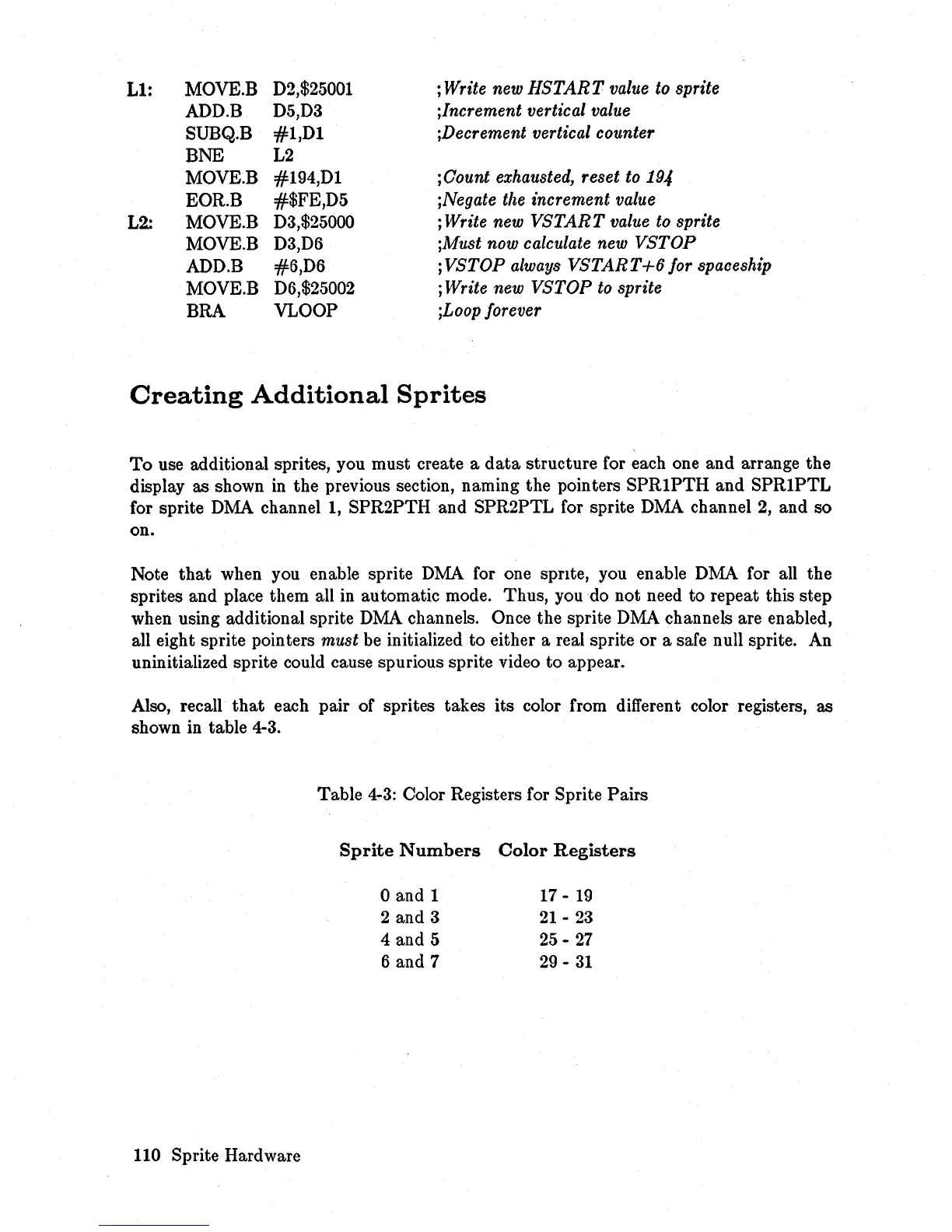
Ll:
L2.:
MOVE.B
ADD.B
SUBQ.B
BNE
MOVE.B
EOR.B
MOVE.B
MOVE.B
ADD.B
MOVE.B
BRA
D2,$25001
D5,D3
#l,Dl
L2
#194,Dl
#$FE,D5
D3,$25000
D3,D6
#6,D6
D6,$25002
VLOOP
; Write new
HSTART
value to sprite
;Increment vertical value
;Decrement vertical counter
;Oount exhausted, reset to
19-1
;Negate the increment value
; Write new
VSTART
value to sprite
;Must now calculate new
VSTOP
;VSTOP
always
VSTART+6
for spaceship
; Write new
VSTOP
to sprite
jLoop forever
Creating
Additional
Sprites
To
use additional sprites, you must create a
data
structure for each one and arrange the
display as shown
in
the previous section, naming the pointers
SPRIPTH
and
SPRIPTL
for sprite DMA channel 1, SPR2PTH and SPR2PTL for sprite DMA channel
2,
and so
on.
Note
that
when you enable sprite
DMA
for one sprIte, you enable DMA for all the
sprites and place them all
in
automatic mode. Thus, you do not need to repeat this step
when using additional sprite DMA channels. Once the sprite DMA channels are enabled,
all eight sprite pointers
must be initialized to either a real sprite or a safe null sprite. An
uninitialized sprite could cause spurious sprite video to appear.
Also, recall
that
each pair of sprites takes its color from different color registers, as
shown in table 4-3.
110 Sprite Hardware
Table
4-3:
Color Registers for Sprite Pairs
Sprite
Numbers
Color
Registers
o and 1
2 and 3
4 and 5
6 and 7
17 -
19
21-
23
25
-
27
29
-
31














 To Next Page