A
Playfield
of
Three
or
More
Colors
For three or more colors, you need more than one bit-plane.
The
task here is
to
define
each bit-plane
in
such a way
that
when they are combined for display, each pixel con-
tains the correct combination of bits. This
is
a little more complicated
than
a playfield
of one bit-plane.
The
following examples show a four-color playfield,
but
the basic idea
and procedures are the same for playfields containing up
to
32
colors.
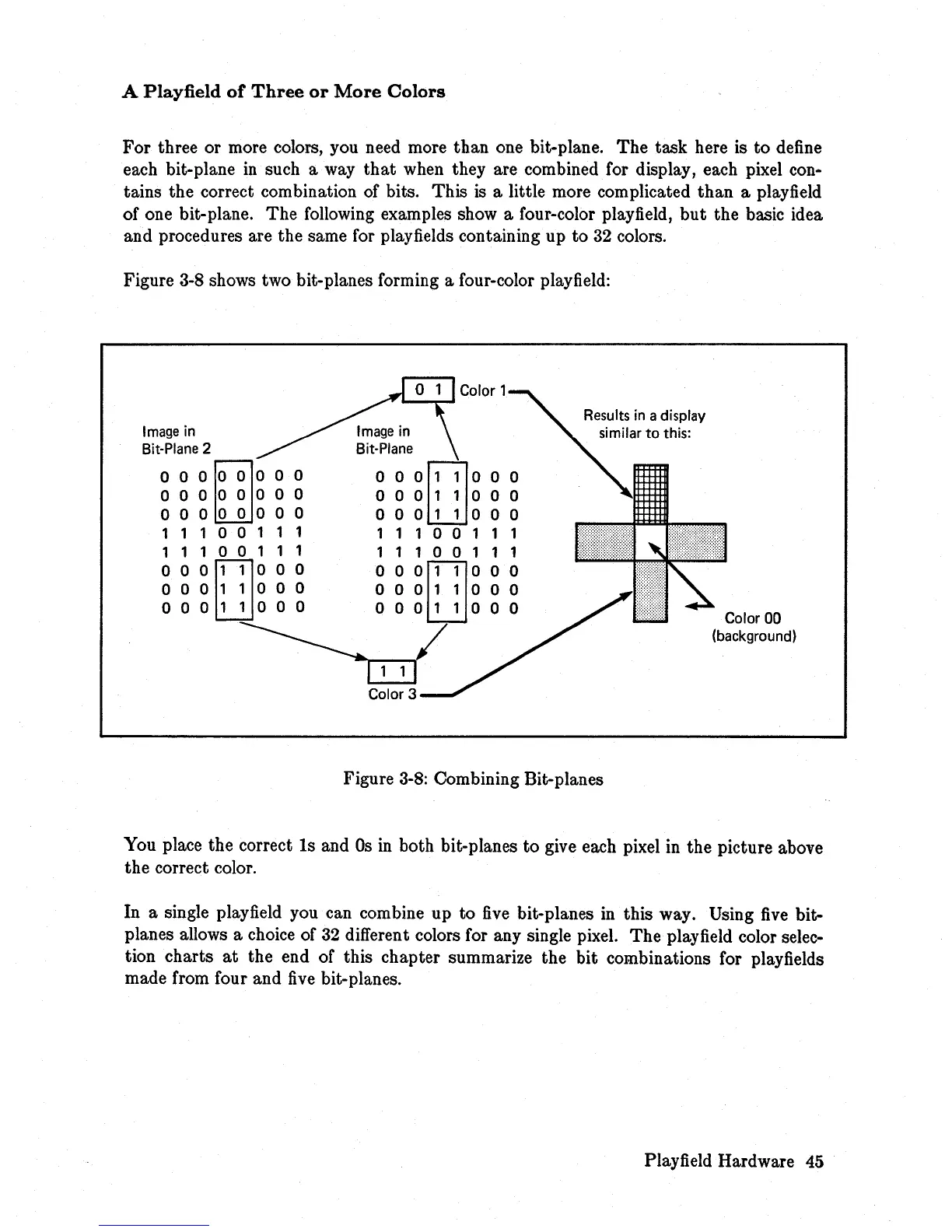
Figure 3-8 shows two bit-planes forming a four-color playfield:
Image
in
Bit-Plane
2
OOO~OOOO
000
0 0 0 0 0
o 0 0 0 0 0 0 0
11100111
11100111
000[J]1000
000
1 1
000
000
1
100
0
Image
in
Bit-Plane
o 0
0[TI1
000
000
1
100
0
000
1
100
0
11100111
11100111
o 0
0[J]1
0 0 0
000
1 1
000
000
1 1
000
~/
Results
in
a display
similar
to
this:
Figure
3-8:
Combining Bit-planes
Color 00
(background)
You place the correct
Is
and
Os
in
both bit-planes to give each pixel in the picture above
the correct color.
In a single play
field
you can combine up
to
five
bit-planes
in
this way. Using
five
bit-
planes allows a choice of
32
different colors for any single pixel.
The
play
field
color selec-
tion charts
at
the end of this chapter summarize the bit combinations for playfields
made from four and
five
bit-planes.
Play
field
Hardware 45














 To Next Page