Attachment is
in
effect only when the ATTACH bit, bit 7 in sprite control word
2,
is
set
to
1 in the
data
structure for the odd-numbered sprite. So, in this example, you set bit
7 in sprite control word 2
in
the
data
structure for sprite 1.
When the sprites are moved, the Copper list must keep them both
at
exactly the same
position relative
to
each other.
If
they are not kept together on the screen, their pixels
will change color. Each sprite will revert
to
three colors plus transparent,
but
the colors
may
be
different
than
if they were ordinary, unattached sprites.
The
color selection for
the lower numbered sprite wili be from color registers 17-19. The color selection for the
higher numbered sprite will
be
from color registers 20, 24, and 28.
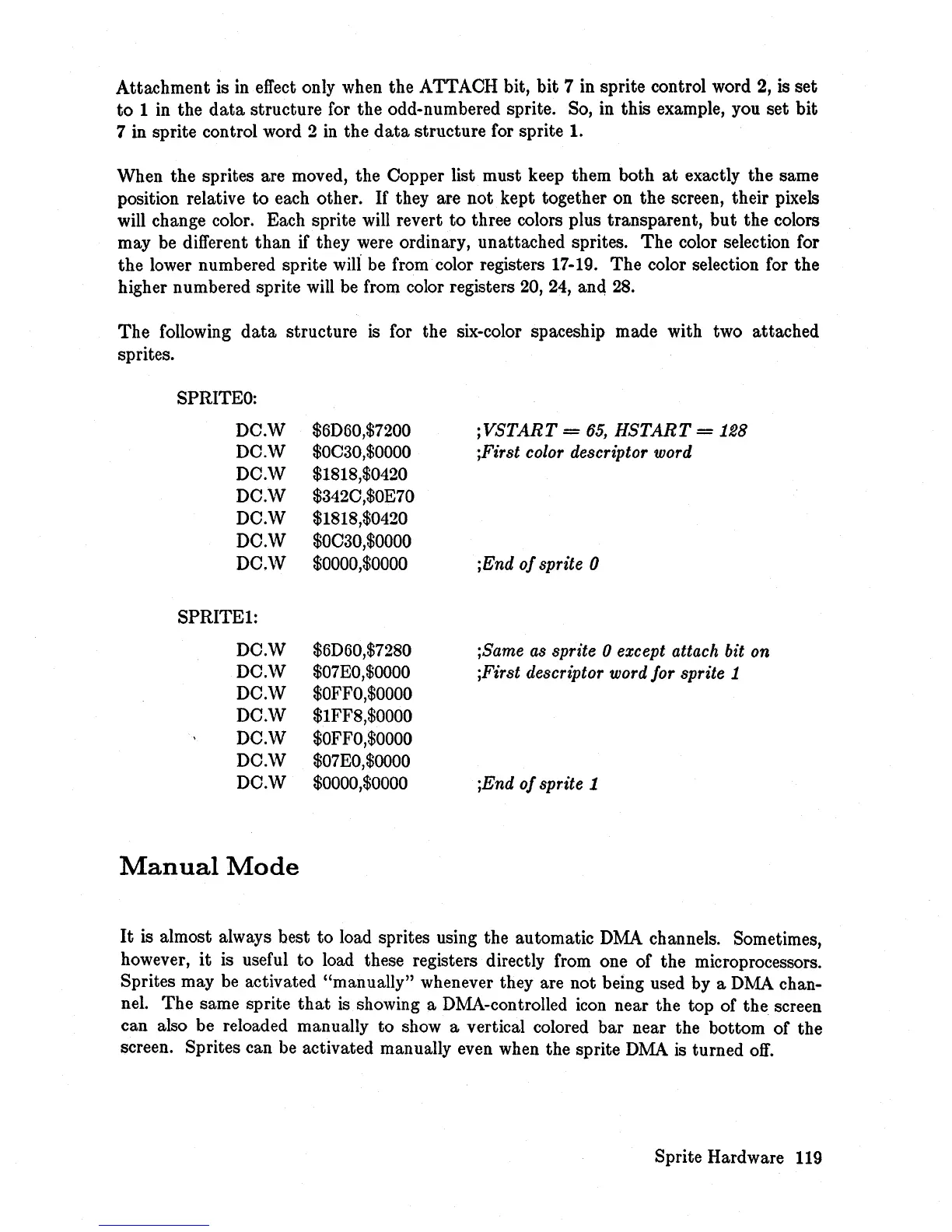
The
following
data
structure
is
for the six-color spaceship made with two attached
sprites.
SPRITEO:
DC.W
DC.\V
DC.\V
DC.\V
DC.\V
DC.W
DC.\V
SPRITE1:
DC.W
DC.\V
DC.\V
DC.W
DC.W
DC.\V
DC.W
Manual
Mode
$6D60,$7200
$OC30,$0000
$1818,$0420
$342C,$OE70
$1818,$0420
$OC30,$0000
$0000,$0000
$6D60,$7280
$07EO,$0000
$OFFO,$OOOO
$IFF8,$0000
$OFFO,$OOOO
$07EO,$OOOO
$0000,$0000
jVSTART
=
65,
HSTART
=
128
jFirst color descriptor word
jEnd
of
sprite 0
;Same as sprite 0 except attach bit on
jFirst descriptor word for sprite 1
;End
of
sprite 1
It
is
almost always best
to
load sprites using the automatic DMA channels. Sometimes,
however,
it
is useful
to
load these registers directly from one of the microprocessors.
Sprites may
be
activated "manually" whenever they are not being used by a DMA chan-
nel.
The
same sprite
that
is
showing a DMA-controlled icon near the top of the screen
can also be reloaded manually to show a vertical colored bar near the bottom of the
screen. Sprites can
be
activated manually even when the sprite
DMA
is
turned
off.
Sprite Hardware 119














 To Next Page