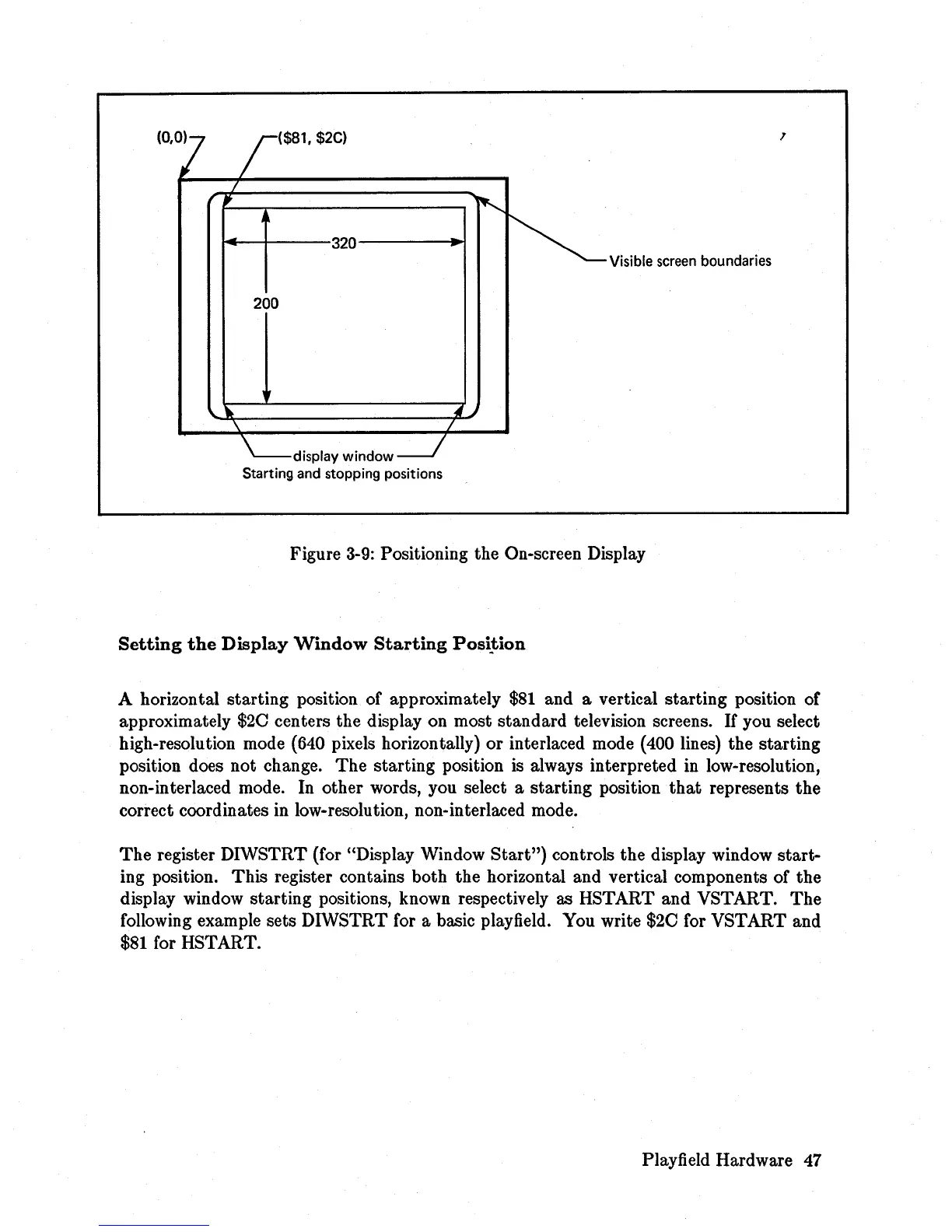
($81, $2C)
~--~----320--------~
200
display window
Starting and stopping positions
,
Visible screen boundaries
Figure
3-9:
Positioning the On-screen Display
Setting
the
Display
Window
Starting
PosiJiion
A horizontal starting position of approximately
$81
and a vertical starting position of
approximately
$20
centers the display on most standard television screens.
If
you select
high-resolution mode (640 pixels horizontally) or interlaced mode (400 lines) the starting
position does not change. The starting position is always interpreted in low-resolution,
non-interlaced mode. In other words, you select a starting position
that
represents the
correct coordinates in low-resolution, non-interlaced mode.
The
register DIWSTRT (for "Display Window
Start")
controls the display window start-
ing position. This register contains both the horizontal and vertical components of the
display window starting positions, known respectively as HSTART and VSTART.
The
following example sets DIWSTRT for a basic playfield. You write
$20
for VSTART and
$81
for HSTART.
Playfield Hardware
47














 To Next Page