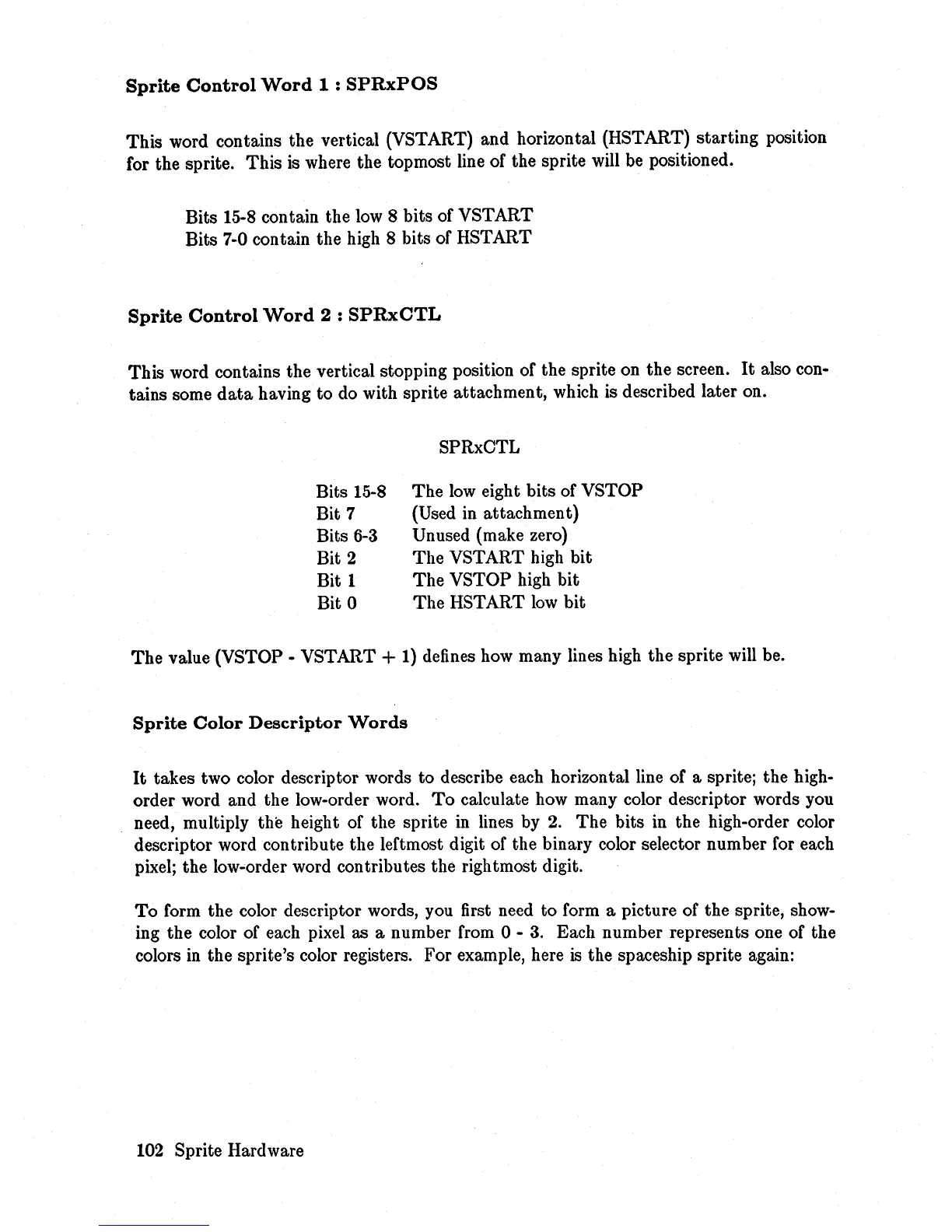
Sprite
Control
Word
1:
SPRxPOS
This
word contains the vertical (VSTART) and horizontal (HSTART) starting position
for the sprite. This is where the topmost line of the sprite will
be
positioned.
Bits 15-8 contain the
low
8 bits of VSTART
Bits 7-0 contain the high 8 bits of HSTART
Sprite
Control
Word
2:
SPRxCTL
This word contains the vertical stopping position of the sprite on the screen.
It
also con-
tains some
data
having to
do
with sprite attachment, which is described later on.
Bits 15-8
Bit 7
Bits
6-3
Bit 2
Bit 1
Bit 0
SPRxCTL
The
low
eight bits of VSTOP
(Used in attachment)
Unused (make zero)
The VSTART high bit
The VSTOP high bit
The
HSTART
low
bit
The
value (VSTOP - VSTART + 1) defines how many lines high the sprite will be.
Sprite
Color
Descriptor
Words
It
takes two color descriptor words to describe each horizontal line of a sprite; the high-
order word and the low-order word.
To
calculate how many color descriptor words you
need, mUltiply the height of the sprite in lines by
2.
The bits in the high-order color
descriptor word contribute the leftmost digit of the binary color selector number for each
pixel; the low-order word contributes the rightmost digit.
To
form the color descriptor words, you first need to form a picture of the sprite, show-
ing the color of each pixel as a number from 0 -
3.
Each number represents one of the
colors
in
the sprite's color registers. For example, here
is
the spaceship sprite again:
102 Sprite Hardware














 To Next Page