.
,
MOVE.W #$9204,BPLCONO(AO)
MOVE.W #O,BPLCON1(AO)
MOVE.W #80,BPL1MOD(AO)
MOVE.W #80,BPL2MOD(AO)
MOVE.W #$003C,DDFSTRT(AO)
MOVE.W #$00D4,DDFSTOP(AO)
MOVE.W #$2C81,DIWSTRT(AO)
MOVE.W #$F4C1,DIWSTOP(AO)
j
Set
up color registers
,
MOVE.W
#$OOOF,COLOROO(AO)
MOVE.W #$OFFF ,COLOR01(AO)
j
Set
up bit-plane at $20000
L1:
L2:
LEA $20000,A1
LEA CHARLIST,A2
MOVE.W #400,D1
MOVE.W #20,DO
MOVE.L (A2),(A1)+
SUBQ.W
#l,DO
BNE
L1
MOVE.W #20,DO
ADDQ.L #4,A2
CMPI.L
#$FFFFFFFF
,(A2)
BNE
L2
LEA CHARLIST,A2
SUBQ.W #1,D1
BNE
L1
j
Start
DMA
MOVE.W #$8300,DMACON(AO)
jHires, one bit-plane, interlaced
jHorizontal scroll value
= 0
jModulo
= 80 for odd bit-planes
jDitto for even bit-planes
jSet data-fetch
start
for hires
jSet data-fetch stop
;Set display window
start
jSet display window stop
jBackground color
= blue
;Foreground color
= white
jPoint
At
at bit-plane
;A2
points at character data
; Write 400 lines
of
data
j Write 20 long words
per
line
j Write a long word
jDecrement counter
jLoop
until
line is full
jReset
long word counter
jPoint at
next
word in char list
jEnd
of
char list?
j Yes, reset
A2
to beginning
of
list
jDecrement line counter
jLoop
until
all lines are full
jEnable bit-plane
DMA
only,
j no Copper
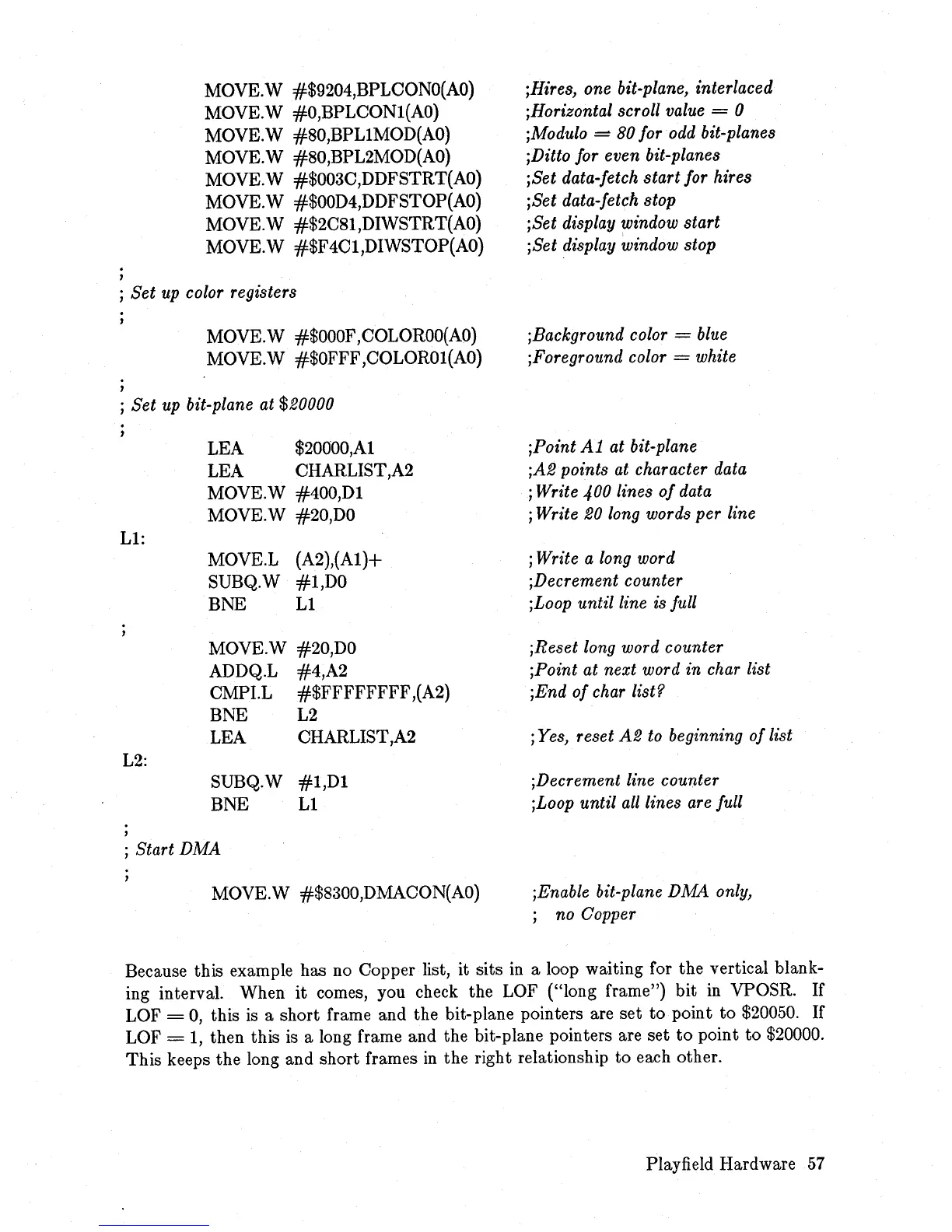
Because this example has
no
Copper list, it sits
in
a loop waiting for the vertical blank-
ing interval. When
it
comes, you check the LOF ("long frame") bit
in
VPOSR. If
LOF
=
0,
this
is
a short frame and the bit-plane pointers are set
to
point to
$20050.
If
LOF =
1,
then this
is
a long frame and the bit-plane pointers are set
to
point to $20000.
This keeps the long and short frames
in
the right relationship to each other.
Playfield Hardware
57














 To Next Page